Best Rank Trackers in 2026: 14 Tools for Accurate Daily Positions
Turn this article into takeaways for your work.


Each assistant summarizes the article only for you and suggests best practices for your work.
The best rank tracker is the one that checks the keywords you care about as often as you need, at a price that doesn't punish you for adding more. AccuRanker is the specialist for daily accuracy at scale, Advanced Web Ranking is the cheapest per tracked keyword in this list, SE Ranking and Nightwatch balance price and features for small teams, and the big suites (Semrush, Ahrefs, Moz) bundle tracking with everything else at a higher cost per keyword. This guide compares 14 options on the numbers that decide the purchase: keyword limits, update frequency, seats, and what a realistic setup costs.
Rank tracking looks simple. You give a tool a list of keywords, it checks where your pages sit in the results, and it charts the movement. But the pricing models are wildly different. Some tools sell you a keyword allowance on a daily schedule. Others sell weekly checks. One counts "position checks" rather than keywords. A few charge per seat, while others give you unlimited users and bill by keyword volume instead.
So a headline price tells you very little. A $39 plan and a $249 plan can both be the right choice, depending on whether you track 300 keywords weekly or 5,000 keywords daily. We've put every plan on the same footing, including a derived cost per 1,000 tracked keywords, so you can see what you're actually paying for.
Classic SEO only here. If you're after tracking of AI answers and citations, that's a separate buying decision, covered in best AEO tools and best AI SEO tools.
Key Facts
- Google Search Console reports average position as the topmost position of your link for each query, averaged across all queries, so it describes a blended average, not the rank of one keyword.
- Search results depend on the time, place, device, and recent history of the person searching, which is why two people can see different positions for the same query.
- AccuRanker prices by keyword volume and lists daily updates on every plan, from 2,000 keywords at $249 per month billed monthly.
- Advanced Web Ranking lists 7,000 tracked keywords on its $139 per month Pro plan, with unlimited users and projects.
- Mangools lists daily rank updates only on its Agency plan, with Basic and Premium updating weekly.
Quick Comparison Table
Prices are US list prices. "Monthly" means billed month to month. Tools priced in euros are marked.
| Tool | Best For | Starting Price | Key Strength | Key Limitation |
|---|---|---|---|---|
| AccuRanker | Daily accuracy at high volume | $249/mo billed monthly (2,000 keywords) | Daily updates on every plan, huge keyword tiers | Priciest per keyword at small sizes |
| SE Ranking | Small teams wanting tracking plus audit | $129/mo billed monthly (10 projects, 2,000 keywords) | Low cost per keyword, daily tracking | One manager seat on Core |
| Nightwatch | Unlimited seats, keyword-based pricing | €79/mo billed yearly (500 keywords) | No per-seat fees | Priced in EUR, billed yearly at the entry view |
| Advanced Web Ranking | Agencies tracking thousands of keywords | $139/mo billed monthly (7,000 keywords) | Lowest cost per keyword here, unlimited users | Annual price not printed, interface is report-heavy |
| Semrush Position Tracking | Teams already living in Semrush | $139/mo billed monthly (500 keywords) | Tracking inside a full SEO suite | 500 keywords on the entry plan |
| Ahrefs Rank Tracker | Ahrefs users who want rankings alongside backlinks | $129/mo billed monthly, Lite (750 keywords) | History and project depth | Extra seats cost extra |
| Moz Pro | Smaller sites on a tight keyword list | $99/mo billed monthly, Standard (300 keywords) | Clean reporting, 1,500 keywords at Medium | Highest cost per keyword at the entry tier |
| Mangools SERPWatcher | Freelancers and small sites | $49/mo billed monthly, Basic (200 keywords) | Simple, includes keyword research | Weekly updates below the Agency plan |
| Serpstat | Tracking plus audit on a budget | $69/mo billed monthly, Individual | Daily updates, 5 projects | Limits count position checks, not keywords |
| Sitechecker | Unlimited users, monitoring plus tracking | $99/mo billed monthly (500 keywords) | Unlimited users on all plans | Pricey per keyword at Basic |
| SpyFu | Weekly tracking next to competitor research | $39/mo billed monthly (5,000 keywords, weekly) | Cheap weekly tracking | Weekly only, not a daily tracker |
| Wincher | Small teams that want a focused tracker | Basic $49/mo billed monthly, $41/mo billed annually (500 keywords) | Daily updates, local tracking add-on | No free plan, 7-day trial only |
| Seobility | Budget tracking with an audit | €59.90/mo billed monthly (300 keywords) | Free plan with 10 keywords | Daily checks cover the top 20 by default |
| Google Search Console | Free baseline of real performance | Free | Real impressions and clicks from Google | Average position, not a rank tracker |
How to Choose a Rank Tracker
Four questions cut the field fast.
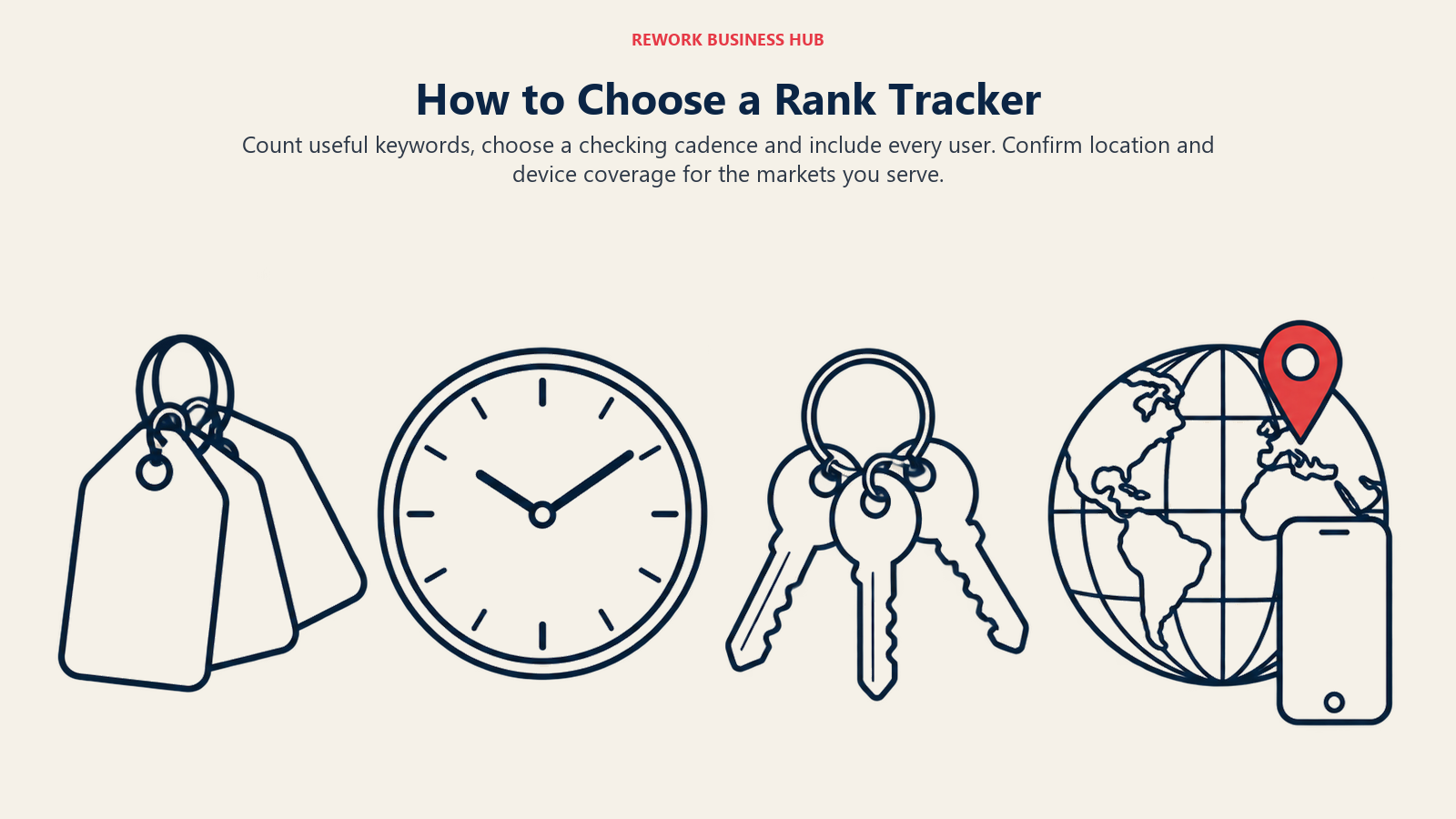
- How many keywords will you really track? Count the terms tied to revenue, not every phrase you've ever researched. Most small sites sit between 200 and 2,000.
- Do you need daily data? Weekly checks are fine for slow-moving content sites. Daily checks matter when you're running campaigns, launching pages, or reporting to clients who ask about last Tuesday's drop.
- How many people need access? Seat fees add up. Tools with unlimited users change the math for agencies.
- Do you track by location or device? Results shift by place and device, so local businesses and multi-market brands need tracking set by location, and a few tools sit these features on higher plans.
Here's how those answers map to sizes.
| Tracked keywords | Update need | Tools worth shortlisting |
|---|---|---|
| Under 500 | Weekly is fine | Mangools Basic, Seobility, SpyFu Basic |
| 500 to 2,000 | Daily preferred | SE Ranking Core, Nightwatch, Wincher, Sitechecker, Moz Medium |
| 2,000 to 7,000 | Daily | Advanced Web Ranking Pro, AccuRanker, SE Ranking Growth, Ahrefs Standard |
| 7,000 and up | Daily | Advanced Web Ranking Agency, AccuRanker Expert, Serpstat Agency |
And by who is buying.
| Persona | What matters | Best fits |
|---|---|---|
| Solo site owner | Low price, simple charts | Mangools, Seobility, Google Search Console |
| In-house SEO manager | One suite for research, audit and tracking | Semrush, Ahrefs, Moz Pro |
| Small agency | Many projects, many seats, white-label reports | Advanced Web Ranking, Nightwatch, SE Ranking |
| Enterprise team | Large keyword volume, API and warehouse export | AccuRanker, Advanced Web Ranking |
Update Frequency at a Glance
Daily versus weekly is the biggest functional split among these tools, and it isn't always obvious from the marketing page.
| Tool | Update frequency as listed |
|---|---|
| AccuRanker | Daily on all plans |
| Advanced Web Ranking | Daily, weekly, bi-weekly, monthly, or manual on-demand |
| SE Ranking | Tracked keywords listed as daily |
| Nightwatch | Daily tracking |
| Serpstat | Daily rank updates on all plans |
| Wincher | Daily on all plans, local tracking weekly |
| Mangools | Weekly on Basic and Premium, daily on Agency |
| SpyFu | Weekly tracked keyword rankings |
| Seobility | Daily within the top 20 by default |
| Semrush | Keywords tracked daily |
Local and mobile tracking deserves its own mention. Advanced Web Ranking lists local and mobile rankings on Pro. Semrush lists multi-location and device tracking on Pro+. Wincher has a separate local rank tracker with weekly updates. For the rest, confirm location and device options on the vendor's page before you commit, because they aren't always part of the plan summary.
1. AccuRanker: The Specialist for Daily Accuracy at Scale
AccuRanker does one job. It tracks rankings, daily, and it prices by how many keywords you track. That focus is the point: if rank data is your product, or your clients' reports, you don't pay for a suite you won't open.
Who it's for: agencies and in-house teams with thousands of keywords and a daily reporting habit.
Sizing fit: from 2,000 keywords up to 25,000 on self-serve plans, with an Enterprise tier above that.
What it does best: every plan updates daily, and the Expert tiers add dynamic tagging, a tag cloud, AI CTR, AccuRanker search volume, Looker Studio connection, and an unlimited read API. Enterprise adds BigQuery and a write API, with unlimited users and domains.
Honest limit: the entry tier is expensive for what you get. At 2,000 keywords you pay far more per keyword than a tracker built around bulk allowances.
| Pros | Cons |
|---|---|
| Daily updates on every plan | Costly at small keyword counts |
| Large keyword tiers up to 25,000 | No site audit or keyword research suite |
| Expert tier adds API and Looker Studio | Free trial not listed on the pricing page |
Pricing: Professional is $249 per month billed monthly for 2,000 keywords ($224 per month billed annually), $369 for 3,000 ($332 annually), and $609 for 5,000 ($548 annually). Expert runs $849 for 10,000 keywords ($764 annually) up to $1,569 for 25,000 ($1,412 annually). Annual billing takes 10% off. Source: AccuRanker pricing.
Best for: teams that track 2,000 or more keywords and want daily data without extra tooling.
2. SE Ranking: Best Balance of Price and Features for Small Teams
SE Ranking pairs daily rank tracking with a site audit, keyword tools, and reporting in one product. Its pricing was restructured into Core, Growth and Enterprise, replacing the older Essential, Pro and Business names.
Who it's for: small marketing teams and agencies that want tracking and auditing under one roof.
Sizing fit: Core covers 10 projects and 2,000 daily tracked keywords. Growth covers 30 projects and 5,000.
What it does best: low cost per keyword with daily tracking, plus a 250,000-page monthly audit allowance on Core (2 million on Growth).
Honest limit: Core includes one manager seat and Growth three, with extra seats from $16, so a bigger team pays more.
| Pros | Cons |
|---|---|
| Strong price per keyword | One manager seat on Core |
| Tracking plus audit in one place | Agency pack costs extra |
| 14-day trial, no card needed | Enterprise pricing is custom |
Pricing: Core is $129 per month billed monthly ($103.20 per month billed annually). Growth is $279 per month billed monthly ($223.20 billed annually). Enterprise is custom. The Agency Pack adds $69 per month and is sold on annual billing only. Source: SE Ranking pricing.
Best for: teams of one to three people that want daily tracking and an audit in a single subscription.
3. Nightwatch: Unlimited Seats, Priced by Keywords
Nightwatch charges for tracked keywords and nothing else. There are no per-seat fees, which is rare in this market and a real saving for agencies with many collaborators.
Who it's for: agencies and in-house teams with several stakeholders who all need logins.
Sizing fit: 500 keywords on Starter, 2,500 on Professional, 7,500 on Agency, and custom above 20,000.
What it does best: unlimited seats and daily tracking. Professional and above add Looker Studio, white labeling and API access.
Honest limit: prices are in euros and the figures printed are for yearly billing, so budget for the currency and the annual commitment.
| Pros | Cons |
|---|---|
| Unlimited seats on every plan | EUR pricing |
| Daily tracking | Monthly billing costs more (Starter €99) |
| White label and Looker Studio on Professional | Starter is small at 500 keywords |
Pricing: Starter is €99 per month billed monthly or €79 per month billed yearly (€948). Professional is €199 billed monthly or €159 billed yearly (€1,908). Agency is €499 billed monthly or €399 billed yearly (€4,788). Enterprise is custom. The page describes yearly billing as 20% off, two months free. A 14-day free trial is offered. Source: Nightwatch pricing.
Best for: agencies and teams of four or more that want to track 500 to 7,500 keywords without paying per seat.
4. Advanced Web Ranking: The Cheapest Per Keyword
Advanced Web Ranking (AWR) is built for volume. Its self-serve plans start at 7,000 tracked keywords, which makes its cost per keyword the lowest on this list by a wide margin.
Who it's for: agencies and enterprise SEO teams with large keyword sets and many clients.
Sizing fit: 7,000, 14,500 and 35,500 keyword plans, with a 50,000-keyword tier sold through a demo.
What it does best: flexible update schedules (daily, weekly, bi-weekly, monthly or on demand), unlimited users and projects, and local and mobile rankings on the Pro plan. Agency adds unlimited forecasts, Looker Studio and a developer API.
Honest limit: the entry point is 7,000 keywords. If you track 300, you're paying for capacity you won't use.
| Pros | Cons |
|---|---|
| Lowest cost per keyword here | High entry price for small sites |
| Unlimited users and projects | Annual dollar prices aren't printed |
| Local and mobile rankings on Pro | Built for reporting, heavier to learn |
Pricing: Pro is $139 per month billed monthly (7,000 keywords). Agency is $279 (14,500). Enterprise is $699 (35,500). The page says annual billing saves 10% and doesn't print the annual figure. All plans carry a 30-day money-back guarantee. Source: Advanced Web Ranking pricing.
Best for: agencies tracking 5,000 or more keywords across many projects.
5. Semrush Position Tracking: Tracking Inside a Full Suite
Semrush's Position Tracking lives inside its SEO plans. The old Pro, Guru and Business lineup is gone, replaced by SEO, Starter, Pro+ and Advanced.
Who it's for: teams that already use Semrush for research and audits and want tracking in the same login.
Sizing fit: the SEO plan tracks 500 keywords daily across 5 websites. Pro+ tracks 1,500 across 15. Advanced is custom at 5,000 or more.
What it does best: tracking sits beside keyword research, competitor analysis and Site Audit. Pro+ adds historical data, content optimization, keyword cannibalization analysis and multi-location and device tracking.
Honest limit: the keyword allowance is small for the money. At 500 keywords you pay a suite price for suite features you may not need.
| Pros | Cons |
|---|---|
| Tracking plus research plus audit | Only 500 keywords on the SEO plan |
| Multi-location and device tracking on Pro+ | Extra users start at $45 per month |
| 7-day free trial | Local and traffic toolkits cost extra |
Pricing: SEO is $139 per month billed monthly ($117.33 per month billed annually). Starter is $199 ($165.17 annually). Pro+ is $299 ($248.17 annually). Advanced is custom. The Traffic & Market toolkit is listed at $289 per month and is a separate purchase on top of any Semrush plan. Source: Semrush pricing.
Best for: teams that want one tool for research, audit and a few hundred tracked keywords.
6. Ahrefs Rank Tracker: Rankings Next to the Backlink Index
Ahrefs includes rank tracking in its Lite, Standard and Advanced plans, each with a tracked keyword limit and a history window. Its free tier is now called Ahrefs Free (formerly Webmaster Tools).
Who it's for: SEO managers who already use Ahrefs for backlinks and want rankings in the same project.
Sizing fit: Lite tracks 750 keywords, Standard 2,000, Advanced 5,000.
What it does best: long history (6 months on Lite, 2 years on Standard, 5 years on Advanced), plus the rest of the Ahrefs data in the same account.
Honest limit: each plan includes one user. Extra users cost $40 (Lite), $60 (Standard) or $80 (Advanced) per month each.
| Pros | Cons |
|---|---|
| History up to 5 years on Advanced | One user included per plan |
| Tracking beside backlink data | Annual dollar prices not printed |
| Free verified-site tier | Starter has no printed limits |
Pricing: all prices below are billed monthly. Lite is $129 per month, Standard $249, Advanced $449, Enterprise $1,499 with an annual commitment. A Starter plan is listed at $29 per month. Source: Ahrefs pricing.
Best for: teams that already rely on Ahrefs data and track under 2,000 keywords.
7. Moz Pro: Clean Reporting for Smaller Keyword Lists
Moz Pro now sells Starter, Standard, Medium and Large plans. It includes keyword tracking inside a broader toolkit.
Who it's for: small business owners and in-house marketers with a modest, stable keyword list.
Sizing fit: Standard tracks 300 keywords across 3 campaigns. Medium tracks 1,500 across 10. Large tracks 3,000 across 25.
What it does best: straightforward reports, and seats scale with the plan: 1, 2 and 3 users at Standard, Medium and Large.
Honest limit: the entry plan is the weakest value per keyword on this list.
| Pros | Cons |
|---|---|
| Medium gives 1,500 keywords and 2 users | 300 keywords at Standard |
| Simple reporting | Extra seats $49 per month each |
| Seats included on larger plans | Trial length not listed |
Pricing: Standard is $99 per month billed monthly, or $79 per month billed annually ($950 for the first year). Medium is $179 monthly or $143 billed annually ($1,719 first year). Large is $299 monthly or $239 billed annually ($2,868 first year). Starter is listed at $49 per month. Enterprise is contact sales. Source: Moz Pro pricing.
Best for: teams of one to three that track 1,000 to 1,500 keywords and prefer simple reports.
8. Mangools SERPWatcher: Simple Tracking Bundled With Keyword Research
SERPWatcher isn't sold alone. It comes with every Mangools plan, next to KWFinder and the other Mangools tools, and the tracked keyword limit follows the plan.
Who it's for: freelancers and small sites that want one inexpensive subscription.
Sizing fit: 200 keywords on Basic, 700 on Premium, 1,500 on Agency.
What it does best: low entry cost and simple dashboards. The Agency plan updates rankings daily.
Honest limit: Basic and Premium update weekly, and Basic has no extra seats.
| Pros | Cons |
|---|---|
| Low entry price | Weekly updates below Agency |
| Keyword research included | No extra seats on Basic |
| 700 keywords at $69 | Pricing varies by region |
Pricing: US list price, SEO tools only: Basic $49, Premium $69, Agency $129 per month billed monthly. Billed annually, that's $358.80, $538.80 and $1,078.80 per year. Mangools prices vary by region. Extra seats: 3 on Premium, 5 on Agency. Source: Mangools plans.
Best for: freelancers and small sites tracking 200 to 700 keywords weekly.
9. Serpstat: Tracking and Audit on a Budget
Serpstat bundles rank tracking, site audit and keyword tools, and it counts usage in position checks, which is different from a simple keyword limit.
Who it's for: budget-conscious teams that want tracking plus audit and don't mind a usage-based allowance.
Sizing fit: 10,000 position checks per month on Individual, 50,000 on Team, 100,000 on Team x2, 500,000 on Agency.
What it does best: daily rank updates on all plans, five projects on Individual, and unlimited projects above that. Team, Team x2 and Agency include 3, 6 and 30 users.
Honest limit: a "position check" is one keyword checked once, so the keyword capacity depends on how often you update. We haven't converted it to keywords in the cost table for that reason.
| Pros | Cons |
|---|---|
| Daily updates on all plans | Usage-based limits are harder to size |
| Multi-user plans from Team | Free trial needs a card, $1 verification charge |
| Audit included | Individual is a single seat |
Pricing: billed monthly, Individual is $69, Team $129, Team x2 $209, Agency $499. Billed annually, the per-month equivalents are $50, $100, $169 and $410. Source: Serpstat prices.
Best for: teams of two to six that want an all-in-one tool and track a moderate keyword set.
10. Sitechecker: Unlimited Users With Site Monitoring
Sitechecker combines rank tracking, monitoring and audit. Every plan includes unlimited users.
Who it's for: teams with many stakeholders who need access, plus ongoing site monitoring.
Sizing fit: 500 keywords and 3 websites on Basic, 2,500 and 20 on Standard, 5,000 and 50 on Premium.
What it does best: unlimited users, a rank tracker with SERP history, and Google Search Console and GA4 insights on all plans.
Honest limit: Basic costs a lot per keyword, and plan limits may vary by visitor, so confirm the numbers when you sign up.
| Pros | Cons |
|---|---|
| Unlimited users on all plans | Expensive per keyword at Basic |
| Monitoring plus tracking | Limits can differ by visitor |
| 14-day trial, no card | Basic updates site monitoring weekly |
Pricing: Basic is $99 per month billed monthly ($83 per month billed annually). Standard is $249 ($208 annually). Premium is $449 ($375 annually). Enterprise is custom. Source: Sitechecker plans.
Best for: teams that need unlimited logins and 500 to 2,500 tracked keywords.
11. SpyFu: Cheap Weekly Tracking Alongside Competitor Data
SpyFu is a competitor research tool first. Its rank tracking runs weekly, which makes it a different kind of product from the daily trackers above.
Who it's for: marketers who spy on competitor keywords and want a weekly tracker in the same account.
Sizing fit: 5,000 weekly tracked keywords on Basic, 15,000 on Pro + AI, 50,000 on Team/Agency.
What it does best: low price per tracked keyword, in weekly terms, plus competitor data and a site audit.
Honest limit: weekly checks only. If you need to see yesterday's move, this isn't your tracker.
| Pros | Cons |
|---|---|
| Large weekly allowance for the price | Weekly updates only |
| Competitor research included | Extra users $30 each on higher plans |
| 30-day money-back guarantee | No free trial printed |
Pricing: Basic is $39 per month billed monthly ($29 billed annually). Pro + AI is listed as $59 for the first month, then $119 per month billed monthly ($89 billed annually). Team/Agency is $249 monthly ($187 annually). Pro + AI includes 1 user and Team/Agency 5, with additional users at $30 each. Source: SpyFu pricing.
Best for: teams that want weekly tracking of a large list next to competitor research.
12. Wincher: A Focused Tracker for Small Teams
Wincher is a dedicated rank tracker with daily updates on all plans, aimed at small teams and agencies.
Who it's for: small teams that want tracking without a full suite.
Sizing fit: three tiers starting at 500 keywords (up to 10 websites, 1 user), 1,000 keywords (unlimited websites, multiple users), and 5,000 keywords (unlimited websites, multiple users).
What it does best: daily ranking updates plus a separate local rank tracker, which updates weekly and includes 25 credits, with extra credits at €10 per 500.
Honest limit: there's no free plan, only a 7-day trial, and the entry tier's single user and 10-website cap fit a solo marketer better than a team. Prices scale up as you raise the keyword count on each plan.
| Pros | Cons |
|---|---|
| Daily updates on all plans | No free plan |
| Local rank tracker available | Local tracker updates weekly |
| Free trial offered | Smaller feature set than suites |
Pricing: on the Wincher pricing page, Basic is $49 per month billed monthly or $41 per month billed annually, Standard is $89 or $74, and Professional is $319 or $266, each at its entry keyword tier. A 7-day trial is offered. Local tracking credits cost €10 per 500 extra.
Best for: small teams that want a lean daily tracker at a low entry price.
13. Seobility: Budget Tracking With a Free Starter Plan
Seobility offers a free plan and low-cost paid plans that combine audit and ranking checks. Prices are in euros, excluding VAT.
Who it's for: small sites and freelancers who want a free way to start.
Sizing fit: Free tracks 10 keywords. Premium tracks 300, Professional 700, Agency 2,000.
What it does best: the free tier, which has no time limit, and the audit included on every plan.
Honest limit: rankings update daily within the top 20 by default. Daily top 50 and top 100 checks are paid add-ons.
| Pros | Cons |
|---|---|
| Free plan with 10 keywords | Top 20 only by default |
| Audit included | Prices in EUR, excluding VAT |
| 14-day trial on paid plans | Small keyword limits |
Pricing: Premium is €59.90 per month billed monthly (€575.04 per year billed annually). Professional is €99.90 (€959.04 annually). Agency is €209.90 (€2,015.04 annually). Source: Seobility pricing.
Best for: small sites that want a free start and a cheap path to 300 to 700 keywords.
14. Google Search Console: The Free Baseline, Not a Rank Tracker
Search Console isn't a rank tracker, and it's worth being clear about why. It reports the topmost position your page held for each query, averaged across all queries, and only for queries where you got an impression. You get real data from Google, but no daily position for a keyword you chose.
Who it's for: every site owner, alongside whichever tracker they pick.
What it does best: real impressions, clicks and average position, with no cost.
Honest limit: it can't tell you where you rank for a term where you get no impressions, and the average blends many queries into one number. Results also vary with the time, place, device, and recent history of the person searching.
| Pros | Cons |
|---|---|
| Free | Average position, not per-keyword rank |
| Real Google data | No tracking of keywords with no impressions |
| Pairs with any tracker | No competitor positions |
Pricing: free.
Best for: everyone, as the reality check on whatever your paid tracker says. Bing has an equivalent: Bing Webmaster Tools shows average position by page and keyword, free.
Cost Per 1,000 Tracked Keywords
This table divides each plan's printed list price by its printed keyword limit. It's derived from list price, so it shows relative value, not what a discount or promotion might bring. Plans are billed monthly unless noted. Weekly trackers aren't directly comparable to daily ones.
| Tool and plan | Printed price | Printed keyword limit | Derived cost per 1,000 keywords | Updates |
|---|---|---|---|---|
| Advanced Web Ranking Agency | $279 | 14,500 | $19.24 | Daily or scheduled |
| Advanced Web Ranking Pro | $139 | 7,000 | $19.86 | Daily or scheduled |
| AccuRanker Expert (25,000) | $1,569 | 25,000 | $62.76 | Daily |
| SE Ranking Growth | $279 | 5,000 | $55.80 | Daily |
| SE Ranking Core | $129 | 2,000 | $64.50 | Daily |
| Nightwatch Agency (EUR, billed yearly) | €399 | 7,500 | €53.20 | Daily |
| Nightwatch Professional (EUR, billed yearly) | €159 | 2,500 | €63.60 | Daily |
| AccuRanker Professional (2,000) | $249 | 2,000 | $124.50 | Daily |
| Ahrefs Advanced | $449 | 5,000 | $89.80 | Not stated here |
| Ahrefs Standard | $249 | 2,000 | $124.50 | Not stated here |
| Ahrefs Lite | $129 | 750 | $172.00 | Not stated here |
| Sitechecker Premium | $449 | 5,000 | $89.80 | Not stated |
| Sitechecker Standard | $249 | 2,500 | $99.60 | Not stated |
| Sitechecker Basic | $99 | 500 | $198.00 | Not stated |
| Mangools Agency | $129 | 1,500 | $86.00 | Daily |
| Mangools Premium | $69 | 700 | $98.57 | Weekly |
| Mangools Basic | $49 | 200 | $245.00 | Weekly |
| Moz Large | $299 | 3,000 | $99.67 | Not stated here |
| Moz Medium | $179 | 1,500 | $119.33 | Not stated here |
| Moz Standard | $99 | 300 | $330.00 | Not stated here |
| Semrush Pro+ | $299 | 1,500 | $199.33 | Daily |
| Semrush SEO | $139 | 500 | $278.00 | Daily |
| Seobility Agency (EUR) | €209.90 | 2,000 | €104.95 | Daily, top 20 |
| Seobility Professional (EUR) | €99.90 | 700 | €142.71 | Daily, top 20 |
| Seobility Premium (EUR) | €59.90 | 300 | €199.67 | Daily, top 20 |
Weekly SpyFu, for reference: Basic is $39 for 5,000 weekly keywords ($7.80 per 1,000), Pro + AI is $119 for 15,000 ($7.93), and Team/Agency is $249 for 50,000 ($4.98). Those are weekly checks, so don't read them against the daily rows.
Two patterns stand out. Volume tools (Advanced Web Ranking, AccuRanker Expert, SE Ranking Growth) get cheap per keyword as you scale. Suite tools (Semrush, Moz, Ahrefs) charge more per keyword because the price covers other tools too. Neither is wrong. The question is whether you'll use the rest of the suite.
What a Realistic Small-Team Setup Costs
Take a three-person team tracking about 1,000 keywords across a few projects. Here's what each option costs per month billed monthly, adding printed seat prices where a plan includes fewer than three seats.
| Tool and plan | Keywords | Seats covered | Monthly cost (billed monthly) |
|---|---|---|---|
| SE Ranking Core plus 2 extra seats | 2,000 | 3 | $129 + 2 x $16 = $161 |
| Ahrefs Standard plus 2 extra users | 2,000 | 3 | $249 + 2 x $60 = $369 |
| Ahrefs Lite plus 2 extra users | 750 | 3 | $129 + 2 x $40 = $209 |
| Semrush Pro+ plus 2 extra users | 1,500 | 3 | $299 + 2 x $45 (starting at) = $389 |
| Moz Medium plus 1 extra seat | 1,500 | 3 | $179 + $49 = $228 |
| Mangools Premium | 700 | up to 3 extra seats | $69 |
| SpyFu Pro + AI (weekly) plus 2 users | 15,000 | 3 | $119 + 2 x $30 = $179 |
| Sitechecker Standard | 2,500 | Unlimited | $249 |
| Serpstat Team | 50,000 position checks per month | 3 | $129 |
| Seobility Professional (EUR) | 700 | up to 3 members | €99.90 |
Nightwatch Professional is €159 per month billed yearly for 2,500 keywords with unlimited seats, and Advanced Web Ranking Pro is $139 per month billed monthly for 7,000 keywords with unlimited users. AccuRanker Professional starts at $249 per month billed monthly for 2,000 keywords.
The spread is large. For the same team, tracking-only options land between roughly $70 and $250 per month, while pairing tracking with a suite runs $230 to $390. If you only need positions, you don't need to pay for the suite.
Decision Framework
| If you need... | Pick |
|---|---|
| The lowest cost per keyword at scale | Advanced Web Ranking |
| Daily data at 5,000+ keywords with API access | AccuRanker Expert |
| Tracking plus audit for a small team | SE Ranking |
| Unlimited seats and keyword-based pricing | Nightwatch or Sitechecker |
| One suite for research, backlinks and tracking | Ahrefs or Semrush |
| Simple reports for a short keyword list | Moz Pro |
| The cheapest paid start for a small site | Mangools or Seobility |
| Weekly tracking of a big list beside competitor data | SpyFu |
| A free baseline | Google Search Console and Bing Webmaster Tools |
How to Avoid Overpaying for Rank Tracking
A few habits keep the bill honest.
- Track fewer, better keywords. A list of 300 terms tied to pages and revenue tells you more than 3,000 vanity phrases.
- Match frequency to the decision. If you only review rankings monthly, weekly checks are enough.
- Count seats before you count keywords. A $129 plan with 3 paid extra seats can cost more than a $159 plan with unlimited users.
- Read the unit. Keywords, position checks and credits aren't the same thing. Serpstat counts checks, SpyFu counts weekly keywords, and Mangools ties updates to the plan.
- Treat estimates as estimates. Any volume or traffic number a tracker shows next to a keyword is a model, not a measurement. Only your own analytics and Search Console are measured.
If you're still building the keyword list you'll feed any of these, start with the keyword research roundup. If you're fixing technical problems before tracking improvement, the SEO audit tools guide comes first. For a free starting stack, see the best free SEO tools. And for the all-in-one view, the SEO tools hub maps every category. If you're wondering how classic search tracking relates to answer engines, AEO vs SEO explains the split.
What to Do Next
- Count the keywords tied to revenue and set your target between 200 and 2,000.
- Decide whether you need daily or weekly data, and how many people need logins.
- Shortlist two tools from the sizing table, then use the cost-per-1,000 and small-team tables to compare them.
- Start a free trial where one is offered, load the same keyword list into both, and compare the charts.
- Keep Google Search Console running as your measured baseline.

Principal Product Marketing Strategist
On this page
- Key Facts
- Quick Comparison Table
- How to Choose a Rank Tracker
- Update Frequency at a Glance
- 1. AccuRanker: The Specialist for Daily Accuracy at Scale
- 2. SE Ranking: Best Balance of Price and Features for Small Teams
- 3. Nightwatch: Unlimited Seats, Priced by Keywords
- 4. Advanced Web Ranking: The Cheapest Per Keyword
- 5. Semrush Position Tracking: Tracking Inside a Full Suite
- 6. Ahrefs Rank Tracker: Rankings Next to the Backlink Index
- 7. Moz Pro: Clean Reporting for Smaller Keyword Lists
- 8. Mangools SERPWatcher: Simple Tracking Bundled With Keyword Research
- 9. Serpstat: Tracking and Audit on a Budget
- 10. Sitechecker: Unlimited Users With Site Monitoring
- 11. SpyFu: Cheap Weekly Tracking Alongside Competitor Data
- 12. Wincher: A Focused Tracker for Small Teams
- 13. Seobility: Budget Tracking With a Free Starter Plan
- 14. Google Search Console: The Free Baseline, Not a Rank Tracker
- Cost Per 1,000 Tracked Keywords
- What a Realistic Small-Team Setup Costs
- Decision Framework
- How to Avoid Overpaying for Rank Tracking
- What to Do Next