LangGraph vs CrewAI vs OpenAI Agents SDK in 2026: Which Agent Framework Should Your Team Commit To?
Turn this article into takeaways for your work.


Each assistant summarizes the article only for you and suggests best practices for your work.
You're about to put an agent into production, and your engineers have narrowed the field to three names. LangGraph, CrewAI and the OpenAI Agents SDK are all free, all MIT licensed, and all promise to get a multi-step agent working in an afternoon. So the license isn't the decision, and neither is the demo. The decision is which mental model your team will be debugging at 2 a.m. in six months, and which vendor's paid layer you'll eventually be asked to buy.
This is written for the CTO, head of engineering or AI lead who has to pick one and defend the choice to a CFO. It isn't a benchmark of reasoning quality, because the model inside the agent matters more than the wrapper around it. It compares how each framework models an agent, what it does when a run is interrupted, how it handles several agents working together, what you can see once it's live, what the paid layers cost at a realistic workload, and how hard each is to leave. If you want a wider field than these three, the multi-agent frameworks roundup covers more options, and best CrewAI alternatives goes deeper on that one name.
TL;DR
| Dimension | LangGraph | CrewAI | OpenAI Agents SDK |
|---|---|---|---|
| Core idea | A low-level graph of nodes and shared state | Flows for control, Crews of role-playing agents for autonomy | A small set of primitives: agents, handoffs, guardrails, sessions, tracing |
| License | MIT | MIT | MIT |
| Languages | Python, with a separate LangGraph.js repository | Python | Python, with a separate JS/TS SDK |
| Durability story | Checkpointers plus interrupt() and resume |
Flow persistence (SQLite by default) and pending human feedback | Serializable RunState you store yourself |
| Multi-agent style | You draw the graph | Crews inside Flows | Handoffs and agents as tools |
| Built-in tracing | Via LangSmith | Execution traces on the AMP platform | On by default, sent to OpenAI's Traces dashboard |
| Paid layer | LangSmith: $39 per seat per month on Plus | CrewAI AMP: free tier of 50 executions a month, then custom | No separate platform fee; you pay model usage |
| Biggest trade-off | Most control, most concepts to learn | Fast to start, less visibility into why agents chose what they did | Fewest concepts, thinnest built-in durability |
Key Facts
- LangGraph is described in its repository as a low-level orchestration framework for building stateful agents, is MIT licensed, and showed 44.3k GitHub stars on the repo page.
- CrewAI's repository carries an MIT license and 60.4k stars, and describes the project as a standalone Python framework with its own primitives.
- The OpenAI Agents SDK for Python is MIT licensed with 30.5k stars, and its README calls it provider-agnostic, supporting the OpenAI Responses and Chat Completions APIs plus 100+ other LLMs.
- LangSmith Plus costs $39 per seat per month, includes 10k base traces, and one LSU (the unit used for deployment and some add-ons) equals $1.00 on that page.
- CrewAI's pricing page lists a free Basic plan with 50 workflow executions a month and a custom-priced Enterprise plan.
- The OpenAI Agents SDK's tracing docs say tracing is on by default and unavailable for organizations under a Zero Data Retention policy.
- LangGraph's Python package on PyPI lists
langchain-coreas a required dependency, even though the docs say you don't need LangChain itself.
What Each Framework Is Betting On
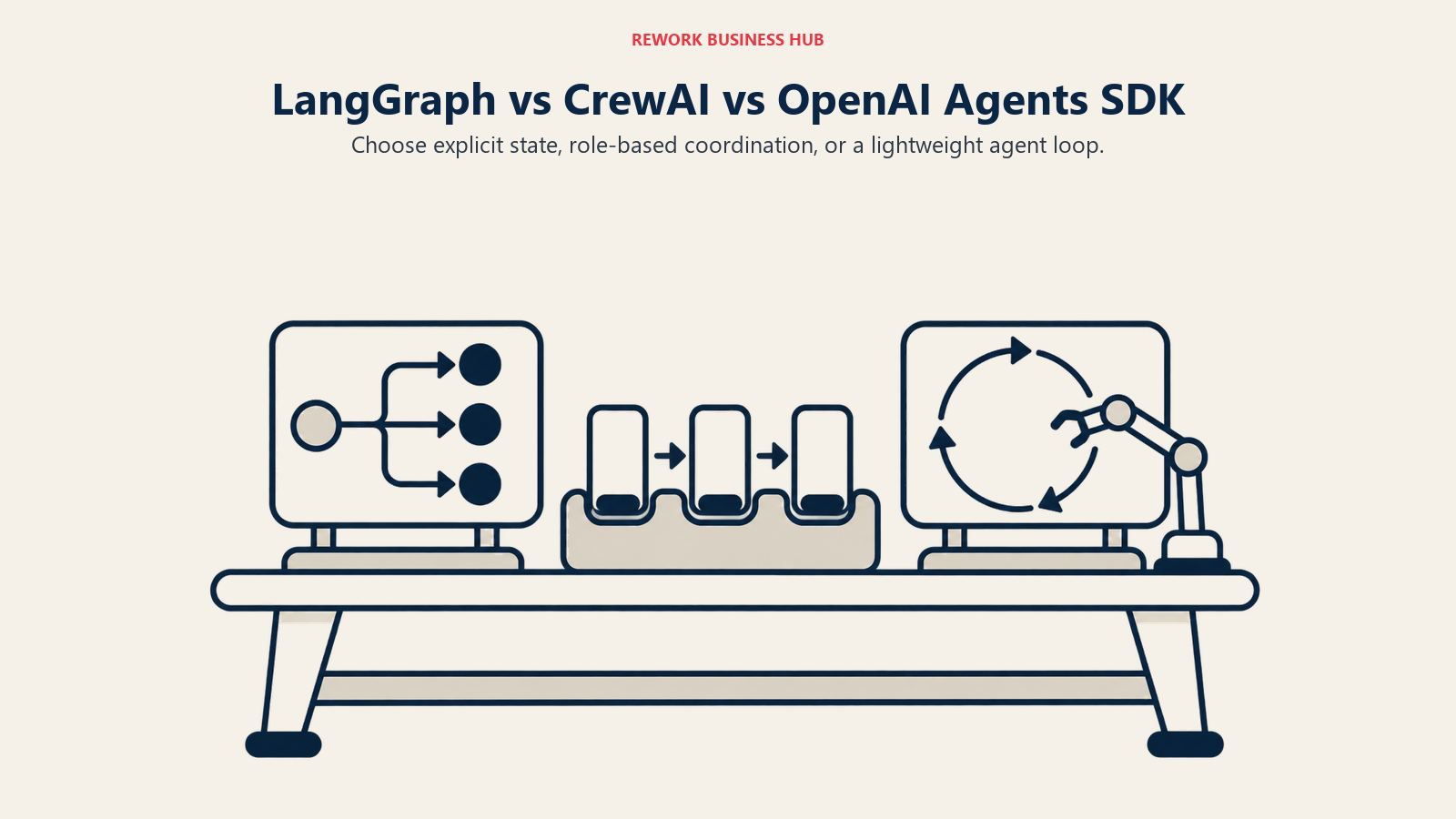
These three look similar in a README and very different in a code review. Each one starts from a different answer to the question "what is an agent?"
LangGraph says an agent is a graph. You define nodes (steps), edges (the paths between them) and a shared state object that every node reads and writes. The framework's own description is "low-level orchestration framework for building stateful agents," and the overview page adds that it "does not abstract prompts or architecture." That's a promise and a warning at the same time. You get precise control over what runs when. You also write more of the structure yourself.
CrewAI says an agent is a role. You describe a researcher, a writer, a reviewer, each with goals and tools, and a Crew of them collaborates on tasks. The docs now steer you toward a two-layer design: a Flow provides "structured, event-driven workflows that manage state, control execution, and support conditional logic, loops, and branching," and a Crew is dropped into a Flow step "when a task needs autonomous, collaborative work." If you read a 2024 tutorial, it likely showed Crews alone. The current recommendation is to start with a Flow.
The OpenAI Agents SDK says an agent is a model with instructions and tools running in a loop until the task is done. Everything else is a thin primitive layered on that: handoffs for delegation, guardrails for validation, sessions for working memory, and tracing. Its README describes it as "a lightweight, powerful framework for multi-agent workflows," and the docs open with exactly those five concepts.
| LangGraph | CrewAI | OpenAI Agents SDK | |
|---|---|---|---|
| Unit of design | Node in a graph | Role (agent) and task, wrapped in Flow methods | Agent with instructions and tools |
| Where control flow lives | Edges and conditional routing you define | @start, @listen and @router decorators in a Flow |
The model's choice of tools and handoffs, plus your code around Runner |
| Shared state | One state object passed through the graph | Flow state, unstructured dict or a Pydantic model | Run context and sessions |
| Typical first-day experience | Define state, nodes, edges, compile | Define agents and tasks, wire a Flow | Define an agent, call the runner |
| Abstraction level | Low | Medium to high | Low, with few moving parts |
None of this is a quality ranking. A low-level framework isn't better than a high-level one. It's more work up front for more predictability later, which suits some teams and wastes the time of others.
Decision by Business Goal
Before the feature detail, here's the choice through the lenses engineering leaders and the people who fund them actually use.
| Your goal | Lean toward | Why |
|---|---|---|
| Ship a prototype this week and show a result | OpenAI Agents SDK or CrewAI | Fewest steps from install to a working agent |
| Run long jobs that must survive crashes and human review | LangGraph | Checkpointing and resume are the core design, not an add-on |
| Model a team of specialists with distinct roles | CrewAI | Role, goal and task are first-class concepts |
| Keep the codebase small enough for a new hire to read | OpenAI Agents SDK | A handful of primitives |
| Keep cost predictable with no per-seat platform fee | OpenAI Agents SDK or CrewAI open source | No required paid platform for the framework itself |
| Get a mature trace, eval and deployment product | LangGraph with LangSmith | The paid layer is built around this exact use |
| Avoid betting on one model vendor | LangGraph or CrewAI, with a test of your exact providers | Both treat the model as a pluggable choice; verify yours |
| Satisfy a CISO who asks where traces go | Any, once you configure it | All three can be pointed at your own backend, with different effort |
Orchestration Model in Practice
LangGraph
A LangGraph program is a compiled graph. Nodes are functions, edges decide what comes next, and conditional edges let you branch on state. The overview lists the capabilities that matter to production teams: durable execution, human-in-the-loop, short-term and long-term memory, streaming, and deployment through LangSmith. Because the control flow is explicit, you can draw it, review it in a pull request, and predict what a given state will do next.
The cost of that clarity is concepts. You need to understand state schemas, reducers, checkpointers, threads and interrupts before the first production run behaves the way you expect. That's a real onboarding tax, and it shows up as longer ramp time for engineers who haven't built a state machine before. For simple linear agents it's overkill.
CrewAI
CrewAI optimizes for how quickly you can describe what you want. You write an agent with a role and a goal, a task with an expected output, and a Crew that runs them. In a Flow, the decorators carry the control logic: @start() marks entry points, @listen() runs a method when another completes, @router() returns a label that picks the next branch, and or_ and and_ combine triggers.
The weak spot is predictability. When agents decide among themselves how to divide a task, you get less deterministic runs than in an explicit graph, and debugging means reading agent conversations instead of following edges. CrewAI's own advice to wrap Crews inside Flows is a quiet acknowledgment of that: put structure around the autonomous parts. One detail from the Flows docs is easy to trip on, too. @start() methods run only once and can't loop back on themselves, so a revision cycle belongs on a listener, not a start.
OpenAI Agents SDK
The Agents SDK is the smallest of the three. An agent has instructions and tools; a runner loops until the task is complete; a handoff transfers control to another agent; a guardrail validates input or output; a session keeps history. There's no graph to compile and no Flow to declare. For many production use cases (a support triage agent that hands off to a refund agent, a research agent with five tools) that's exactly enough.
The trade-off is that you own anything the primitives don't cover. Durable, resumable long-running work is the main example, and it gets its own section below.
| LangGraph | CrewAI | OpenAI Agents SDK | |
|---|---|---|---|
| Learning curve | Steepest | Gentle at first, steeper once Flows and persistence arrive | Gentlest |
| Predictability of a run | High, you define the edges | Medium, depends on how much autonomy Crews get | Medium, the model chooses tools and handoffs |
| Boilerplate for a hello-world agent | Most | Moderate | Least |
| Best at | Explicit, auditable control flow | Role-based collaboration with a Flow around it | Simple loops with delegation |
| Worst at | Quick throwaway prototypes | Strict step-by-step determinism | Complex branching and durable workflows without extra code |
State, Memory and Durable Execution
This is the section to read twice if your agents run for minutes or hours, wait for people, or touch systems where a repeated action costs money.
LangGraph's checkpointers persist graph state as checkpoints, scoped to a thread, and the docs tie them to conversation continuity, human-in-the-loop, time travel and fault tolerance. You compile the graph with a checkpointer and pass a thread_id. The in-memory options lose everything on restart, so production means a database-backed one such as the Postgres saver. The docs also warn that checkpoints accumulate over long conversations and recommend pruning or a retention policy. When you use the Agent Server, persistence is handled for you.
The interrupt() function is where this pays off. It pauses the graph at a point you choose, with any JSON-serializable payload, and you resume with Command(resume=...) on the same thread. Two rules from the docs deserve to be on a sticky note. The node restarts from its beginning on resume, so code before interrupt() runs again, and side effects before an interrupt must be idempotent. And you shouldn't wrap interrupt() in a bare try/except, because it would swallow the pause signal.
CrewAI persists Flow state with the @persist decorator, either on a class or on selected methods. The default backend is SQLite stored locally, and you can supply your own FlowPersistence implementation. You resume with kickoff(inputs={"id": <uuid>}) under the same ID, or fork from a saved snapshot with restore_from_state_id, which gives the fork a new state ID and leaves the source untouched. Human feedback is built in through the @human_feedback decorator, which requires CrewAI 1.8.0 or higher and supports an asynchronous mode where kickoff() returns a pending object and you resume later with Flow.from_pending.
The OpenAI Agents SDK takes a different position. Its human-in-the-loop flow sets needs_approval on a tool; when a call needs approval the run pauses and returns interruptions; you call to_state(), approve or reject each item, and resume the run with the state. RunState can be serialized to JSON or a string and restored later, so pending work can be stored in a database or queue. The docs are candid about the gaps. Serialized state isn't authenticated, so you must only deserialize trusted snapshots. Approval doesn't guarantee exactly-once execution, so a tool with side effects may run again after a crash and you need idempotency keys. And the overview describes resumable execution specifically for sandbox sessions, not as a general durable-execution engine. If you need a run to survive a process restart in the middle of a long workflow, you assemble that from serialized state plus your own queue and storage.
| LangGraph | CrewAI | OpenAI Agents SDK | |
|---|---|---|---|
| Persistence mechanism | Checkpointer per thread | @persist Flow state |
Serialized RunState and sessions |
| Default production backend | Database-backed saver such as Postgres | SQLite (local) by default, custom backend allowed | You choose and build it |
| Pause for a human | interrupt() and Command(resume=...) |
@human_feedback, with async pending mode |
needs_approval on tools, then to_state() and resume |
| Replay or fork a run | Time travel via checkpoints | restore_from_state_id forks a snapshot |
Restore from a stored state |
| Gotcha called out in the docs | Node restarts on resume; make pre-interrupt side effects idempotent | @start() methods run once and can't self-loop |
Serialized state is unauthenticated; no exactly-once guarantee |
| Memory beyond one run | Short-term thread state and long-term memory across sessions | Flow memory (feedback learning needs it enabled) | Sessions for working history |
If you need agents to remember facts across weeks, the framework matters less than the memory store behind it. The agent memory tools roundup compares the dedicated options, and all three frameworks can sit in front of one.
Multi-Agent Patterns
Multi-agent is where marketing outruns reality, so it's worth being concrete about what each framework gives you.
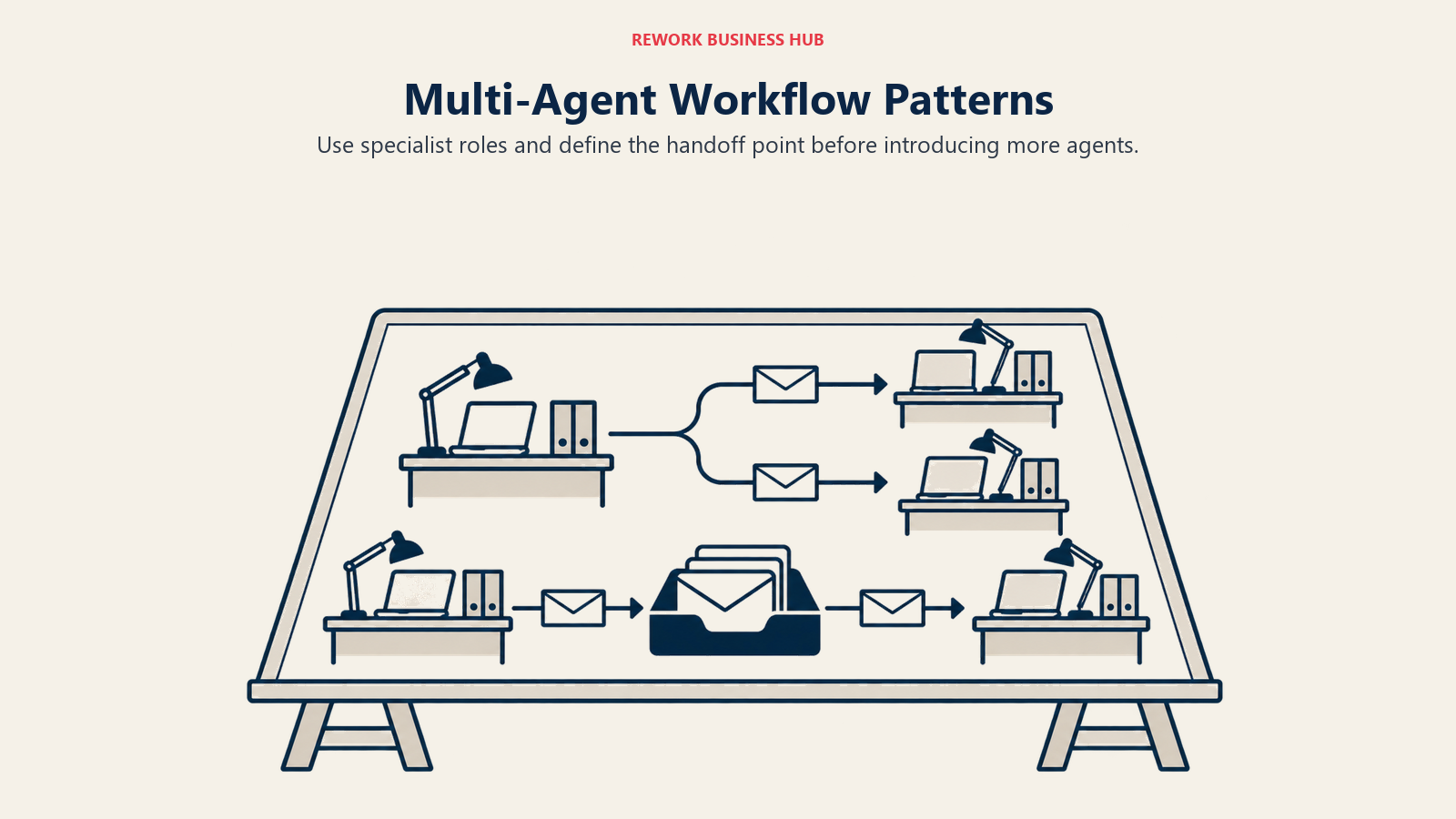
LangGraph doesn't have a "multi-agent mode." Agents are nodes or subgraphs, and you decide how they talk: a supervisor node routing to specialists, peers passing control, or a pipeline. The docs note that each subgraph manages its own checkpoint namespace, so a parent graph may not immediately see a subgraph's state changes. That's the sort of detail you only meet when you build it, and it argues for testing your multi-agent design under failure, not just on the happy path.
CrewAI makes multi-agent its identity. A Crew is a team of role-playing agents working through tasks, and the Flow wraps the team in deterministic control. This is the quickest way to get a "researcher plus writer plus editor" pipeline running, and it reads naturally to non-engineers reviewing the design.
OpenAI Agents SDK gives you two delegation shapes. A handoff transfers control: each handoff appears to the model as a tool such as transfer_to_refund_agent, with options for input filters, on-handoff callbacks and a typed input_type. By default the receiving agent sees the full conversation history, and you can filter it. The other shape is agents as tools, where a manager agent calls specialists and keeps control. Two limits from the docs are worth knowing: handoffs stay within a single run, and input guardrails apply only to the first agent while output guardrails apply only to the agent producing the final output. If you assumed every agent in a chain is guarded, that's a gap to close in design.
| Pattern | LangGraph | CrewAI | OpenAI Agents SDK |
|---|---|---|---|
| Supervisor and workers | Build it as nodes or subgraphs | Manager-style Crew inside a Flow | Manager agent with specialists as tools |
| Peer-to-peer handoff | Conditional edges between nodes | Router in a Flow | Handoffs between agents |
| Fixed pipeline | Linear edges | Sequential tasks or chained Flow methods | Sequential runs in your code |
| Dynamic delegation by the model | Possible, you wire the routing | Agents can collaborate within a Crew | Native, handoffs are exposed as tools |
| Control over what the next agent sees | Full, via state | Via task context | Input filters on handoffs |
| Guardrail coverage across a chain | You place checks in nodes | You place checks in tasks and Flow steps | Input guardrails: first agent only. Output guardrails: final agent only |
For a broader look at when several agents actually beat one, see the multi-agent frameworks roundup.
Tools, MCP and Model Neutrality
All three frameworks let agents call functions, and all three have an answer for MCP. The differences are in how neutral each is about the model underneath.
The OpenAI Agents SDK is the most explicit. OpenAI models use the Responses API by default, and the README says the SDK is provider-agnostic, supporting the Responses and Chat Completions APIs and 100+ other LLMs. The docs name Any-LLM and LiteLLM adapters for non-OpenAI providers, and it has built-in integration for remote MCP server tools. There's a practical catch: to use the Traces dashboard with a non-OpenAI model you supply an OpenAI API key for tracing, per the tracing docs.
CrewAI supports a defined list of native SDK providers (OpenAI, Anthropic, Google Gemini and Vertex AI, Azure, AWS Bedrock, Snowflake Cortex and DeepInfra) and routes all other providers through LiteLLM. Its repository lists MCP and A2A support among its production capabilities.
LangGraph doesn't tie itself to a model vendor in its overview, and the docs say you don't need LangChain to use it. In practice it sits close to the LangChain ecosystem: the Python package requires langchain-core, so you'll carry that dependency whether or not you use LangChain's higher-level pieces. If provider neutrality is a top requirement, test your exact provider and tool-calling behavior before you commit, because a pluggable model is not the same as identical behavior across models. For MCP at the infrastructure level, the MCP gateways roundup covers how teams govern tool access across frameworks.
| LangGraph | CrewAI | OpenAI Agents SDK | |
|---|---|---|---|
| Provider position | Not tied to a vendor in the docs; Python package requires langchain-core |
Native SDKs for seven providers, LiteLLM for the rest | OpenAI-first, with 100+ other LLMs via Chat Completions, Any-LLM or LiteLLM |
| MCP | Confirm the current integration for your version | Listed among repository capabilities | Built-in remote MCP tool integration |
| Typed handoff data | Via state schema | Via task context and Flow state | input_type on handoffs |
| Realtime and voice | Not covered in the pages reviewed | Not covered in the pages reviewed | Realtime and voice agents listed in the README |
Observability and Debugging
Agents fail in the middle. A trace that shows each model call, tool call and decision is what turns an incident from a mystery into a ticket.
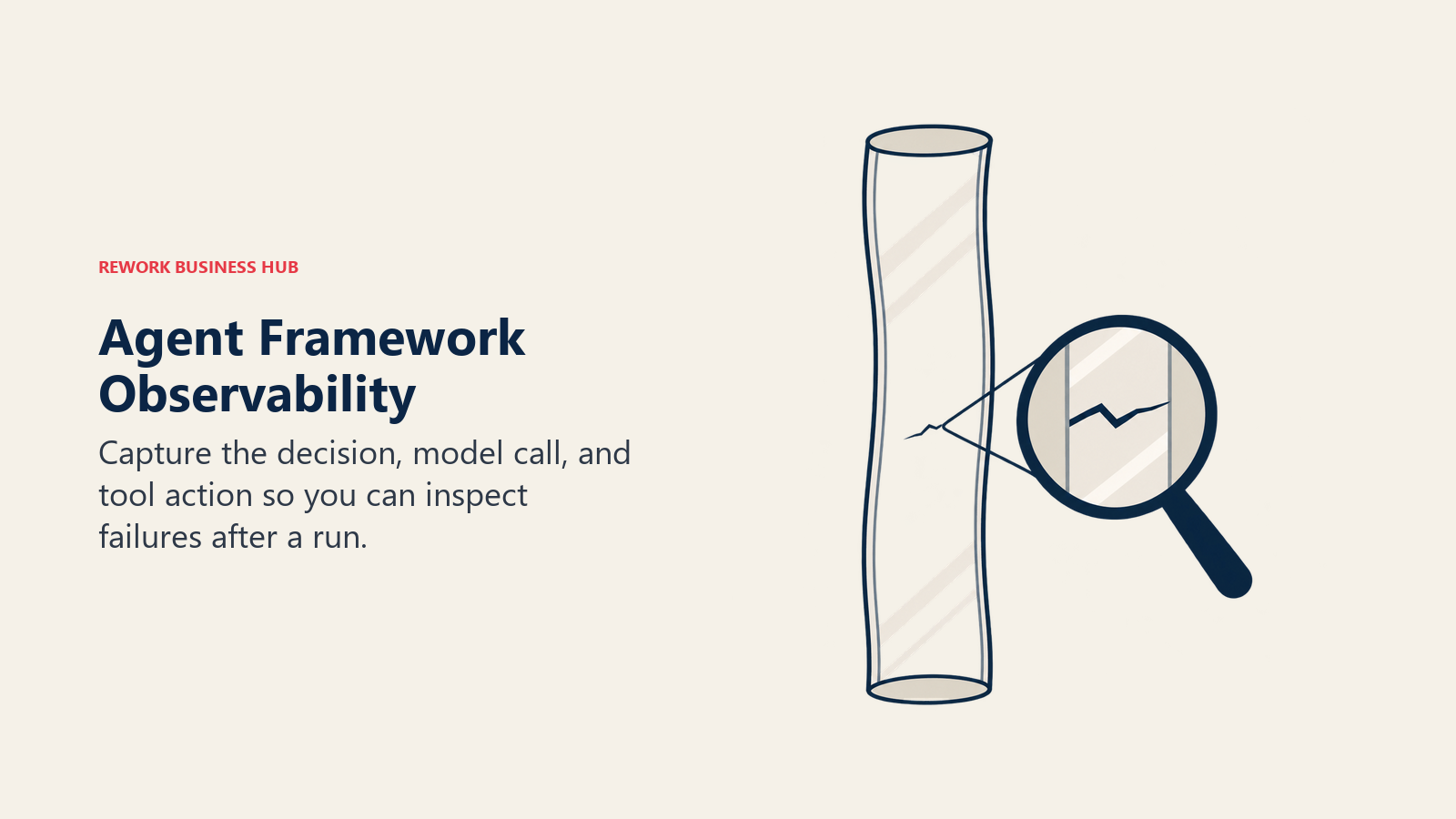
OpenAI Agents SDK is the only one where tracing is on by default. The SDK records LLM generations, tool calls, handoffs, guardrails and custom events as spans, and exports them to OpenAI's backend. You can turn it off with an environment variable or a code call, add your own destination with add_trace_processor(), or replace the default with set_trace_processors(). The docs list community integrations including Weights & Biases, Arize Phoenix, MLflow, Braintrust, LangSmith, Langfuse, Datadog and Galileo, and state that inclusion isn't an OpenAI endorsement. Two cautions: trace_include_sensitive_data defaults to True, so request input and response output are in spans unless you change it, and tracing is unavailable for organizations on a ZDR policy.
LangGraph pairs with LangSmith for tracing, visualization of execution paths and state changes, and runtime metrics. It's the tightest integration of the three, and also the one most tied to a commercial product. You can trace without it, but the polished path runs through LangSmith.
CrewAI offers execution traces and logs on its AMP platform. The open source framework itself leaves you to wire a third-party tracer if you don't use AMP.
| LangGraph | CrewAI | OpenAI Agents SDK | |
|---|---|---|---|
| Default tracing | Not on by default; LangSmith tracing is the intended path | Execution traces on AMP | On by default to OpenAI's Traces dashboard |
| Bring your own backend | Yes, through the ecosystem | Yes, with your own instrumentation | Yes, add_trace_processor() or set_trace_processors() |
| Sensitive data in traces | You configure it | You configure it | Included by default; flag to omit |
| Works under Zero Data Retention | Depends on where you send traces | Depends on where you send traces | Tracing unavailable for ZDR organizations |
| Third-party tool listing | LangSmith is native | Check your tool's CrewAI support | Docs list many integrations |
If observability is the reason you're picking a framework, decide on the tracing product first. The LLM observability tools roundup and Langfuse vs LangSmith compare the independent options, and best Langfuse alternatives covers the open source side.
What the Paid Layers Cost
All three frameworks are free to install. The bills arrive in the layer above them, and the three vendors price that layer very differently.
LangChain sells LangSmith. On its pricing page the Developer plan is $0 per seat per month with 1 free seat and 5k base traces, and the Plus plan is $39 per seat per month with unlimited seats, 10k base traces and one free small Serverless deployment. Seats are billed monthly and traces are billed monthly in arrears. Base traces keep 14 days; extended traces keep 180 days and cost an additional fee. The page does not print a per-trace overage rate, so you can't forecast tracing overage from the public page alone. Deployments beyond the free one are metered in LSUs at $1.00 each, using printed resource rates: 0.0675 LSU per vCPU-hour and 0.0090 LSU per GiB-hour for runtime, and 0.177 LSU per vCPU-hour and 0.025 LSU per GiB-hour for the database. Enterprise is custom and invoiced annually upfront.
CrewAI sells AMP. The pricing page lists Basic as free with 50 workflow executions a month and Enterprise as custom, with deployment on CrewAI cloud, your own VPC or your own infrastructure, SSO and role-based access control, and a 45-day onboarding. The page doesn't print overage, seat or Enterprise prices, so any figure you see elsewhere should be confirmed with CrewAI.
OpenAI doesn't sell a framework platform. The Agents SDK is free; you pay for model usage and for whichever hosted tools you call. If you want a hosted runtime instead of running the loop yourself, that's a different product, covered in Claude Managed Agents vs OpenAI Agents API.
| LangGraph + LangSmith | CrewAI + AMP | OpenAI Agents SDK | |
|---|---|---|---|
| Framework price | $0 (MIT) | $0 (MIT) | $0 (MIT) |
| Free platform tier | Developer: 1 seat, 5k base traces a month | Basic: 50 workflow executions a month | No platform tier; tracing dashboard included with API use |
| Entry paid plan | Plus: $39 per seat per month | Not published; Enterprise is custom | None |
| Usage meter | Traces and LSUs ($1.00 per LSU) | Workflow executions | Model tokens and hosted tools |
| Enterprise | Custom, invoiced annually upfront; self-hosted and hybrid options | Custom; cloud, your VPC or your own infrastructure | Not applicable |
| Per-trace or per-execution overage | Not printed | Not printed | Not applicable |
A Realistic Workload
Take an illustrative team of five engineers running one production agent that handles 4,000 runs a month, with tracing on every run. This is a sizing exercise with assumptions, not a quote.
| Line | LangGraph + LangSmith | CrewAI + AMP | OpenAI Agents SDK |
|---|---|---|---|
| Seats | 5 x $39 = $195 per month on Plus | Not seat-priced on the free tier | None |
| Traces or executions | 4,000 traces, inside the 10k included on Plus | 4,000 executions would exceed the free 50, so Enterprise pricing on request | Included with API use |
| One deployment | Free Serverless (Small) on Plus | Enterprise, pricing on request | You host it |
| Hosting your own loop | Your infrastructure, if you self-host the open source library | Your infrastructure, if you stay on open source | Your infrastructure |
| Model usage | Same on all three, set by the provider you choose | Same | Same |
On this workload, LangGraph with LangSmith Plus costs $195 per month in seats before model usage and before any deployment beyond the free one. The shape matters more than the exact total: seats are a small, predictable line, and any deployment beyond the free one is metered in LSUs at the printed rates.
The honest takeaway is that the framework's platform fee is rarely the largest number on the bill. Model tokens usually are. Choose on control, durability and visibility, then confirm the platform line against your own volumes with each vendor.
Lock-In and Exit Cost
Free and MIT licensed doesn't mean free to leave. Lock-in in agent frameworks lives in three places: your code structure, your persisted state, and your traces.
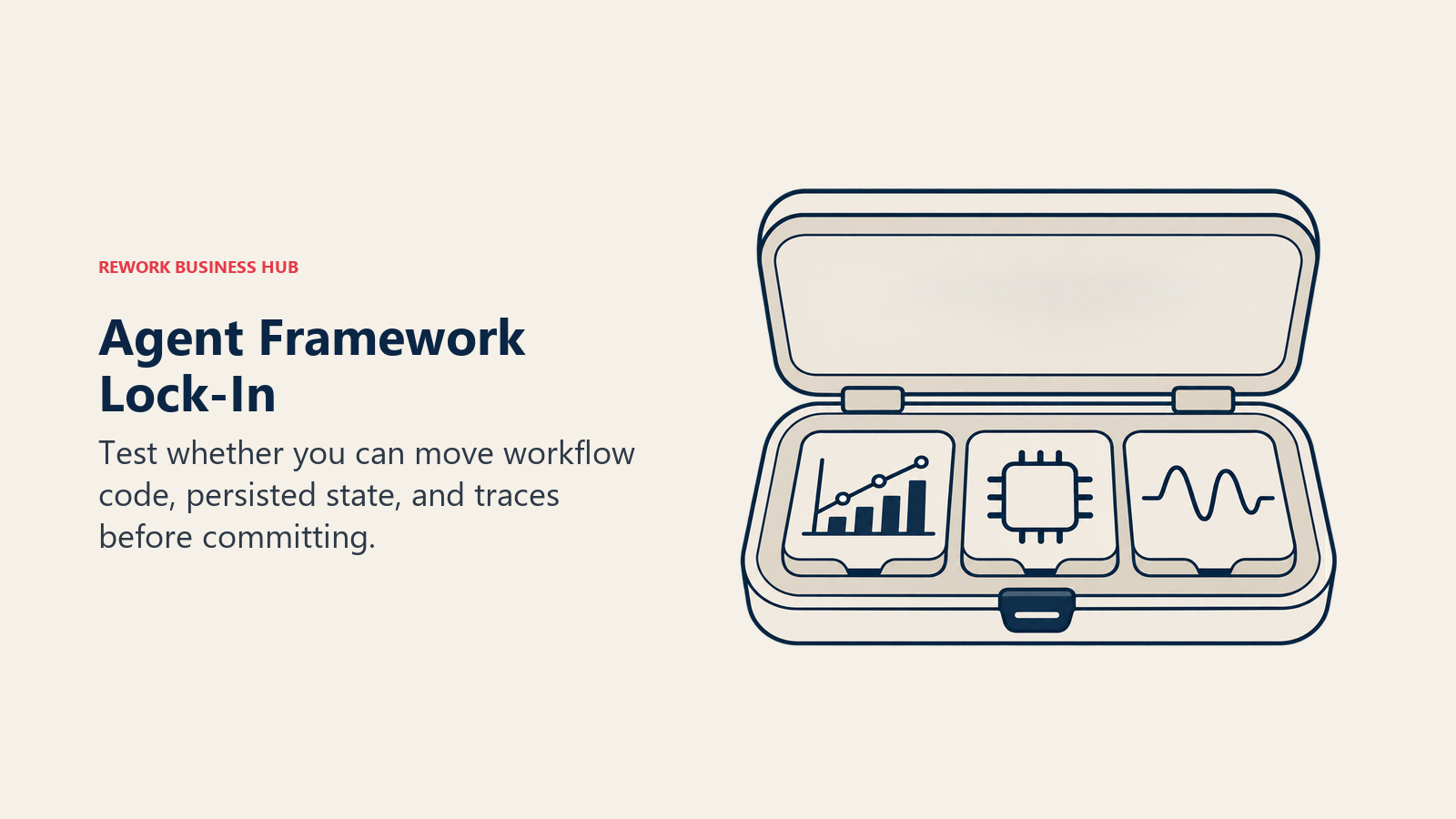
Your code structure is the biggest one. A LangGraph application is a graph, and moving to another framework means redrawing control flow as something else. A CrewAI application is Crews and Flows. An Agents SDK application is agents, handoffs and a runner. None of these ports mechanically. The practical defense is to keep business logic (tools, prompts, validation) in plain functions that the framework calls, so only the thin orchestration layer is framework-specific.
Persisted state is the second. LangGraph checkpoints, CrewAI Flow snapshots and Agents SDK RunState are all framework-shaped. The OpenAI docs tell you to store a version marker with serialized state so resumed runs use compatible definitions, which is good advice for all three. If you will change frameworks, drain in-flight runs first instead of trying to migrate them.
Traces are the third. The Agents SDK's processor model and LangSmith's ecosystem both let you send traces elsewhere. The portability question is whether your evals and dashboards depend on one vendor's trace format.
| Lock-in point | LangGraph | CrewAI | OpenAI Agents SDK |
|---|---|---|---|
| Code | Graph structure | Crew and Flow decorators | Agent, handoff and runner objects |
| State | Checkpoints | Flow persistence snapshots | Serialized RunState |
| Platform | LangSmith is optional but best integrated | AMP is optional | None required |
| Model vendor | Low per the docs, but langchain-core dependency |
Low, native SDKs plus LiteLLM | Low for text agents; OpenAI-first defaults and tracing |
| License escape hatch | MIT | MIT | MIT |
| Cheapest exit | Keep tools framework-free; rewrite the graph | Keep tools framework-free; rewrite Flows | Smallest surface to rewrite |
If you're weighing a move away from one of these, the sibling guides to LangChain alternatives and CrewAI alternatives list what else is out there.
Maturity, Releases and Ecosystem Signals
Popularity isn't quality, but it tells you how much community answer-space you'll have when you get stuck. The repository pages show CrewAI at 60.4k stars, LangGraph at 44.3k and the OpenAI Agents SDK for Python at 30.5k, with the JS/TS version of the OpenAI SDK at about 4.0k. Stars measure attention, not production use, so treat them as a rough proxy.
Versions tell a different story. The PyPI listings show LangGraph at 1.2.19, CrewAI at 1.15.34 and the OpenAI Agents SDK at 0.24.0. A 0.x version number is a signal to read the changelog before each upgrade, since a pre-1.0 package doesn't promise stable interfaces. A high minor version like CrewAI's means a lot of releases, which is both active development and a lot of surface to keep up with. Pin versions in production and read release notes before bumping.
| Signal | LangGraph | CrewAI | OpenAI Agents SDK |
|---|---|---|---|
| License | MIT | MIT | MIT |
| Latest PyPI version | 1.2.19 | 1.15.34 | 0.24.0 |
| Python requirement | 3.10 or later | 3.10 or later, below 3.14 | 3.10 or later |
| GitHub stars (Python repo) | 44.3k | 60.4k | 30.5k |
| JS/TS option | LangGraph.js (separate repo) | None listed | Agents SDK JS/TS (separate repo) |
The JS/TS side matters if your product team writes TypeScript. The OpenAI Agents SDK for JS lists Node.js 22 or later, Deno and Bun as supported, with Cloudflare Workers experimental. LangGraph.js exists as its own repository with its own docs. CrewAI's repository describes a Python framework, so a TypeScript-only shop would need a different route.
When to Skip All Three
Frameworks earn their place when the control flow is complicated enough that you'd otherwise reinvent state handling. They cost more than they return when it isn't.
Skip a framework if your "agent" is one model call with a couple of tools. A plain loop against your model provider's SDK is maybe fifty lines, you can read every one, and there's nothing to upgrade. Skip it if the hard part of your project is retrieval quality, not orchestration; there, the RAG tools roundup and LangChain vs LlamaIndex point at the real bottleneck. Skip it if you'd rather not run the loop at all, in which case a hosted runtime like the one in Claude Managed Agents vs OpenAI Agents API takes that job.
A fair test: could a new engineer draw your agent's control flow on a whiteboard in five minutes? If yes, you may not need a graph. If the answer involves pauses, retries, human approvals and branches, a framework starts paying for itself.
When Each Framework Is the Right Call
When LangGraph Is the Right Call
- Your agents run long, pause for human review, and must resume exactly where they stopped after a failure.
- You need an explicit, reviewable control flow that auditors or senior engineers can read and test.
- You want a mature tracing, evaluation and deployment product from the same vendor, and you accept that product is the commercial layer.
- You have engineers comfortable with state machines and willing to invest in the learning curve.
- Be honest about the costs: more concepts, the
langchain-coredependency, and a node-restart-on-resume behavior that demands idempotent side effects.
When CrewAI Is the Right Call
- Your problem maps cleanly onto a team of specialists with distinct roles, such as research, drafting and review.
- You want the fastest route from idea to a running multi-agent prototype, and non-engineers need to read the design.
- You plan to wrap autonomous Crews in deterministic Flows, which is the pattern the docs now recommend.
- You'd like a managed deployment path that can run on CrewAI cloud, your own VPC or your own infrastructure.
- Be honest about the costs: less deterministic runs when agents collaborate freely, Python only, and platform pricing that isn't public beyond the free tier.
When the OpenAI Agents SDK Is the Right Call
- You want the smallest framework that gives you handoffs, guardrails, sessions and tracing with the least code.
- Your agents are mostly model-driven loops with delegation, not intricate branching workflows.
- You want built-in tracing from day one and you're comfortable with traces going to OpenAI, or you'll route them elsewhere.
- Your team writes both Python and TypeScript and wants a matching SDK for each.
- Be honest about the costs: durability is your job, tracing is unavailable under ZDR, input guardrails cover only the first agent, and OpenAI-first defaults mean non-OpenAI models take a little more setup.
Decision Framework
| If your team situation is... | Pick |
|---|---|
| Three engineers, one agent, shipping in two weeks | OpenAI Agents SDK |
| Regulated workflow with human approvals and audit needs | LangGraph |
| Content or research pipeline with distinct specialist roles | CrewAI, inside a Flow |
| Long-running jobs that must survive restarts | LangGraph |
| TypeScript-first product team | OpenAI Agents SDK (JS/TS) or LangGraph.js |
| Wants a managed observability product from day one | LangGraph with LangSmith, or the Agents SDK with a third-party tracer |
| Under a Zero Data Retention policy | LangGraph or CrewAI with your own tracing; Agents SDK tracing is off the table |
| Needs a hard budget cap with no per-seat platform fee | OpenAI Agents SDK or open source CrewAI |
| Unsure and only one agent in scope | Plain SDK loop, then revisit |
What to Do Next
- Pick one real workflow with a checkable result. A support triage, a research brief or a report generator beats a toy demo.
- Build the same agent in all three, time-boxed to two days each. Record lines of code, the number of concepts the engineer had to learn, and where they got stuck.
- Kill a process mid-run. Whether and how each framework resumes is the fastest way to find out if its durability story matches your needs.
- Look at the traces. Ask the engineer who will be on call whether they could diagnose a failure from what each tool shows.
- Get the platform line in writing. Ask LangChain and CrewAI for their overage and deployment pricing at your volume, because the public pages leave those numbers open.

Principal Product Marketing Strategist
On this page
- TL;DR
- Key Facts
- What Each Framework Is Betting On
- Decision by Business Goal
- Orchestration Model in Practice
- LangGraph
- CrewAI
- OpenAI Agents SDK
- State, Memory and Durable Execution
- Multi-Agent Patterns
- Tools, MCP and Model Neutrality
- Observability and Debugging
- What the Paid Layers Cost
- A Realistic Workload
- Lock-In and Exit Cost
- Maturity, Releases and Ecosystem Signals
- When to Skip All Three
- When Each Framework Is the Right Call
- When LangGraph Is the Right Call
- When CrewAI Is the Right Call
- When the OpenAI Agents SDK Is the Right Call
- Decision Framework
- What to Do Next