Apakah AI Perniagaan? Definisi Praktikal untuk Pengendali
Turn this article into takeaways for your work.


Each assistant summarizes the article only for you and suggests best practices for your work.
Setiap pitch vendor mengatakan "berkuasa AI." Hampir tiada yang mengatakan berkuasa untuk melakukan apa.
Kekaburan itu bukan kebetulan. "AI" ialah istilah pemasaran yang cukup tepat untuk kedengaran bermakna dan cukup luas untuk tidak dapat disangkal. Anda tidak boleh menilainya, membandingkannya, atau mempertanggungjawabkannya. Dan apabila produk gagal menyampaikan, vendor sentiasa boleh mengatakan AI berfungsi, masalahnya di tempat lain.
Pengendali yang pernah terbakar sekali mula bertanya soalan yang lebih tajam. Bukan "adakah ini menggunakan AI?" tetapi "keupayaan AI yang mana satu yang digunakan, pada data yang mana, untuk melakukan apa dengan tepat?" Itulah jurang yang ditutup oleh artikel ini.
Definisi di hadapan adalah praktikal, bukan akademik. Lima kata kerja, set lengkap, yang menerangkan segala yang sebenarnya dilakukan oleh AI perniagaan. Gunakannya dalam mesyuarat vendor, gunakannya semasa menskop projek dalaman, gunakannya semasa memutuskan apa yang perlu dibina berbanding apa yang perlu dibeli. Ketepatan di sini menjimatkan kesilapan yang mahal kemudian.
AI perniagaan dalam satu ayat
Berikut adalah definisi yang boleh anda gunakan:
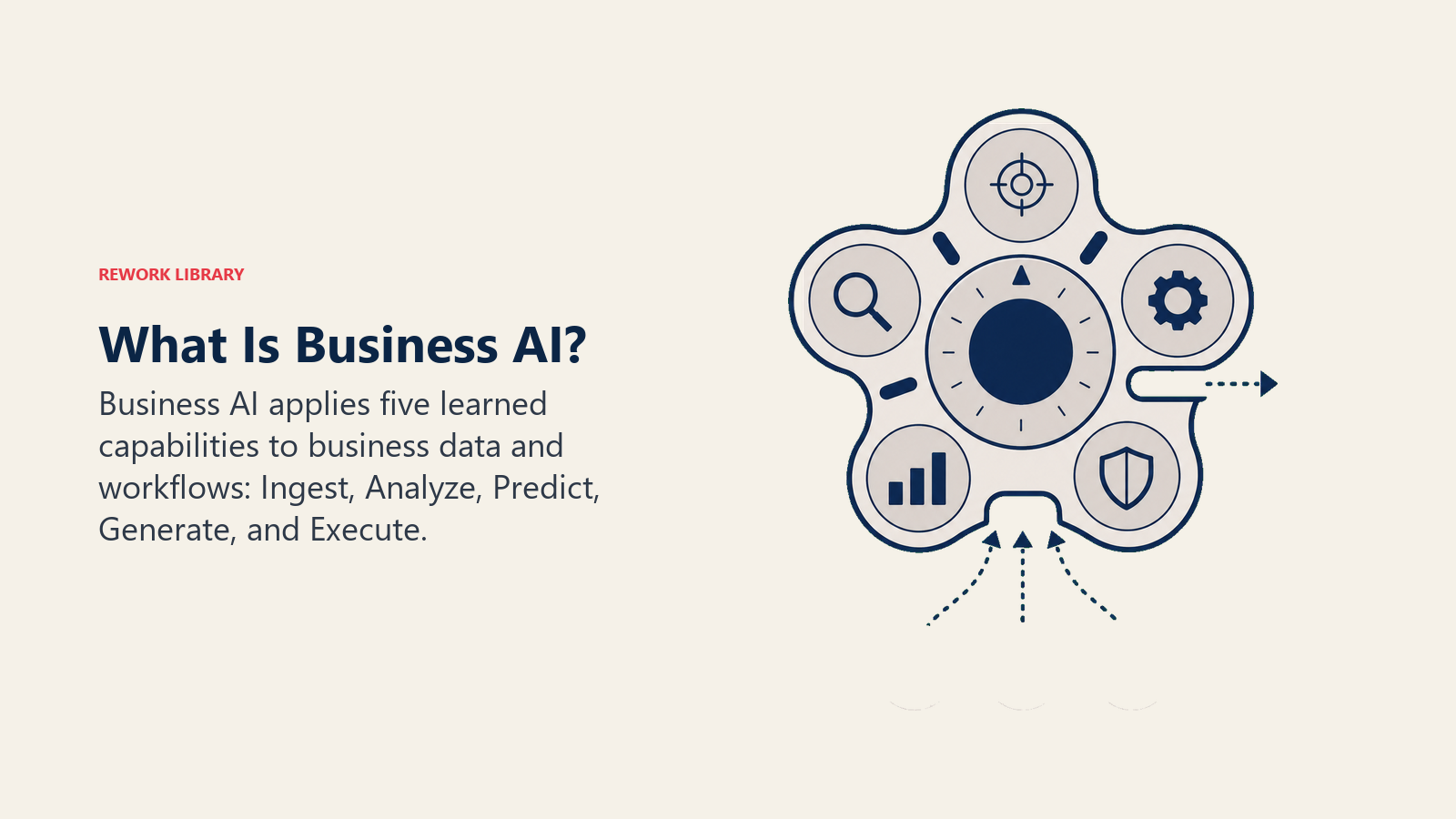
AI perniagaan adalah perisian yang Ingest, Analyze, Predict, Generate, atau Execute menggunakan corak yang dipelajari, digunakan pada aliran kerja perniagaan tertentu.
Setiap perkataan mendapat tempatnya. "Corak yang dipelajari" adalah apa yang memisahkan AI daripada automasi lama. "Aliran kerja perniagaan tertentu" adalah apa yang memisahkan AI perniagaan daripada AI penyelidikan. Dan lima kata kerja tersebut (Ingest, Analyze, Predict, Generate, Execute) adalah set yang lengkap. Bukan lima daripada dua puluh tujuh. Lima.
Pegang definisi tersebut semasa kita bekerja melalui apa yang bukan AI perniagaan. Mengetahui sempadan sama bergunanya seperti mengetahui pusatnya.
Apa yang AI perniagaan BUKAN
Ia bukan automasi berasaskan peraturan. Jika perisian akaun-belum-bayar anda menghalakan invois ke kewangan apabila jumlah melebihi $10,000, itu adalah peraturan. Tiada pembelajaran yang terlibat. Berguna, ya. AI, tidak. Perbezaan ini penting kerana sistem berasaskan peraturan gagal dengan cara yang boleh diramalkan (peraturan pecah apabila keadaan berubah), manakala sistem AI gagal dengan cara yang kebarangkalian (model salah pada peratusan masa tertentu dengan cara yang tidak selalu boleh anda jangkakan). Mod kegagalan yang berbeza menuntut tadbir urus yang berbeza.
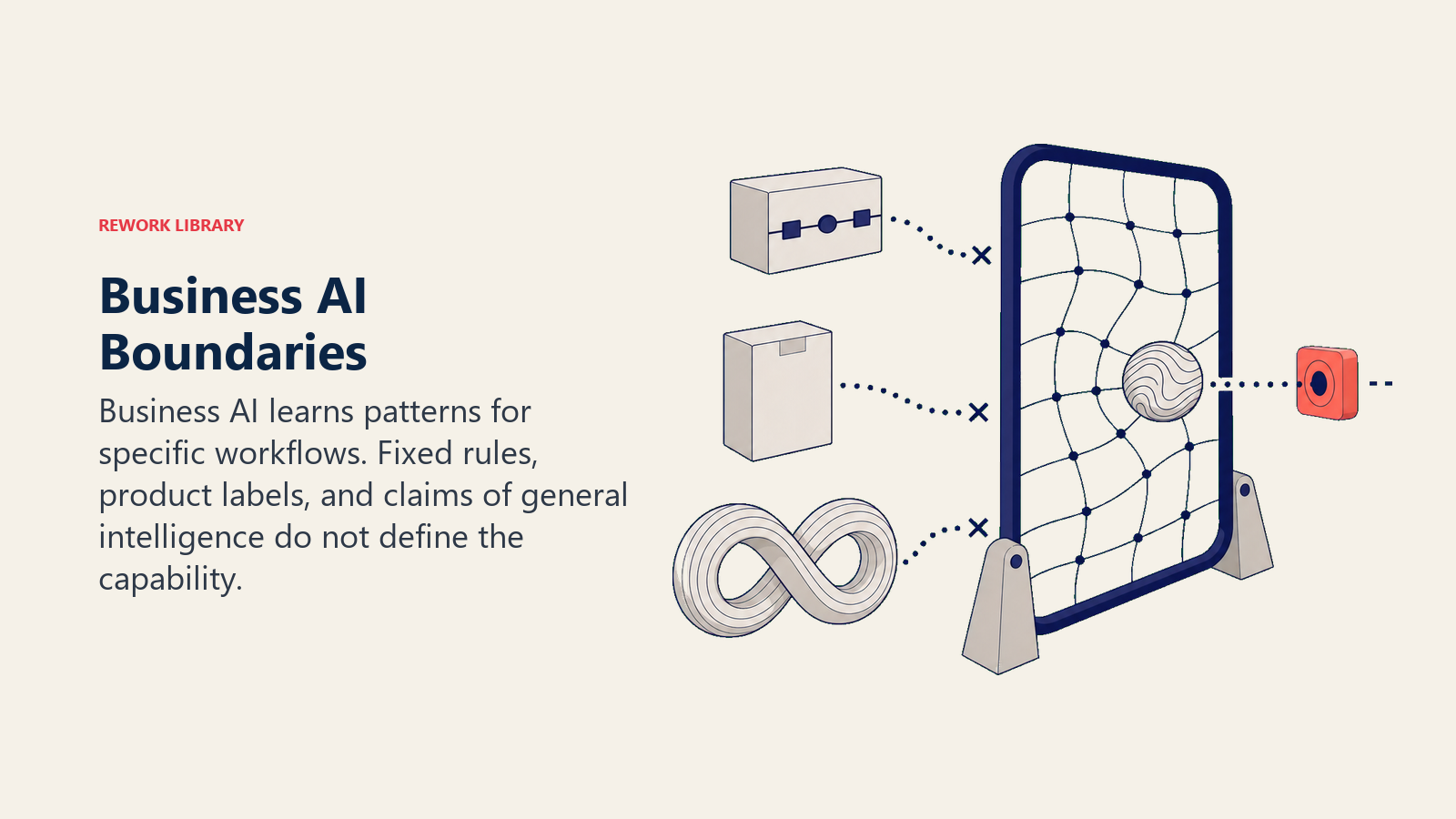
Ia bukan sekadar "pembelajaran mesin dalam pengeluaran." Pembelajaran mesin adalah satu teknik yang digunakan AI. Tetapi AI perniagaan moden juga merangkumi model bahasa besar, model visi, pengecaman pertuturan, dan sistem penaakulan yang berfungsi secara berbeza daripada ML klasik. Mengetahui bahawa vendor menggunakan "pembelajaran mesin" tidak memberitahu anda hampir apa-apa yang berguna lagi.
Ia bukan kategori produk. Tiada lorong dalam kedai perisian berlabel "AI Perniagaan." Ia adalah kategori keupayaan. Sistem CRM, alat sokongan, platform kewangan, dan pembantu pengkodan semuanya boleh mengandungi AI. Soalannya bukan "adakah ini AI?" tetapi "keupayaan AI mana yang digunakan ini, dan pada data apa?"
Ia bukan AGI. Kecerdasan buatan umum (perisian yang beralasan secara fleksibel merentasi mana-mana domain seperti yang dilakukan manusia) kekal sebagai masalah penyelidikan. Apa yang dihantar hari ini adalah sempit: luar biasa pada tugas tertentu, rapuh di luar domain latihannya. Ingat had tersebut apabila vendor berjanji produk mereka akan "mengendalikan apa sahaja."
Tiga era AI perniagaan
AI perniagaan telah berkembang melalui tiga era yang boleh dikenali, setiap satu mengembangkan pasukan mana yang boleh menggunakannya secara realistik.
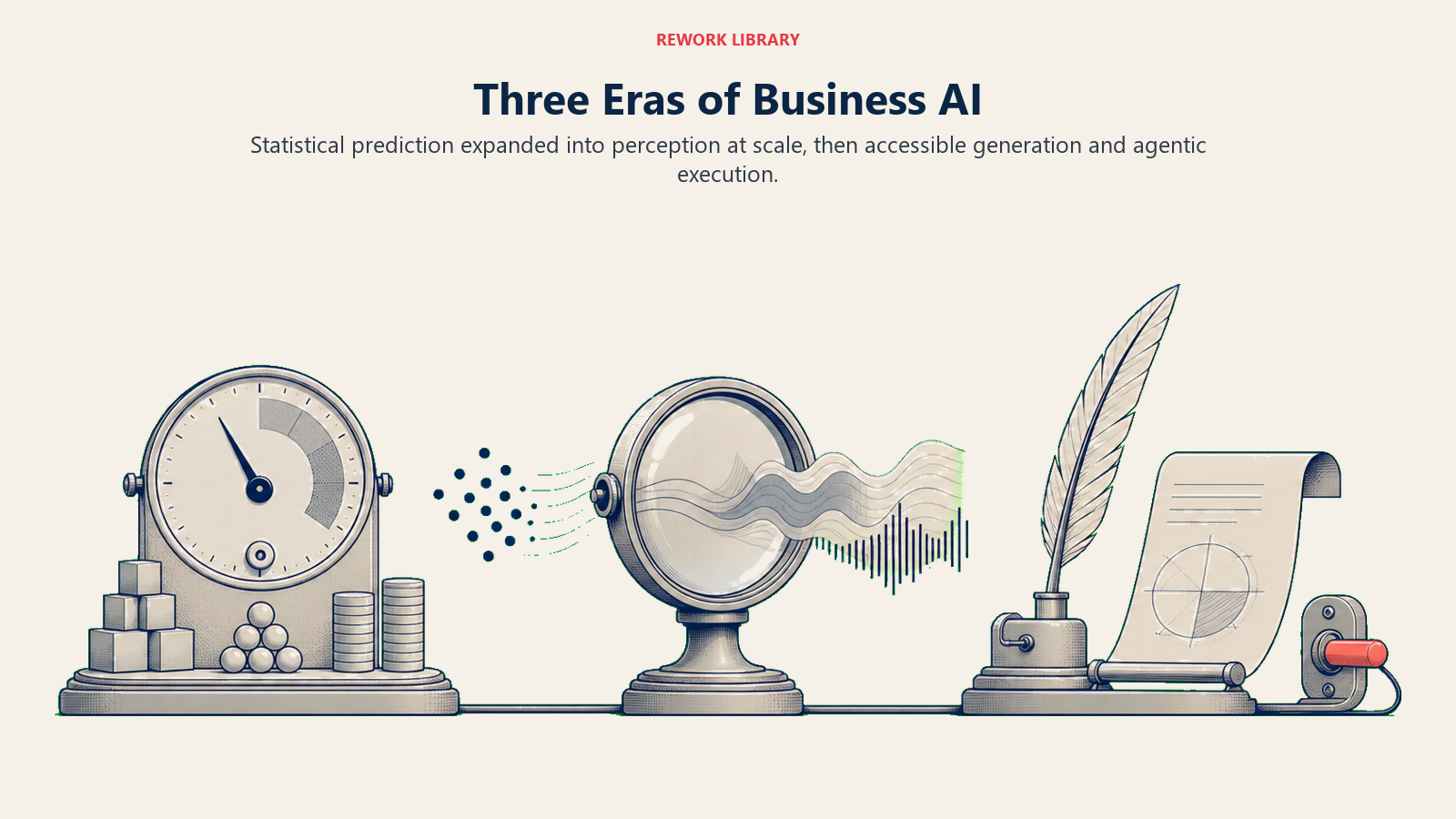
Era 1 (1990an–2010an): ML statistik. Gelombang pertama tidak kelihatan kepada kebanyakan pengendali. Penapis spam belajar e-mel mana yang sampah. Netflix membina enjin cadangan. Syarikat kad kredit menilai transaksi untuk penipuan. Ini adalah sistem berat Predict, dilatih pada set data berstruktur yang besar, digunakan oleh jurutera dan saintis data. Pengendali mengalami output tetapi jarang mengetahui ada "AI" di bawahnya.
Era 2 (2015–2020): Pembelajaran mendalam pada skala. Visi komputer, pengecaman pertuturan, dan terjemahan mengambil lompatan. Telefon anda boleh membuka kunci dengan muka anda. Perkhidmatan transkripsi menjadi layak secara komersial. Keupayaan ini membuka kes penggunaan Ingest (audio, imej, video sebagai input) yang tidak pernah boleh dilakukan sebelum ini. Tetapi menggunakannya masih memerlukan infrastruktur ML yang sebenar, dan itu bukan sesuatu yang pasukan operasi pasaran pertengahan boleh siapkan sendiri.
Era 3 (2022–sekarang): LLM dan ejen. Pelepasan model bahasa besar (GPT-4, Claude, Gemini, dan keturunannya) mengubah model akses. Buat pertama kalinya, pengurus produk atau ketua operasi boleh membina aliran kerja AI yang mampu tanpa saintis data dalam pasukan. Keupayaan Generate menjadi tersedia secara luas. Dan dengan ejen, Execute mula tiba: AI yang bukan sekadar menghasilkan draf tetapi mengambil tindakan dalam sistem luaran.
Itulah "mengapa sekarang." Bukan bahawa AI muncul, tetapi bahawa kemahiran yang diperlukan untuk menggunakannya turun dari "pasukan ML" kepada "sesiapa yang boleh menulis prompt."
Cara AI perniagaan muncul hari ini
Lapan produk sebenar, dipetakan kepada input data dan keupayaan ACE. Jalankan mana-mana alat yang anda gunakan melalui kanta yang sama.
| Produk | Data yang digunakan | Keupayaan ACE yang aktif |
|---|---|---|
| Gmail Smart Compose | Teks (e-mel lalu anda) | Analyze + Generate |
| Gong | Audio (panggilan jualan) + Teks (transkrip) + Berstruktur (CRM) | Ingest + Analyze + Generate + Execute |
| Intercom Fin | Teks (tiket sokongan + pangkalan pengetahuan) | Ingest + Analyze + Generate + Execute |
| Stripe Radar | Berstruktur (sejarah transaksi + metadata kad) | Ingest + Analyze + Predict + Execute |
| Salesforce Einstein | Berstruktur (aktiviti CRM + sejarah perjanjian) | Ingest + Analyze + Predict |
| Canva Magic Media | Teks (prompt) | Generate |
| Zendesk AI triage | Teks (tiket masuk) | Analyze + Predict + Execute |
| HubSpot Predictive Lead Scoring | Berstruktur (aktiviti kenalan + sejarah perjanjian) | Ingest + Analyze + Predict |
Tiga perkara menonjol.
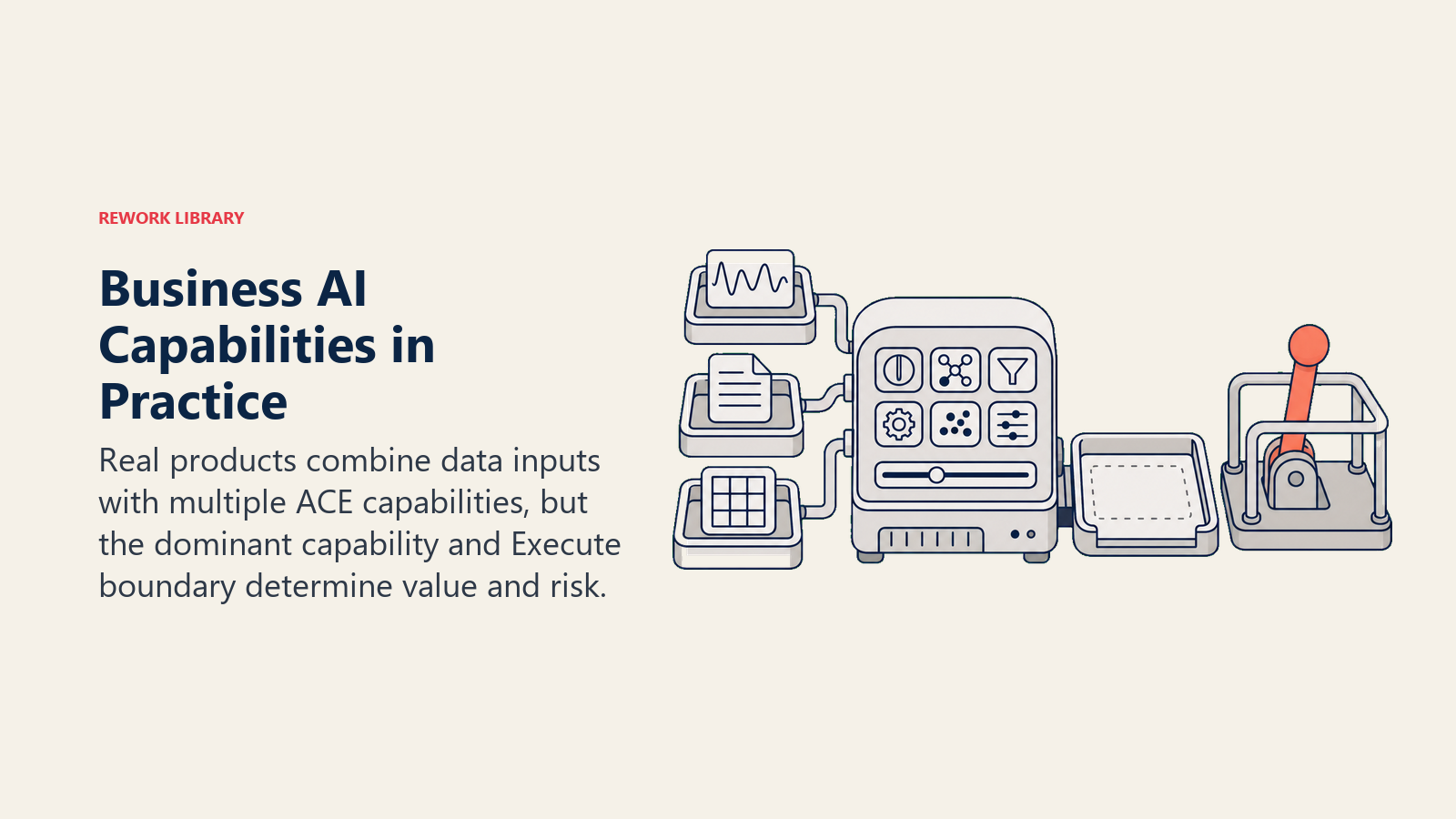
Pertama, kebanyakan produk menggunakan berbilang keupayaan, tetapi biasanya satu adalah dominan. Gong terutamanya adalah Ingest+Analyze (memahami apa yang berlaku dalam panggilan). Stripe Radar terutamanya adalah Predict+Execute (menanda penipuan dan menyekat). Alat imej Canva hampir sepenuhnya Generate.
Kedua, Execute adalah keupayaan paling berisiko tinggi. Apabila Stripe Radar menyekat transaksi, itu adalah Execute. Apabila Zendesk menghalakan tiket secara automatik ke barisan perusahaan, itu adalah Execute. Ia mengubah keadaan di luar AI. Kebanyakan kejadian dalam AI perniagaan berlaku di sempadan tersebut: tindakan yang salah, diambil pada skala, bagi pihak pelanggan. Tadbir urus dan kelulusan harus menumpukan di sana.
Ketiga, anda sudah boleh membina aliran kerja AI yang berguna hanya menggunakan Analyze dan Generate, dengan manusia mengendalikan Execute. Itu sering menjadi titik permulaan yang betul.
Mengapa sekarang penting (dan apa yang berubah)
Selama 25 tahun pertama AI perniagaan, keupayaan Predict memerlukan pasukan sains data. Anda memerlukan seseorang untuk membina model, menilainya, melatih semula, dan memantaunya. Kos tersebut mengecualikan kebanyakan syarikat pasaran pertengahan daripada menggunakan AI untuk ramalan, pemarkahan, dan pengesanan anomali.
LLM mengubah model akses untuk Generate. Sebelum 2022, menghasilkan teks yang koheren pada skala memerlukan model khusus dan kepakaran fine-tuning. Selepas 2022, mana-mana pasukan dengan prompt yang baik boleh menghasilkan draf, ringkasan, dan laporan.
Tetapi kesediaan data tidak berubah. Anda masih memerlukan data yang boleh diakses, agak bersih, dan dibenarkan dengan betul. Model bertambah baik; paipnya tidak bertambah baik sendiri. Asimetri tersebut adalah tempat kebanyakan projek AI terhenti. Pasukan menganggap bahagian yang sukar adalah AI. Bahagian yang sukar biasanya adalah data.
Apa yang tidak berubah
Tiga perkara kekal malar melalui ketiga-tiga era, dan ia akan kekal malar melalui apa sahaja yang akan datang seterusnya.
Kesediaan data masih penting. Model Predict yang dilatih pada data CRM yang kotor memberi anda skor yang kotor. Model Generate yang diberi maklumat tidak konsisten menghasilkan draf yang tidak konsisten. Rangka Kerja ACE memanggil data sebagai lapisan Asas dengan sebab. Keupayaan tanpa data yang bersih adalah seperti enjin yang berkuasa dalam kereta tanpa bahan api.
Integrasi masih mengambil suku tahun, bukan jam. Menyambungkan AI ke sistem anda yang sebenar (CRM, platform sokongan, ERP anda) memerlukan kerja integrasi yang sebenar. Panggilan API mungkin lebih mudah sekarang. Tetapi memastikan data yang betul mengalir masuk, data yang betul mengalir keluar, dan kelulusan yang betul ada adalah projek pelaksanaan, bukan togol demo.
Orang masih menentang perubahan. Ini adalah penemuan yang paling konsisten merentasi setiap pelancaran AI. Bukan tentangan terhadap idea AI (kebanyakan orang ingin tahu), tetapi tentangan terhadap perubahan aliran kerja khusus yang telah mereka gunakan selama tiga tahun. Perisian jarang menjadi kesesakan. Reka bentuk proses di sekelilingnya adalah.
AI Prediktif vs. AI Generatif: peta pantas
Singkatan terpopular industri teknologi semasa membahagikan AI kepada dua kem: AI Prediktif dan AI Generatif. Pemisahan ini menjadi kerangka dominan selepas 2022, apabila ChatGPT menjadikan sisi Generatif kelihatan baharu kepada khalayak perniagaan umum.
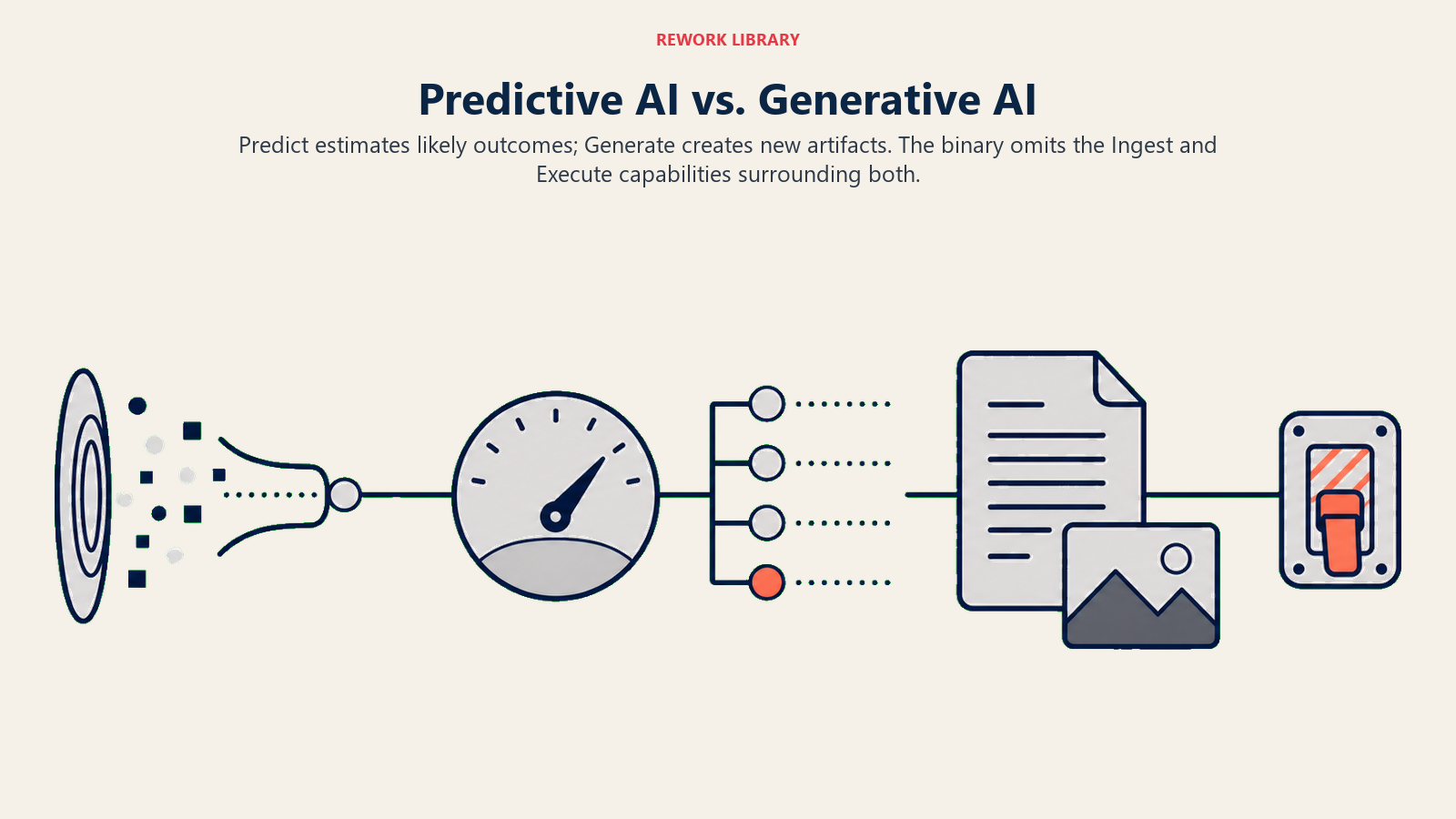
Ia adalah singkatan yang berguna. Tetapi tidak lengkap.
AI Prediktif (Salesforce Einstein, HubSpot Predictive Lead Scoring, Stripe Radar) memetakan terutamanya kepada keupayaan Predict. Ia menjawab "apa yang mungkin berlaku?" menggunakan corak sejarah.
AI Generatif (ChatGPT, GitHub Copilot, Canva Magic Media) memetakan terutamanya kepada keupayaan Generate. Ia menghasilkan artifak: teks, kod, imej, sebagai respons kepada prompt.
Tetapi binari ini terlepas Ingest dan Execute sepenuhnya. Alat seperti Gong terutamanya adalah alat Ingest+Analyze yang kebetulan menghasilkan ringkasan dan menolak ke Salesforce. Alat seperti Intercom Fin menggabungkan Analyze, Generate, dan Execute dengan cara yang tidak sesuai dengan mana-mana kem. Binari Prediktif/Generatif membantu anda memahami perbualan industri. Model lima keupayaan dalam Rangka Kerja ACE membantu anda memahami apa yang sebenarnya dilakukan produk tertentu.
Mod kegagalan yang jujur
Berikut adalah sesuatu yang kebanyakan kandungan vendor AI tidak akan memberitahu anda: sebab paling biasa projek AI gagal bukan kerana AI itu buruk. Ia kerana kes penggunaannya salah.
Khususnya: pasukan menggunakan Generate di mana mereka memerlukan Predict, atau mereka menggunakan Predict pada data yang belum wujud. Pasukan jualan yang belum merekodkan perjanjian sejarah yang mencukupi dalam CRM mereka tidak boleh melatih model pemarkahan prospek yang bermakna. Pasukan sokongan yang membeli alat "penghalaan pintar" sebelum mereka melabel dua tahun data tiket tidak akan mendapat penghalaan pintar. Mereka akan mendapat peraturan generik yang berpakaian sebagai AI.
Pembetulannya bukan produk yang lebih baik. Ia adalah pengurutan: betulkan masalah data dahulu, kemudian gunakan AI yang bergantung padanya. Urutan tersebut (membosankan kedengarannya) adalah yang sebenarnya berfungsi.
Apa maksud ini untuk perniagaan anda
Sebelum membeli mana-mana alat AI, lalui tiga soalan ini. Ia bukan rangka kerja penilaian penuh, tetapi ia akan menangkap kesilapan yang paling mahal.
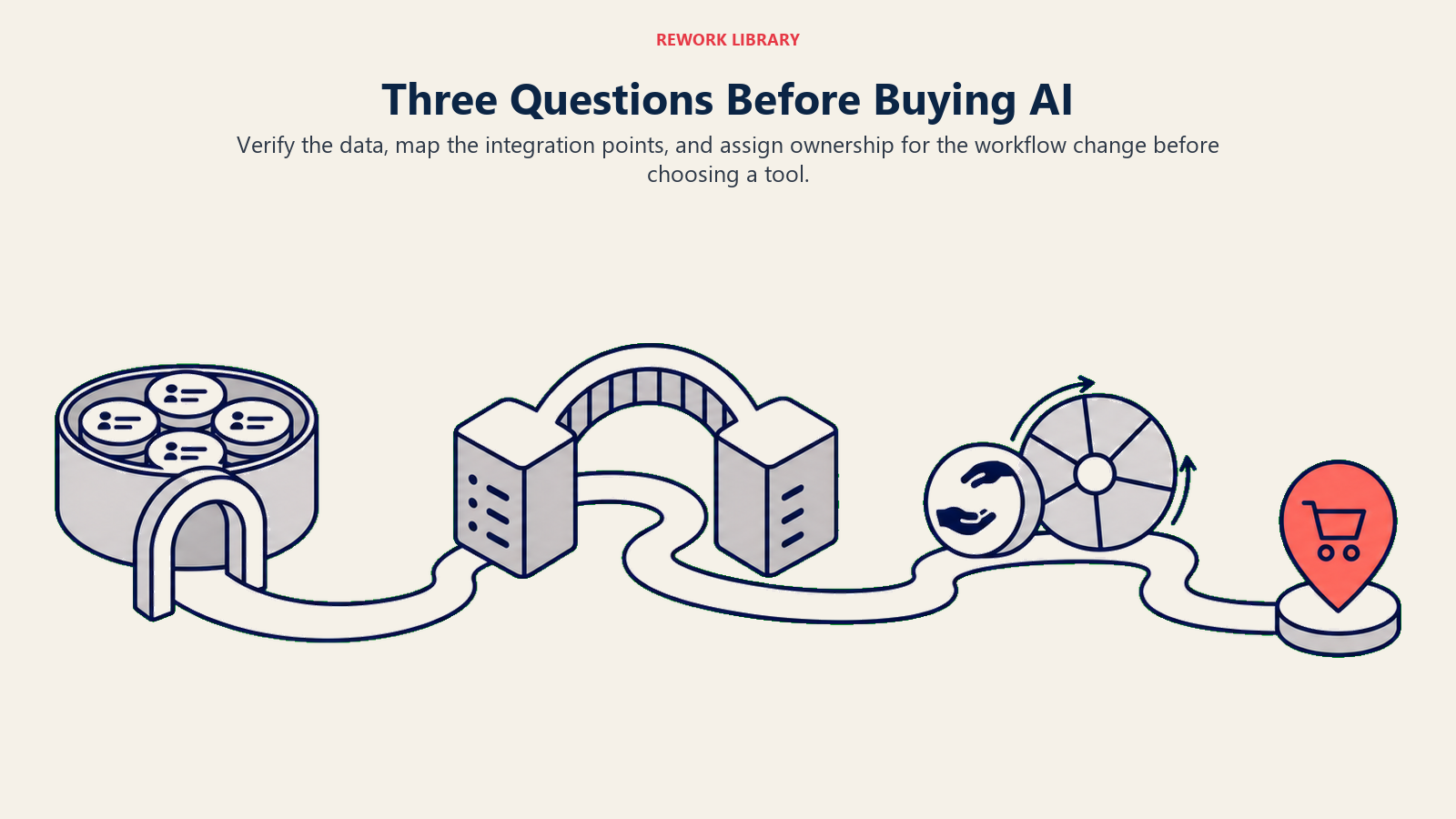
1. Adakah anda mempunyai data?
Setiap keupayaan memerlukan data sebagai input. Predict memerlukan data sejarah dengan hasil (perjanjian lalu ditanda menang/kalah, tiket lalu ditanda selesai/dipertingkatkan). Generate memerlukan prompt dan konteks. Ingest memerlukan sumber mentah (audio, imej, dokumen). Jika data tersebut belum wujud, atau wujud tetapi tidak boleh diakses oleh alat, keupayaan tidak akan berprestasi seperti yang dijanjikan.
Mulakan dengan bertanya: data apakah yang digunakan produk ini? Kemudian tanya: adakah saya mempunyai data tersebut, dalam bentuk tersebut, pada skala?
2. Adakah anda mempunyai titik integrasi?
Kebanyakan alat AI hanya berguna seperti apa yang mereka sambungkan. Alat perisikan mesyuarat yang tidak menolak ringkasan kembali ke CRM anda bermakna wakil anda menyalin nota secara manual juga. Alat pemarkahan prospek yang tidak berada dalam aliran kerja sedia ada anda bermakna wakil melihatnya sekali, memutuskan mereka tidak mempercayainya, dan mengabaikannya.
Sebelum menandatangani, lukiskan aliran data: apa yang masuk, apa yang keluar, dan ke mana ia mendarat. Jika anda tidak dapat melukis gambar rajah tersebut dalam masa lima minit, kerja integrasi belum diskop.
3. Adakah anda mempunyai proses untuk berubah?
Alat AI tidak berfungsi secara berasingan daripada aliran kerja manusia. Analisis panggilan Gong hanya berguna jika Pengarah Jualan sebenarnya menyemak cerapan bimbingan. Pemarkahan prospek HubSpot hanya berguna jika wakil sanggup mengutamakan semula barisan mereka berdasarkan skor yang tidak mereka kira sendiri. Setiap penggunaan AI memerlukan seseorang untuk memiliki perubahan aliran kerja, bukan sekadar pembelian alat.
Ini adalah soalan yang paling kerap dilangkau. Ia juga yang paling kerap bertanggungjawab untuk perbelanjaan yang sia-sia.
AI perniagaan adalah kata kerja, bukan kata nama
Pemingkasan yang paling berguna: AI perniagaan bukan sesuatu yang anda beli. Ia adalah sesuatu yang anda lakukan, dan dilakukan dengan baik atau buruk berdasarkan data yang anda miliki, cara anda mengintegrasikannya, dan sama ada pasukan anda telah mengubah aliran kerja di sekelilingnya.
"Kami membeli alat AI" tidak memberitahu anda apa-apa yang bermakna. "Kami menggunakan keupayaan Predict pada tiga tahun sejarah perjanjian untuk menilai prospek masuk, mengintegrasikannya ke dalam barisan CRM kami, dan melatih semula wakil kami untuk mengutamakan berdasarkan skor", itu memberitahu anda sesuatu.
Kosa kata dalam Rangka Kerja ACE adalah titik permulaan. Lima keupayaan memberi anda cara untuk bertanya soalan yang lebih tajam dalam mesyuarat vendor, menetapkan jangkaan yang lebih jelas dengan pasukan anda, dan mengatur projek dalam urutan yang sebenarnya berfungsi.
Gunakan kosa kata. Kemudian lakukan kerja yang membosankan dan menentukan: betulkan data anda, rancang integrasi anda, dan reka bentuk perubahan aliran kerja. Di sanalah perbezaan berlaku.
Apa yang perlu dibaca seterusnya
Artikel ini memberi anda definisi. Selebihnya koleksi ini mengisi kedalaman:
- Tujuh jenis data yang akan digunakan aliran kerja AI anda, dan jurang mana yang perlu ditutup dahulu
- Kesediaan data dalam amalan: apa maksudnya mempunyai "data sedia AI" dan cara mencapainya
- AI Prediktif vs. AI Generatif: perbandingan penuh, termasuk di mana binari pecah
- Cara AI perniagaan berkembang merentasi tiga era, dan apa yang sejarah itu memberitahu anda tentang ke mana perkara menuju seterusnya
- Rangka Kerja ACE: jadual berkala penuh, dengan tindanan enam lapisan dan contoh yang dikerjakan
Jika koleksi ini telah berguna, koleksi seterusnya yang anda mahukan adalah Corak AI (Peringkat 2), sepuluh kombinasi keupayaan berulang yang muncul dalam setiap industri. Di sanalah definisi menjadi buku panduan.

Principal Solution Architect
On this page
- AI perniagaan dalam satu ayat
- Apa yang AI perniagaan BUKAN
- Tiga era AI perniagaan
- Cara AI perniagaan muncul hari ini
- Mengapa sekarang penting (dan apa yang berubah)
- Apa yang tidak berubah
- AI Prediktif vs. AI Generatif: peta pantas
- Mod kegagalan yang jujur
- Apa maksud ini untuk perniagaan anda
- AI perniagaan adalah kata kerja, bukan kata nama
- Apa yang perlu dibaca seterusnya