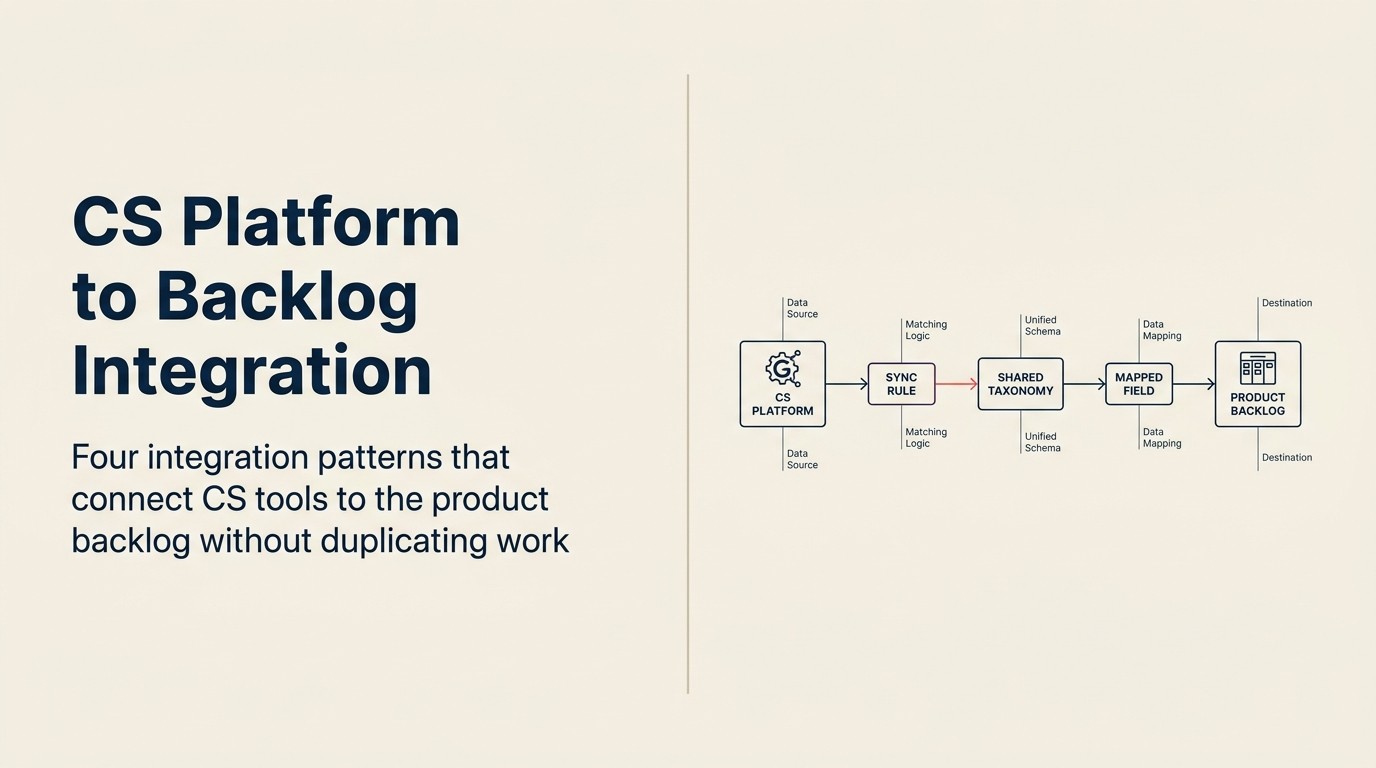
Integration von CS-Plattform und Produkt-Backlog: CS- und Product-Tools zum Zusammenspielen bringen
Turn this article into takeaways for your work.


Each assistant summarizes the article only for you and suggests best practices for your work.
Hier ist das Copy-Paste-Problem in seiner ganzen Absurdität: Ein CSM (Customer Success Manager) legt eine Funktionsanfrage in Gainsight ab, mit einem wörtlichen Kundenzitat, der Account-ARR und drei weiteren Accounts, die dasselbe Problem angesprochen haben. Dieser Datensatz sitzt in der CS-Plattform. Zwei Stockwerke entfernt (oder zwei Slack-Kanäle entfernt) hat ein PM eine Jira-Backlog-Spalte namens "CS-Anfragen" mit sieben vage beschrifteten Tickets: einige von vor 14 Monaten, keines mit ARR-Kontext, zwei ohne jede Beschreibung. Der reichhaltige Datensatz des CSM und das leere Ticket des PM wurden nie formell verbunden.
Die Tools existieren. Die Integration nicht.
Und das ist kein Herstellerproblem. Gainsight gegen ChurnZero zu tauschen, oder Jira gegen Linear, behebt es nicht. Das Versäumnis liegt im Workflow-Design und in der Taxonomie-Vereinbarung: den Entscheidungen, die getroffen werden müssen, bevor irgendein Integrationstool konfiguriert wird. Gartners Magic Quadrant für Customer-Success-Management-Plattformen bewertet die großen CS-Plattformen genau anhand dieser Integrationsfähigkeiten. Es ist ein nützlicher herstellerneutraler Ausgangspunkt, bevor man sich auf einen Stack festlegt. Die meisten Teams überspringen diese Entscheidungen, verdrahten die Tools mit einem Zapier-Zap und stellen sechs Monate später fest, dass die Integration technisch läuft, aber praktisch nutzlos ist. Der vorgelagerte Stack (CRM, CS-Plattform und Revenue Intelligence zusammen verdrahtet) bestimmt, wie viele strukturierte Daten überhaupt zum Weiterleiten verfügbar sind; siehe die Übersicht über den ausgerichteten Stack für Kontext dazu, wie diese Schichten zusammenwirken.
In diesem Artikel geht es darum, zuerst das Workflow-Design richtig hinzubekommen und dann das Integrationsmuster zu wählen, das zu Ihrer aktuellen Tool-Reife passt.
Warum diese Integration schwerer ist, als sie aussieht
Key Facts: Integration von CS zu Product
- Nur 23 % der Product-Teams haben einen formellen, dokumentierten Prozess zum Empfangen und Weiterleiten von CS-Feedback in das Produkt-Backlog, laut Productboards State-of-Product-Management-Umfrage von 2024.
- Das mittlere mittelständische SaaS-Unternehmen hat 4,7 Übergabepunkte zwischen einem CSM, der eine Funktionsanfrage stellt, und dem Erscheinen dieser Anfrage in einem überprüften Backlog eines PM, laut CS Insiders CS-Operations-Report von 2024.
- Raten des Funktionsanfragen-Friedhofs (Anfragen, die ins Produkt-Backlog gelangen, aber nie überprüft oder geschlossen werden) liegen in Unternehmen ohne gemeinsame Taxonomie zwischen CS und Product bei 55 bis 70 %, laut ProductPlan-Untersuchung.
- Teams mit einer gemeinsamen CS-Product-Feedback-Taxonomie berichten von 3,1x schnellerer Zeit von der Anfrage bis zur PM-Bestätigung als jene ohne, laut Gainsights CS-Benchmark-Daten.
CS-Plattformen und Produkt-Backlog-Tools sind auf grundlegend unterschiedlichen Datenmodellen aufgebaut, und das zählt mehr als die spezifischen Tools, die Sie nutzen. Wie diese Modelle mit dem Rest des Kundendatensatzes verbunden werden (einschließlich CRM-Daten und gemeinsamer Account-Historie), wird ausführlich im Leitfaden zur Architektur des gemeinsamen Kundendatensatzes behandelt.
CS-Plattformen erfassen die Welt nach Account. Jeder Datenpunkt (Health Score, NPS, Funktionsanfrage, Support-Eskalation) ist an einen namentlich benannten Kundenaccount verankert. Der primäre Index der CS-Plattform ist der Account-Datensatz.
Produkt-Backlog-Tools erfassen die Welt nach Funktion oder Epic. Ein Jira-Ticket existiert unabhängig von Accounts. Es könnte 40 Accounts oder einen repräsentieren. Der primäre Index des Product-Tools ist das Work Item.
Wenn ein CSM eine Funktionsanfrage in Gainsight protokolliert, ist sie an einen bestimmten Account angehängt. Wenn ein PM diese Anfrage in Jira ansieht, ist der Account-Kontext oft herausgestrippt oder in einem benutzerdefinierten Feld codiert, das niemand pflegt. Die 1-zu-viele-Beziehung (ein Funktionsticket, das viele Accounts repräsentiert) ist das Kernübersetzungsproblem. Es ist keine technische Beschränkung. Es ist ein Datenmodell-Mismatch, und keine native Integration löst es ohne bewusstes Taxonomie-Design.
Der andere Mismatch ist der Rhythmus. CS-Plattformen aktualisieren kontinuierlich: Health Scores verschieben sich täglich, Support-Tickets öffnen und schließen, CSMs protokollieren Calls in Echtzeit. Produkt-Backlog-Tools operieren auf Sprint-Zyklen. Eine Funktionsanfrage, die am Dienstag in Jira gelangt, wird vielleicht erst in der nächsten Sprint-Planungssitzung in zwei Wochen überprüft. Die Integration muss beide Rhythmen berücksichtigen: dringende Weiterleitung (etwas, das diese Woche PM-Aufmerksamkeit braucht) und Batch-Weiterleitung (die reguläre Warteschlange, die das Sprint-Planning speist).
Was "Integration" hier tatsächlich bedeutet, ist kein Sync. Es ist eine strukturierte Übergabe mit Übersetzungslogik. Ein Sync impliziert zwei Systeme, die in Übereinstimmung bleiben. Was CS zu Product tatsächlich braucht, ist, dass ein Datensatz in der CS-Plattform in einen Datensatz im Product-Tool umgewandelt wird, mit den richtigen befüllten Feldern, im richtigen Format, mit der richtigen angewendeten Weiterleitungslogik. Welches Integrationsmuster Sie dorthin bringt, hängt davon ab, wie viel RevOps-Reife und Automatisierung Ihr Team heute tatsächlich hat.
Die vier Integrationsmuster (herstellerneutral)
Named Framework: Das 4-Muster-Integrationsmodell Das 4-Muster-Integrationsmodell klassifiziert die Integration von CS zu Produkt-Backlog nach Automatisierungsgrad und Umsetzungskomplexität: Muster 1 (manuell-mit-Struktur), Muster 2 (nativer Konnektor), Muster 3 (von CS Ops betriebene Middleware) und Muster 4 (bidirektionaler Status-Sync). Jedes Muster ist herstellerneutral und darauf ausgelegt, zur aktuellen RevOps-Reife und zum Account-Volumen eines Teams zu passen, statt eine bestimmte Tool-Kombination zu erfordern. Der primäre Wert des Modells besteht darin, Teams davon abzuhalten, Muster 4 zu versuchen, bevor sie die Dateninfrastruktur und Engineering-Kapazität haben, es zu pflegen.
Diese vier Muster sind nach Umsetzungskomplexität und Automatisierungsgrad geordnet. Die richtige Wahl hängt von Ihrer aktuellen Tool-Reife, RevOps-Kapazität und Ihrem Account-Volumen ab.
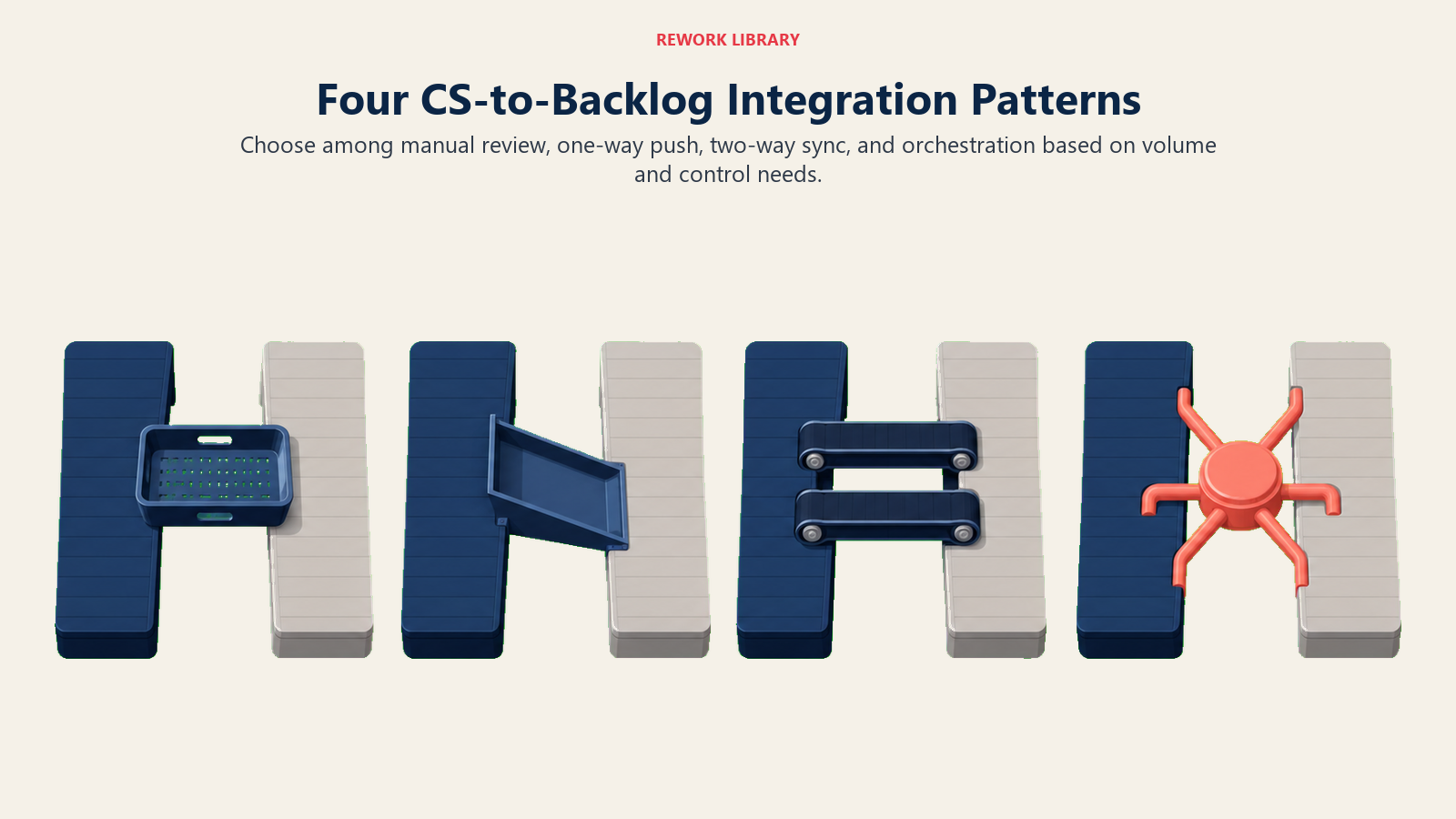
Muster 1: Manuell-mit-Struktur. Eine gemeinsame Vorlage (Google Doc, Notion-Tabelle oder eine dedizierte Tabelle), die CS Ops wöchentlich aus der CS-Plattform befüllt und an den PM-Lead sendet. Der PM-Lead überprüft sie in einem dafür vorgesehenen Zeitblock und leitet Elemente manuell ins Backlog. Keine Automatisierung. Keine native Integration. Nur ein definiertes Format und ein wöchentlicher Rhythmus.
Für wen es funktioniert: Teams unter 50 aktiven Accounts, eine CS-Ops-Funktion im Frühstadium ohne dedizierte RevOps-Unterstützung oder Teams, in denen der PM-Lead und der CS-Lead nahe beieinander sitzen und ein wöchentlicher 20-minütiger Sync mehr Boden abdeckt als jeder automatisierte Feed. Die Kosten sind PM-Zeit zum Überprüfen und Weiterleiten. Der Nutzen ist null Integrations-Wartungs-Overhead.
Muster 2: Nativer Konnektor. Gainsight hat eine native Jira-Integration zum Erstellen von Tickets aus CTAs (Calls to Action) und dem Feedback-Modul. ChurnZero verbindet sich mit Jira, Asana oder Productboard über Zapier oder Make. Der Konnektor übergibt einen definierten Satz von Feldern vom CS-Plattform-Datensatz an den Product-Tool-Datensatz.
Welche Daten tatsächlich fließen: Account-Name, Account-ARR (falls zugeordnet), der wörtliche Text der Funktionsanfrage, der CSM, der sie protokollierte, und ein Zeitstempel. Was typischerweise verloren geht: die Account-Anzahl (wie viele andere Accounts dasselbe Problem angesprochen haben), der Workaround, den der Kunde nutzt, der Dringlichkeitskontext und jede Verknüpfung zu einem Produktthema oder einer Kategorie. Diese Felder erfordern eine manuelle Mapping-Konfiguration, die die meisten Teams bei der Ersteinrichtung überspringen.
Was vor dem Live-Gang mit einem nativen Konnektor zu prüfen ist: Sind die benutzerdefinierten Felder im Jira-Ticket oder Productboard-Datensatz tatsächlich zugeordnet und verpflichtend? Wenn sie optional sind, werden sie innerhalb von 60 Tagen zu 80 % leer sein.
Muster 3: Von CS Ops betriebene Middleware. RevOps oder CS Ops betreibt die Weiterleitungslogik als dedizierte Funktion, keine Automatisierung, sondern ein definierter menschlicher Schritt mit strukturierten Kriterien. CS Ops überprüft die eingehende Feedback-Warteschlange wöchentlich, wendet die Weiterleitungskriterien an (schwellenwertbasiert: welche Elemente erfüllen die ARR- und Account-Anzahl-Hürde, um ins Produkt-Backlog zu gehen?), formatiert den Übergabedatensatz mit dem minimal tragfähigen Format (unten) und übergibt ihn dem PM-Team über das vereinbarte Product-Tool.
Für wen es funktioniert: Teams mit 50 bis 200 Accounts, einer aktiven RevOps- oder CS-Ops-Funktion und einem PM-Team, das sich über verrauschtes oder unformatiertes CS-Feedback beklagt hat. Dieses Muster erfordert RevOps-Reife, bringt aber die saubersten, am besten formatierten Inputs ins Produkt-Backlog von allen Mustern bis auf den bidirektionalen Sync.
Muster 4: Bidirektionaler Status-Sync. Die CS-Plattform und das Product-Tool bleiben bidirektional synchron. Wenn ein PM einen Ticket-Status aktualisiert (in Prüfung / auf Roadmap / abgelehnt / ausgeliefert), spiegelt der CS-Plattform-Account-Datensatz diesen Status wider. Wenn ein CSM eine neue Funktionsanfrage protokolliert, erstellt sie automatisch ein Ticket im Product-Tool.
Für wen es funktioniert: Teams mit reifer RevOps, einer Data-Engineering-Ressource, die den Sync pflegen kann, und über 200 Accounts, bei denen manuelle Überprüfung an jedem Schritt Engpässe schafft. Dies ist der Goldstandard. Es ist auch die seltenste Umsetzung im Mittelstand, weil die Pflege des bidirektionalen Syncs laufende Engineering-Aufmerksamkeit erfordert, wenn eines der Tools seine API oder sein Datenmodell ändert.
Die meisten mittelständischen Teams sind bei Muster 1 oder Muster 2, wollen bei Muster 3 sein und haben jemanden im Team, der für Muster 4 plädiert, bevor das Team dafür bereit ist. Bevor irgendein Muster zuverlässig funktioniert, müssen sich beide Teams einigen, welche Daten tatsächlich die Naht überqueren.
Rework Analysis: Basierend auf Branchen-Benchmarks ist das häufigste Integrationsversäumnis nicht die Tool-Auswahl. Es ist der Taxonomie-Mismatch zwischen CS und Product. Teams, die eine gemeinsame Fünf-Kategorien-Taxonomie etablieren, bevor sie irgendein Integrationstool konfigurieren, reduzieren die Raten des Funktionsanfragen-Friedhofs (Anfragen, die ins Backlog gelangen, aber nie überprüft oder geschlossen werden) um rund die Hälfte verglichen mit Teams, die sich auf die Standardbeschriftungen jedes Systems verlassen. Der minimal tragfähige Übergabedatensatz (sechs Felder: Aussage der Funktionsanfrage, Account-Anzahl, ARR auf dem Spiel, wörtliches Zitat, aktueller Workaround, einreichender CSM) ist die einzelne strukturelle Änderung, die die Signalqualität über alle vier Integrationsmuster hinweg am meisten verbessert.
Welche Daten tatsächlich die Naht überqueren sollten
Bevor Sie irgendein Integrationsmuster konfigurieren, einigen Sie sich auf den minimal tragfähigen Übergabedatensatz. Dies ist die Menge der Felder, die jede Funktionsanfrage haben muss, bevor sie die CS-Plattform verlässt und ins Produkt-Backlog gelangt. Die VoC-Pipeline, die Product speist definiert die vorgelagerte Struktur, die diese Datensätze erzeugt. Das Übergabeformat funktioniert am besten, wenn der Aufnahmeprozess bereits diszipliniert ist.
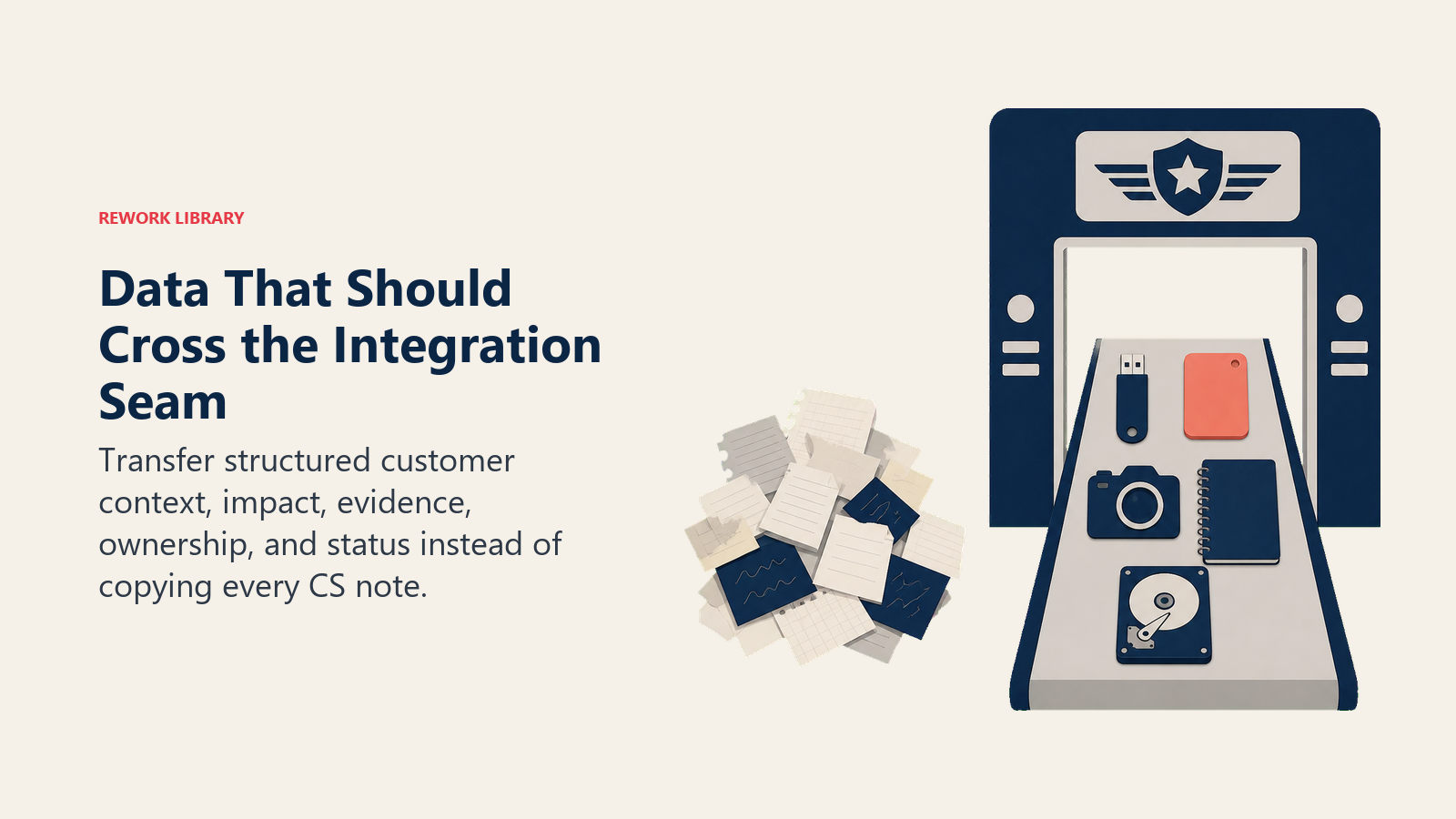
Der minimal tragfähige Übergabedatensatz mit 6 Feldern:
| Feld | Beschreibung | Warum es zählt |
|---|---|---|
| Aussage der Funktionsanfrage | Ein klarer Satz, der beschreibt, was der Kunde braucht (in Aufgaben-Begriffen, nicht in Lösungs-Begriffen) | Gibt dem PM Kontext zur Bewertung, ohne den CSM anzurufen |
| Account-Anzahl | Anzahl der eindeutigen Accounts, die dieses Problem angesprochen haben | Signalisiert Muster vs. Einzelfall |
| ARR auf dem Spiel | Gesamt-ARR dieser Accounts | Verwandelt Account-Anzahl in Geschäftsgewicht |
| Wörtliches Zitat | Mindestens ein direktes Zitat eines Kunden (genaue Worte, keine Umschreibung) | Verbindet den PM mit echter Kundensprache |
| Aktueller Workaround | Was Accounts heute tun, um zu kompensieren | Signalisiert Dringlichkeit und Akzeptanzrisiko |
| Einreichender CSM | Namentlich benannter CSM, erreichbar, wenn der PM Fragen hat | Schließt die Schleife für das Nachfassen |
Was NICHT ins Backlog gehört: Health Scores, Verlängerungstermine, CSM-Stimmungsbewertungen, NPS-Werte, Anzahlen von Support-Tickets. Dies sind CS-interne Datenpunkte. Sie sind in der CS-Plattform bedeutsam, wo sie Account-Kontext haben. In Jira, dieses Kontexts beraubt, erzeugen sie Rauschen und Datenschutzexponierung, ohne die PM-Entscheidungsqualität zu verbessern.
Notizen zu CS-Plattformen nach Tool
Gainsight hat die ausgereiftesten nativen Integrationsfähigkeiten unter den großen CS-Plattformen. Der CTA-zu-Jira-Pfad funktioniert gut, wenn CTA-Vorlagen so konfiguriert sind, dass sie die sechs Felder oben erfordern, bevor die CTA eingereicht werden kann. Das Feedback-Modul fügt eine dedizierte Aufnahmeschicht hinzu, aber es erfordert Disziplin, um zu vermeiden, dass es zu einem Funktionsanfragen-Friedhof innerhalb von Gainsight wird, bevor irgendetwas Jira erreicht. Was RevOps üblicherweise obendrauf baut: eine wöchentliche Automatisierung, die die Feedback-Warteschlange oberhalb eines definierten ARR-Schwellenwerts in eine formatierte CSV exportiert, die CS Ops vor der Weiterleitung an Product überprüft.
ChurnZero verbindet sich mit Jira, Trello und anderen Tools primär über Zapier oder Make, nicht über eine native Integration. PlayBooks können Workflows zur Protokollierung von Funktionsanfragen auslösen. Aber der Zapier-Pfad erfordert sorgfältiges Feld-Mapping: Die Standardeinrichtung übergibt sehr wenig strukturierte Daten. ChurnZero-Teams, die Muster 3 (CS-Ops-Middleware) betreiben, erhalten bessere Übergabequalität als jene, die sich auf die Zapier-Automatisierung verlassen, weil CS Ops das minimal tragfähige Format vor der Einreichung anwendet.
Catalyst und Vitally sind leichtgewichtigere CS-Plattformen mit weniger nativen Integrationsoptionen. Beide operieren in diesem Stadium ihrer Produktreife typischerweise über CSV-Export oder Slack-zu-Jira-Weiterleitung. Dies ist keine Beschränkung für Teams unter 100 Accounts. Eine wöchentliche Slack-Nachricht mit einem formatierten Übergabedatensatz, weitergeleitet an einen dedizierten PM-Slack-Kanal, funktioniert. Es ist Muster 1 mit einer Slack-Zustellschicht. Für größere Account-Volumina betreiben Teams auf Catalyst oder Vitally typischerweise Muster 3.
Alle vier CS-Plattformen teilen ein architektonisches Merkmal: Sie verfolgen Feedback auf Account-Ebene, nicht auf Funktionsebene. Die Übersetzung von Datensätzen auf Account-Ebene zu Backlog-Tickets auf Funktionsebene ist immer ein manueller oder eigens gebauter Schritt. Keine CS-Plattform produziert heute nativ funktionszentrierten Output.
Notizen zu Produkt-Backlog-Tools nach Tool
Productboard hat die stärkste native CS-zu-Product-Aufnahmefähigkeit der Gruppe. Das Insights-Portal nimmt Feedback in Freitext mit Account-Tagging an, und die Feedback-zu-Funktion-Verknüpfung erlaubt PMs, mehrere Kundeninputs mit einem einzelnen Funktionsdatensatz zu verbinden. Für CS-Teams, die CSMs anweisen können, Anfragen direkt in Productboards Insights-Portal zu protokollieren (statt in die CS-Plattform), ist dies der sauberste Integrationspfad. Für Teams, in denen CS Ops die Weiterleitung übernimmt, unterstützt Productboards API formatierte Einreichungen.
Jira ist flexibel, erfordert aber bewusste Konfiguration. Die Standard-Jira-Ticket-Felder enthalten weder ARR noch Account-Anzahl noch wörtliches Zitat. Diese erfordern benutzerdefinierte Felder. Und benutzerdefinierte Felder erzeugen nur Wert, wenn sie verpflichtend sind und gepflegt werden. Eine Jira-Integration, die ohne durchgesetzte Pflicht zu benutzerdefinierten Feldern bei der Einreichung gebaut wird, verfällt innerhalb von 90 Tagen zu leeren Feldern, während CSMs oder Automatisierungstools aufhören, sie zu befüllen. Jira funktioniert gut für Teams, die im Voraus in die Konfiguration benutzerdefinierter Felder investieren und CS Ops das minimal tragfähige Format durchsetzen lassen.
Linear ist bewusst minimal. Es ist für schnell agierende Engineering-Teams gebaut und hat keine Aufnahme- oder Feedback-Aggregationsschicht. Linear als Produktziel für CS-Feedback zu nutzen, erfordert eine vorgelagerte CS-Ops-Weiterleitungsschicht, die Anfragen formatiert und bündelt, bevor sie in Linear gelangen. Muster 3 (CS-Ops-Middleware) ist für Linear-nutzende Teams fast immer die richtige Wahl.
Aha! ist stark bei Roadmap-Visualisierung und strategischer Planung. CS-Feedback gelangt üblicherweise über das Ideas-Portal (wo Kunden direkt einreichen können) oder per API von CS Ops nach Aha!. Das Ideas-Portal ist nützlich für strukturierte Feedback-Sammlung, erfordert aber, dass Kunden Zugang und Motivation zum Einreichen haben. Das funktioniert für reife Enterprise-Customer-Advisory-Boards, aber weniger gut für alltägliches Feedback im Mittelstand.
Das Taxonomie-Problem (und wie man es behebt)
Das einzelne größte Integrationsversäumnis, über alle Muster und alle Tool-Kombinationen hinweg, ist ein Taxonomie-Mismatch zwischen CS und Product. Gartners Critical-Capabilities-Untersuchung für CS-Plattformen identifiziert gemeinsame Taxonomie und Feedback-Weiterleitung als die zwei Fähigkeiten, die leistungsstarke CS-Teams am stärksten vom Rest unterscheiden. CS taggt eine Funktionsanfrage als "Reporting". Product hat eine Jira-Beschriftung namens "Analytics". Das ist dasselbe. Sie werden nie verknüpft. Das Muster über 15 Accounts verschwindet in der Tag-Inkonsistenz. Das ist eng verwandt mit dem Problem der Mustererkennung über CSMs hinweg, wo dasselbe getrennte Tagging, das Muster innerhalb eines CS-Teams verbirgt, sie auch an der Naht zwischen CS und Product verbirgt.
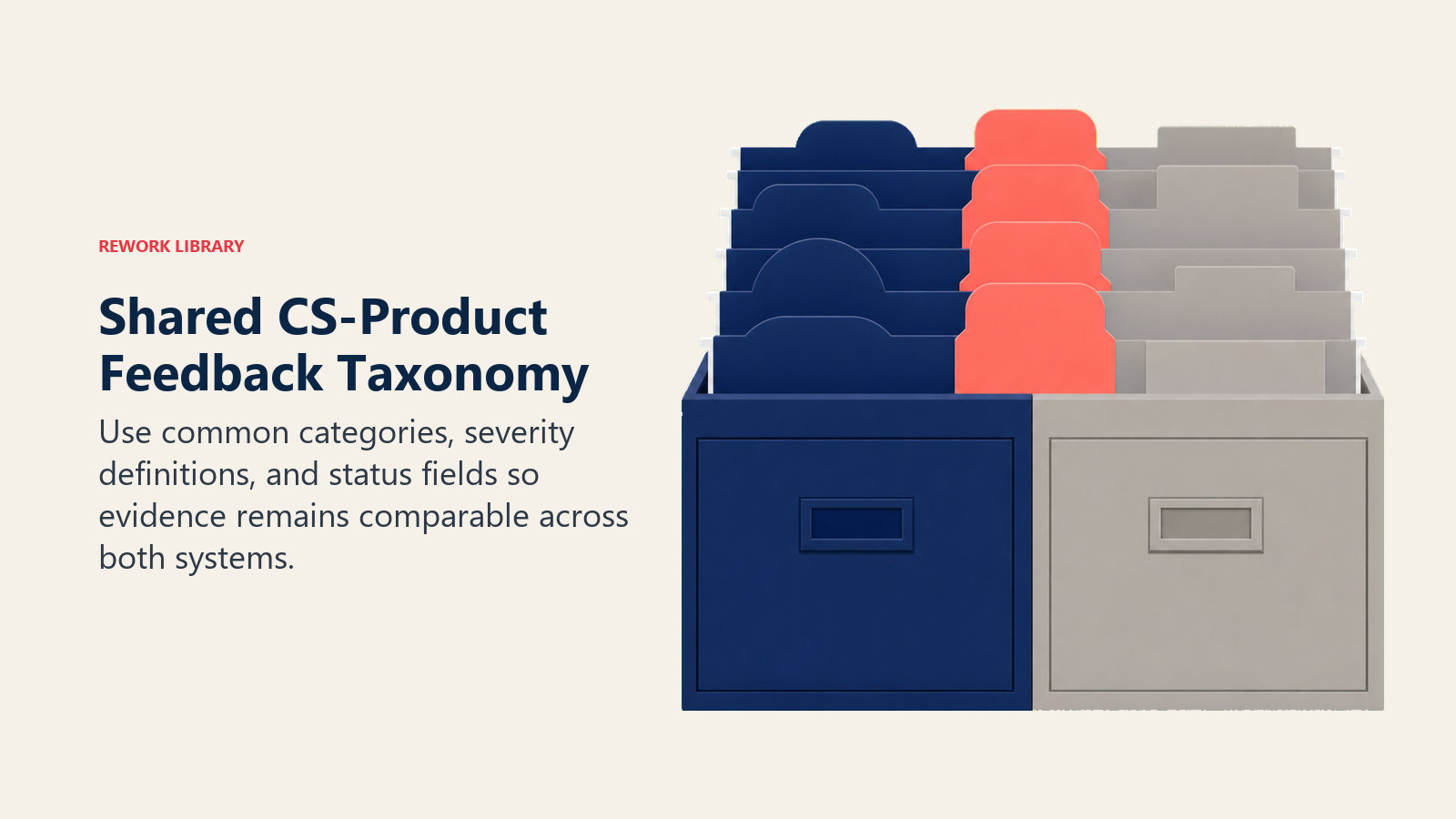
Den Aufbau eines gemeinsamen Tagging-Schemas ist eine Voraussetzung für jedes Integrationsmuster oberhalb von Muster 1. Es gehört CS Ops und einem benannten PM, nicht den Standardbeschriftungen des Tool-Herstellers.
Fünf Kategorien decken 80 % des CS-Feedbacks in den meisten mittelständischen SaaS-Produkten ab:
- Funktionslücke: Das Produkt hat keine Fähigkeit, die Kunden brauchen
- Workflow-Reibung: Die Fähigkeit existiert, ist aber im tatsächlichen Workflow des Kunden zu schwer zu nutzen
- Fehlende Integration: Kunden brauchen, dass das Produkt sich mit einem anderen Tool in ihrem Stack verbindet
- Performance oder Zuverlässigkeit: Geschwindigkeits-, Verfügbarkeits- oder Konsistenzprobleme, die Kundenergebnisse beeinträchtigen
- Dokumentation oder Schulung: Kunden können nicht herausfinden, wie sie das Vorhandene nutzen
Diese fünf Kategorien gelten über alle CS-Plattformen und alle Product-Tools hinweg. Wenn CS Ops jede eingehende Anfrage vor der Weiterleitung mit einer dieser fünf Kategorien taggt und wenn Product dieselben fünf Kategorien in seinen Backlog-Beschriftungen verwendet, überlebt die Musterdaten die Übergabe.
Taxonomie-Governance: CS Ops und ein benannter PM überprüfen die Taxonomie vierteljährlich. Zu bewertende Fragen: Tauchen Anfragen in "Funktionslücke" auf, die eigentlich "Workflow-Reibung" sind? Wird "Dokumentation oder Schulung" als Sammelbecken für Dinge verwendet, die eigentlich "Workflow-Reibung" sind? Die Taxonomie sollte stabil bleiben. Widerstehen Sie dem Hinzufügen neuer Kategorien, ohne alte zu entfernen oder zusammenzuführen.
Weiterleitungslogik: Was eine Übergabe auslöst
Nicht jeder CS-Plattform-Datensatz sollte das Produkt-Backlog erreichen. Weiterleitungskriterien bestimmen, was die Naht überquert.
Schwellenwertbasierte Weiterleitungskriterien (illustrativ; an Ihr ARR-Profil anpassen):
- Account-Anzahl: drei oder mehr Accounts haben dasselbe Problem angesprochen
- ARR auf dem Spiel: über 150.000 USD an kombinierter ARR
- Schwere: jedes Einzel-Account-Problem, bei dem Abwanderungsrisiko gemeldet ist oder der Kunde es in einem QBR ansprach
Elemente, die eines dieser Kriterien erfüllen, gehen ins Backlog. Elemente unterhalb aller drei bleiben in der CS-Plattform zur Überwachung, nicht zur Weiterleitung.
Dringender Pfad vs. Batch-Pfad. Der dringende Pfad behandelt Elemente, bei denen ein Kunde eskaliert hat, Abwanderungsrisiko gemeldet ist oder eine Führungskraft auf C-Level das Problem ansprach. Diese werden innerhalb von 24 Stunden direkt an den PM weitergeleitet (Slack-Nachricht + formatiertes Ticket). Der Batch-Pfad behandelt die reguläre Warteschlange: Elemente, die die Schwellenwertkriterien erfüllen, aber nicht eskaliert sind. Diese sammeln sich wöchentlich an und werden im CS-PM-1:1-Rhythmus überprüft oder als wöchentlicher Batch ins Backlog übergeben.
Wer die Warteschlange überprüft: Ein benannter PM-Liaison ist das sauberste Modell im Mittelstand. Ein PM besitzt die CS-Feedback-Aufnahmewarteschlange und leitet innerhalb des PM-Teams weiter. Rotierende PM-Verantwortung funktioniert im kleineren Maßstab, schafft aber Verantwortungslücken, wenn der rotierende PM tief in einem Sprint steckt. CS-Ops-Gating (CS Ops überprüft, bevor irgendetwas die PM-Warteschlange trifft) funktioniert am besten in Muster 3.
Schließen der Schleife: Status zurück zu CS bringen
Der Rückweg (PM-Entscheidungen, die zurück zu CS fließen, damit CSMs Kunden aktualisieren können) ist schwerer als der Aufnahmeweg, und er scheitert häufiger. McKinseys Untersuchung zu kundenzentrierten B2B-Organisationen zeigt, dass die wirkungsstärkste Änderung, die Unternehmen vornehmen, der Aufbau bidirektionaler Kommunikationskanäle ist: nicht nur vom Kunden zu Product, sondern von Product zurück ins Feld. Das Schließen der Feedback-Schleife mit Kunden erfordert bewusste Mechanik auf der CS-Seite. Die Integrationsmuster hier decken die interne Übergabe ab, aber die kundenseitige Schleife ist eine separate Disziplin.
Die Lücke zwischen dem, was "gebaut" für einen PM bedeutet, und dem, was es für einen CSM bedeutet, der sich auf ein QBR vorbereitet, ist real. Ein PM markiert ein Ticket als "ausgeliefert", wenn die Funktion in die Produktion deployt ist. Der CSM muss wissen: Ist sie für alle Accounts verfügbar? Ist sie hinter einem Feature-Flag? Erfordert sie Migration? Gibt es Dokumentation? "Ausgeliefert" ohne Antworten auf diese Fragen hilft einem CSM nicht, die Schleife mit dem Kunden zu schließen, der die Anfrage vor acht Monaten stellte.
Minimal tragfähiges Status-Update: vier Zustände, die CS kennen muss, vom PM im vereinbarten Format kommuniziert:
- In Prüfung: PM bewertet; noch kein Zeitplan
- Auf Roadmap: für ein zukünftiges Quartal zugesagt; angeben, welches, wenn möglich
- Abgelehnt: nicht geplant; den Grund angeben (außerhalb des Umfangs, zu klein, Duplikat einer bestehenden Funktion usw.)
- Ausgeliefert: deployt; den Rollout-Umfang und jede erforderliche Account-Aktion angeben
Der Mechanismus für diesen Rückweg hängt vom Integrationsmuster ab. In Muster 4 (bidirektionaler Sync) aktualisiert sich die CS-Plattform automatisch, wenn der PM das Ticket aktualisiert. In Mustern 1 bis 3 aktualisiert der PM entweder die gemeinsame Vorlage / CS-Plattform direkt, oder CS Ops zieht ein wöchentliches Status-Update aus dem Product-Tool und spiegelt es zurück in die CS-Plattform-Account-Datensätze. Die vierteljährliche Kundenfeedback-Überprüfung ist, wo der Status der vollständigen Funktionsanfragen-Warteschlange auf höherer Ebene überprüft wird, aber einzelne Account-Updates können nicht auf die vierteljährliche Sitzung warten.
Das 30-Tage-Integrations-Audit
Bevor Sie Ihr Integrationsmuster umsetzen oder ändern, dokumentieren Sie, wie eine einzelne Funktionsanfrage heute tatsächlich reist. Begleiten Sie sie:
Tag 1 bis 3: Wählen Sie eine Funktionsanfrage, die ein CSM in den letzten 30 Tagen gestellt hat. Verfolgen Sie sie vom CS-Plattform-Datensatz bis dahin, wo sie jetzt im Product-Tool ist (oder finden Sie heraus, dass sie es nie geschafft hat). Zählen Sie die Übergabepunkte. Wer berührte sie? Welches Format nahm sie an jedem Schritt an? Was ging unterwegs verloren?
Tag 4 bis 7: Befragen Sie den CSM, der sie stellte, und den PM, der sie (hätte) erhalten (sollen). Fragen Sie den CSM: Wissen Sie, was mit dieser Anfrage passierte? Fragen Sie den PM: Haben Sie das in Ihrem Backlog? Wenn ja, können Sie es finden? Wenn nicht, wohin ging es?
Tag 8 bis 14: Bilden Sie den aktuellen Zustand in einem einzelnen Diagramm ab. Übergabepunkte, Datenverlustpunkte, Latenz an jedem Schritt. Präsentieren Sie das VP CS, Head of Product und dem RevOps-Lead.
Tag 15 bis 21: Wählen Sie basierend auf dem Audit das Muster (1 bis 4), das zu Ihrer aktuellen Tool-Reife und RevOps-Kapazität passt. Entwerfen Sie die Felder des minimal tragfähigen Übergabedatensatzes. Schlagen Sie die gemeinsame Taxonomie (fünf Kategorien) vor.
Tag 22 bis 30: Setzen Sie Muster 1 oder Muster 2 um, je nachdem, was in der verbleibenden Zeit machbar ist. Lassen Sie es das nächste Quartal laufen, bevor Sie auswerten, ob Sie zu einem komplexeren Muster wechseln.
Das Audit offenbart fast immer, dass das Problem einfacher ist, als es erschien. Eine gemeinsame Taxonomie und ein minimal tragfähiges Format beheben mehr als jede technische Integration. Das Problem des Funktionsanfragen-Friedhofs ist ein Workflow-Problem, kein Tool-Auswahl-Problem. Was diesen Friedhof endgültig schließt, ist, den Status zurück zu CS zu bringen, damit CSMs die Schleife mit Kunden schließen können.
Häufig gestellte Fragen zur Integration von CS-Plattform und Produkt-Backlog
Was ist das 4-Muster-Integrationsmodell für CS zu Produkt-Backlog?
Das 4-Muster-Integrationsmodell klassifiziert Verbindungen von CS zu Produkt-Backlog nach Automatisierungsgrad und RevOps-Reife: Muster 1 (manuell-mit-Struktur, eine gemeinsame Vorlage mit wöchentlicher Weiterleitung), Muster 2 (nativer Konnektor, der Tools wie Gainsights Jira-Integration oder Zapier nutzt), Muster 3 (von CS Ops betriebene Middleware, bei der eine menschliche Weiterleitungsfunktion schwellenwertbasierte Kriterien anwendet, bevor irgendetwas die PM-Warteschlange trifft) und Muster 4 (bidirektionaler Status-Sync, der einen Data Engineer erfordert, um Echtzeit-Parität zwischen beiden Systemen zu pflegen). Die meisten mittelständischen Teams operieren bei Muster 1 oder 2. Muster 3 bringt die saubersten Backlog-Inputs, ohne Engineering-Ressourcen zu erfordern.
Warum scheitern Integrationen von CS zu Product, selbst wenn die Tools verbunden sind?
Das häufigste Versäumnis ist der Taxonomie-Mismatch, kein Tool-Versagen. CS taggt eine Funktionsanfrage als "Reporting". Product hat eine Jira-Beschriftung namens "Analytics". Das Muster über 15 Accounts verschwindet in dieser Tag-Inkonsistenz. Gartners Critical-Capabilities-Untersuchung für CS-Plattformen identifiziert gemeinsame Taxonomie und Feedback-Weiterleitung als die zwei Fähigkeiten, die leistungsstarke CS-Teams am stärksten unterscheiden. Eine gemeinsame Fünf-Kategorien-Taxonomie (Funktionslücke, Workflow-Reibung, fehlende Integration, Performance oder Zuverlässigkeit, Dokumentation oder Schulung) löst das, bevor irgendein Integrationstool konfiguriert wird.
Welche sechs Felder muss jeder Übergabedatensatz von CS zu Product enthalten?
Der minimal tragfähige Übergabedatensatz für eine Funktionsanfrage, die von der CS-Plattform ins Produkt-Backlog überquert, umfasst: (1) eine Aussage der Funktionsanfrage in Aufgaben-Begriffen statt Lösungs-Begriffen, (2) Account-Anzahl der eindeutigen Accounts, die das Problem ansprachen, (3) ARR auf dem Spiel über diese Accounts hinweg, (4) mindestens ein wörtliches Kundenzitat in den genauen Worten des Kunden, (5) den aktuellen Workaround, den der Account heute nutzt, und (6) den Namen des einreichenden CSM zum Nachfassen. Was nicht in den Übergabedatensatz gehört: Health Scores, Verlängerungstermine, CSM-Stimmungsbewertungen oder NPS-Werte. Diese tragen Bedeutung in der CS-Plattform mit Account-Kontext, erzeugen aber Rauschen, wenn sie in Jira oder Productboard dieses Kontexts beraubt werden.
Wie bestimmt die Weiterleitungslogik, was von CS ins Produkt-Backlog überquert?
Schwellenwertbasierte Weiterleitungskriterien definieren, was eine Übergabe auslöst. Illustrative Schwellenwerte für ein mittelständisches Team: drei oder mehr Accounts haben dasselbe Problem angesprochen, 150.000 USD oder mehr an kombinierter ARR auf dem Spiel, oder jedes Einzel-Account-Problem, bei dem Abwanderungsrisiko gemeldet ist oder der Kunde es in einem QBR ansprach. Elemente, die irgendein Kriterium erfüllen, gehen ins Backlog. Elemente unterhalb aller drei bleiben in der CS-Plattform zur Überwachung. Ein separater dringender Pfad behandelt Eskalationen innerhalb von 24 Stunden: Eskalationen auf C-Level, abwanderungsmarkierte Accounts oder Accounts mit hoher ARR, die ein Problem direkt zur Sprache brachten. Der Batch-Pfad behandelt die reguläre Warteschlange, die im zweiwöchentlichen CS-PM-1:1 überprüft wird.
Welche Daten sollten nicht in den Übergabedatensatz von CS zu Product aufgenommen werden?
Health Scores, Verlängerungstermine, CSM-Stimmungsbewertungen, NPS-Werte und Anzahlen von Support-Tickets gehören in die CS-Plattform, wo sie Account-Kontext haben. In einem Jira- oder Productboard-Ticket, dieses Kontexts beraubt, fügen sie Rauschen hinzu, ohne die PM-Entscheidungsqualität zu verbessern. Sie schaffen auch ein Datenschutzexponierungsrisiko, wenn Stimmungsdaten auf Account-Ebene in einem Product-Tool sitzen, auf das ein breiteres Engineering- und Design-Team zugreift. Der Übergabedatensatz sollte nur die Information enthalten, die ein PM braucht, um die Anfrage zu bewerten, sie weiterzuleiten und den einreichenden CSM zur Klärung zu erreichen.
Wie funktioniert bidirektionaler Status-Sync, und wer braucht ihn?
Bidirektionaler Sync hält die CS-Plattform und das Produkt-Backlog-Tool in Echtzeit-Übereinstimmung: Wenn ein PM einen Ticket-Status aktualisiert (in Prüfung, auf Roadmap, abgelehnt, ausgeliefert), aktualisiert sich der entsprechende CS-Plattform-Account-Datensatz automatisch. Wenn ein CSM eine neue Funktionsanfrage protokolliert, erstellt sie automatisch ein Ticket im Product-Tool. Dies ist Muster 4: der Goldstandard und der seltenste im Mittelstand. Es erfordert eine Data-Engineering-Ressource, um den Sync zu bauen und zu pflegen, plus API-Stabilität von beiden Tools. Die meisten mittelständischen Teams erreichen dasselbe Ergebnis operativ durch Muster 3 (CS-Ops-Middleware) kombiniert mit einem wöchentlichen PM-Status-Update an CS Ops, was mehr menschliche Zeit, aber null Engineering-Wartung erfordert.
Mehr erfahren
- Die VoC-Pipeline: Wie CS Product speist
- Feedback systematisch erfassen: CSM-Notizen zum Backlog
- Der CS-PM-1:1-Rhythmus
- Vierteljährliche Kundenfeedback-Überprüfung (gemeinsam)
- Das Problem des Funktionsanfragen-Friedhofs
- Ausgerichteter Stack: CRM, CS-Plattform und Revenue Intelligence
- Architektur des gemeinsamen Kundendatensatzes

Principal Solution Architect
On this page
- Warum diese Integration schwerer ist, als sie aussieht
- Die vier Integrationsmuster (herstellerneutral)
- Welche Daten tatsächlich die Naht überqueren sollten
- Notizen zu CS-Plattformen nach Tool
- Notizen zu Produkt-Backlog-Tools nach Tool
- Das Taxonomie-Problem (und wie man es behebt)
- Weiterleitungslogik: Was eine Übergabe auslöst
- Schließen der Schleife: Status zurück zu CS bringen
- Das 30-Tage-Integrations-Audit
- Mehr erfahren