Best Jirav Alternatives in 2026: 13 FP&A Tools for Every Budget and Team Size

Turn this article into takeaways for your work.


Each assistant summarizes the article only for you and suggests best practices for your work.
Jirav is best known for one number: Controller Essentials at $50 a month. That's real, but it's only half the story, and the half most buyers never see costs a lot more. Jirav actually publishes two separate price lists. The accounting-firm plans on jirav.com/pricing start at $50 a month for Controller Essentials and $150 a month for CFO Enterprise, covering up to 15 client admin or editor users with unlimited read-only viewers, built for firms serving multiple SMB clients. The direct-business plans on jirav.com/business-pricing are a different ladder entirely: Starter at $10,000 a year, Pro at $15,000 a year, Enterprise on request. A company buying Jirav directly, not through an accounting firm, starts at $10,000 a year, not $50 a month.
That gap is the most useful thing to understand before you shop this category, because it changes which alternatives even make sense to compare. This guide covers 13 alternatives for CFOs, finance directors, controllers, FP&A leads, and fractional CFOs at companies roughly 20 to 2,000 employees, organized around that same fork: which price list would you actually be looking at, and which alternative should replace it. Every price below comes from the vendor's own pricing page as of September 2026, and where a vendor publishes nothing, this guide says so plainly instead of guessing. Start with the FP&A software roundup if you haven't narrowed the category yet.
Key Facts
- 75% of CFOs globally expect their technology budgets to rise in 2026, with nearly half (48%) planning increases of 10% or more, according to a Gartner survey of 303 finance leaders (Gartner CFO 2026 budget survey, reported by CIO Dive).
- More than half of FP&A teams now run at least 8 categories of planning tools and 10 types of reporting tools on a quarterly basis, the kind of tool sprawl that makes a one-integration entry tier feel thin fast (AFP FP&A Benchmarking Survey Report: Technology & Data).
- Client advisory services, the practice area Jirav's firm plans are built for, grew a median 17% for participating accounting firms, the fastest-growing service line in public accounting, per a benchmark survey of more than 200 U.S. firms (AICPA and CPA.com CAS Benchmark Survey).
- Just 23% of FP&A professionals use AI daily, weekly, or monthly today, while 40% are testing it with plans to implement within the year, so most of this category's AI story is still ahead of it (AFP FP&A Benchmarking Survey Report: Technology & Data).
- 71% of FP&A teams use enterprise performance management tools at least quarterly, evidence that "just use a spreadsheet" and "just use one FP&A tool" are both oversimplifications of how finance actually operates today (AFP FP&A Benchmarking Survey Report: Technology & Data).
Quick Comparison Table
| Tool | Best For | Starting Price | Key Strength | Key Limitation |
|---|---|---|---|---|
| Centage | 50 to 500-employee teams that outgrew spreadsheets | $1,750/month (Core), billed annually | One of the only fully published prices in this category | Entry floor prices out companies well under 50 employees |
| Cube | Keeping models in Excel or Sheets with a lighter tool than Vena | No published pricing (Bronze / Silver / Gold, quote only) | Bi-directional sync keeps the spreadsheet as the interface | Fewer native connectors than the enterprise suites |
| Vena Solutions | Deep Microsoft-stack governance without leaving Excel | No published pricing (Professional / Complete tiers) | Native Excel, Power BI, Azure, and Fabric integration | Cost and complexity climb fast past mid-market |
| Datarails | Excel-first teams that want governance layered on, not replaced | No published pricing (tiers scale by seats and integrations) | FinanceOS connects governed data to Claude, ChatGPT, and Copilot | Two-user Professional tier and single integration are thin |
| Planful | Mid-market teams ready to move planning into a modeled UI | No published pricing (quote only, no figures anywhere) | Long track record combining structured planning and close | Harder to pre-budget with zero published starting point |
| Prophix | Unified planning, budgeting, and consolidation with AI agents | No published pricing (quote only) | Prophix One Agents draft budgets and reports, not just dashboards | Full agent lineup still rolling out through 2026 |
| Abacum | AI-native FP&A for fast-growing, VC-backed companies | No published pricing (demo only) | Collaborative modeling built for speed, not committee review | Lighter enterprise governance than Pigment or Workday |
| Drivetrain | SaaS and subscription businesses replacing spreadsheets entirely | No published pricing (custom proposal, implementation included) | Native ARR, MRR, and churn metrics plus an AI Model Generator | Newer vendor with a shorter enterprise track record |
| Pigment | Enterprise cross-functional planning beyond finance alone | No published pricing (Explorer / Contributor / Editor licenses) | Modeler Agent turns plain-language logic into governed models | Enterprise depth means an enterprise-length implementation |
| Workday Adaptive Planning | Enterprises already standardized on Workday HCM or Financials | Pricing varies (quote only), 30-day free trial | Four-time Gartner Magic Quadrant Leader for FP&A | Enterprise scale and price are overkill under a few hundred employees |
| Anaplan | Large enterprises needing connected planning across departments | No published pricing (demo request only) | Hyperblock engine handles massive, cross-functional models | No public starting point at all, every deal starts with a call |
| Limelight | Mid-market and nonprofit teams wanting a lighter modeled tool | No published pricing (Starter / Unlimited tiers) | Fast implementation with a strong list of ERP connectors | Smaller vendor with a thinner AI roadmap than larger rivals |
| Float | Cash flow forecasting layered onto Xero or QuickBooks | £99/month (Essentials, billed monthly, GBP) | Purpose-built cash flow forecasting, nothing else to configure | Not a full FP&A suite: no budgeting, no P&L modeling |
Jirav's Two Price Lists: The Fact That Should Shape Your Search
Before comparing a single alternative, settle which Jirav you're actually replacing, because the two products serve genuinely different buyers under the same brand.
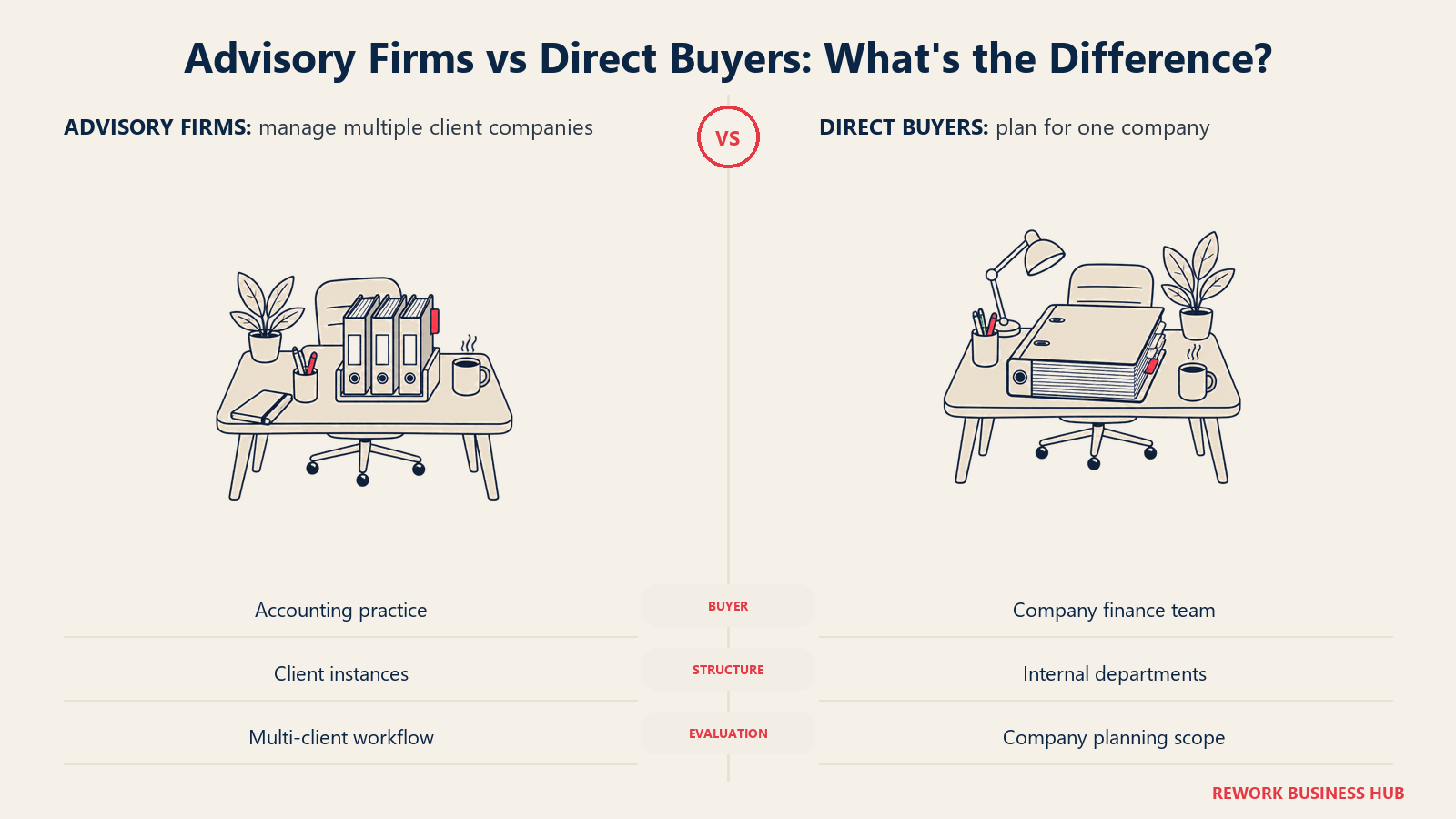
| Accounting-firm plans (jirav.com/pricing) | Direct-business plans (jirav.com/business-pricing) | |
|---|---|---|
| Entry tier | Controller Essentials, from $50/month | Starter, $10,000/year |
| Upper tier | CFO Enterprise, from $150/month | Pro, $15,000/year |
| Top tier | Not applicable | Enterprise, contact us |
| Users included | Up to 15 End Client Admin/Editor users, unlimited read-only | 2 admin/editor (Starter) to 15 (Enterprise) |
| Scope | Company level or up to 50 departments | 5 planning departments (Starter) up to 84 months of data history (Enterprise) |
| Who it's actually for | An accounting firm or fractional CFO practice managing many client companies | A single company budgeting and forecasting for itself |
If you're pricing Jirav as a single company and the $50 figure is what you saw first, that number was never yours to budget against. Read the "For Companies Buying FP&A Direct" tools below against Jirav's real $10,000-to-$15,000-a-year direct ladder, not its firm-plan headline.
For Accounting Firms and Fractional CFOs: Where Jirav Still Wins
Client advisory services are growing faster than almost any other line of business in public accounting right now (a median 17% per the AICPA and CPA.com's own benchmark survey, cited above), and Jirav built its firm plans specifically for that growth: multi-tenant client management, standardized templates, and a per-client cost that scales in a way a single-company FP&A license doesn't.
Here's the honest limitation of this guide: none of the 13 tools below replicate that multi-tenant, per-client structure the way Jirav's firm plans do. They're built to run FP&A for one company, not to let one firm stand up dozens of client instances from shared templates. If you're a firm or a fractional CFO practice serving multiple SMB clients, the realistic options are staying on Jirav's firm plans, or running a lighter Excel-native tool like Cube or Vena per client and accepting the manual overhead that comes with it. This guide is written for the second audience: a single company evaluating Jirav's direct-business plans against everything else on the market.
Alternatives for Companies Buying FP&A Direct
These 13 compete with what a company actually pays if it buys Jirav directly, not through an accounting firm.
1. Centage - The Only Fully Published Price in the Category
Centage (formerly branded Planning Maestro, now sold as Centage FP&A Software) is purpose-built for growing companies of 50 to 500 employees that have genuinely outgrown spreadsheets rather than just wanting a nicer one. Driver-based budgeting, rolling forecasts, scenario planning, and workforce planning ship out of the box, with position-level detail and multi-entity structure built in from day one rather than bolted on for enterprise customers later.
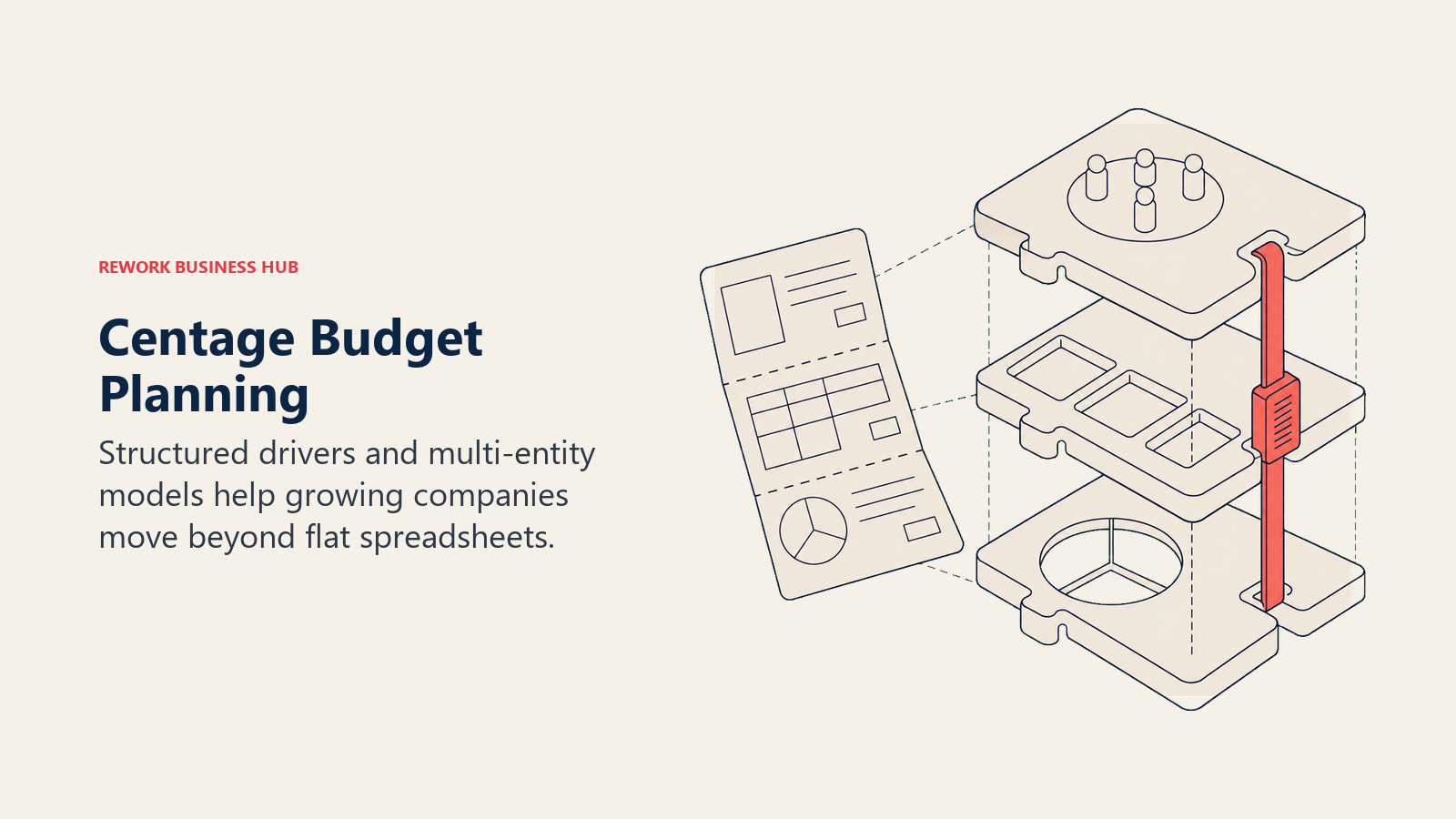
Centage is one of the only vendors in this entire category with a fully published price. Core runs $1,750 a month, Strategic $2,500, and Performance $3,500, all billed annually. The vendor states mid-market companies typically invest $18,000 to $40,000 a year, which lines up with the Core-to-Strategic range on a 12-month term. GL integrations are capped at one on Core and Strategic, and expand to five on Performance, worth checking against your own system count before you pick a tier.
Target audience. Growing companies of 50 to 500 employees graduating from spreadsheet-only budgeting to their first real FP&A platform.
Sizing fit. 50 to 500. Below 50, the $1,750 monthly floor is hard to justify against a still-small budget.
Stage fit. Ideal right at the point where growth through new locations or acquisitions makes a single flat spreadsheet unworkable.
| Pros | Cons |
|---|---|
| One of the only fully published prices in this category | $1,750/month floor still prices out sub-50-employee teams |
| Position-level, multi-entity structure built in from day one | Only one GL integration on Core and Strategic tiers |
| Real dollar figure to budget against before any sales call | Less enterprise depth than Pigment or Workday for 1,000-plus companies |
Pricing: Core $1,750/month, Strategic $2,500/month, Performance $3,500/month, all billed annually. Vendor states mid-market spend typically runs $18K-$40K/year.
Best for: A 50-to-500-employee company that wants a modeled platform with a real, published price instead of a sales-cycle guessing game, which is exactly the transparency Jirav's direct-business plans don't offer.
If your real problem is planning cadence rather than the platform itself, the budgeting and forecasting software guide is worth a look before you commit to any modeled buy.
2. Cube - Spreadsheet-Native, Not Spreadsheet-Replacing
Cube's pitch is a patented bi-directional sync that connects live data into Excel and Google Sheets, without asking anyone to move modeling into a new interface. It sits as a control layer between your general ledger and your models, adding a database, connectors, version control, and governance underneath spreadsheets your team already knows how to build.
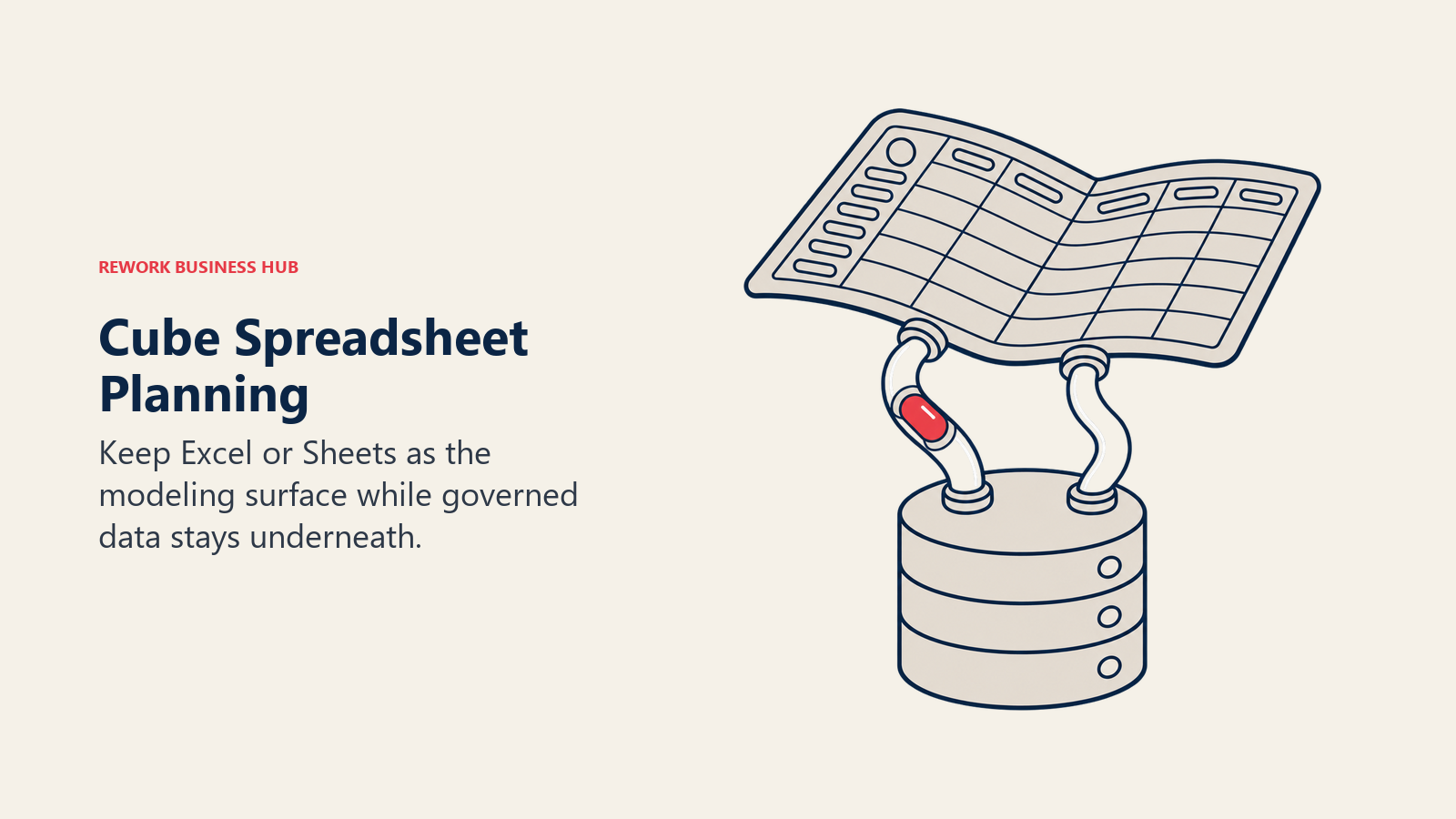
That's a genuinely different approach from Jirav, which asks you to model inside its own UI rather than inside a spreadsheet. Mid-market companies that specifically don't want to give up Excel tend to land here, with a typical rollout of 6 to 10 weeks. Pricing runs three named tiers, Bronze, Silver, and Gold, each ending in a "Get quote" button with no published dollar figures.
Target audience. Mid-market finance teams that want more structure than raw spreadsheets and less complexity than a full modeled FP&A suite.
Sizing fit. Best from roughly 50 to 500 employees. Below 50, the sync and governance layer is more machinery than most teams need yet.
Stage fit. A strong next step right after a company outgrows a single shared workbook but isn't ready for a multi-module enterprise buy.
| Pros | Cons |
|---|---|
| Bi-directional sync keeps Excel and Sheets as the actual interface | No published pricing at any of the three tiers |
| Faster implementation than most enterprise-grade platforms | Fewer native connectors than Vena or the larger modeled platforms |
| Purpose-built for mid-market teams, not scaled down from enterprise | A real change of approach from Jirav's own modeled UI |
Pricing: No published pricing. Three named tiers, Bronze, Silver, and Gold, all quote-based.
Best for: A team that likes Jirav's departmental structure in principle but would rather keep modeling inside Excel than learn a new interface.
The dedicated Cube alternatives guide covers this same spreadsheet-native field in more depth if Cube itself is on your shortlist.
3. Vena Solutions - The Deepest Microsoft-Stack Play
Vena is a Microsoft-native FP&A platform built around a proprietary CubeFLEX database that blends a relational store with an in-memory OLAP engine, purpose-built for Excel-scale planning models. It goes further into the Microsoft ecosystem than most Excel-adjacent tools: native integration with Power BI, Azure, and Microsoft Fabric, plus Vena Financial Consolidation, an Excel-native close product launched alongside a multi-agent Copilot and a Vena MCP Server for connecting external AI tools to governed data.
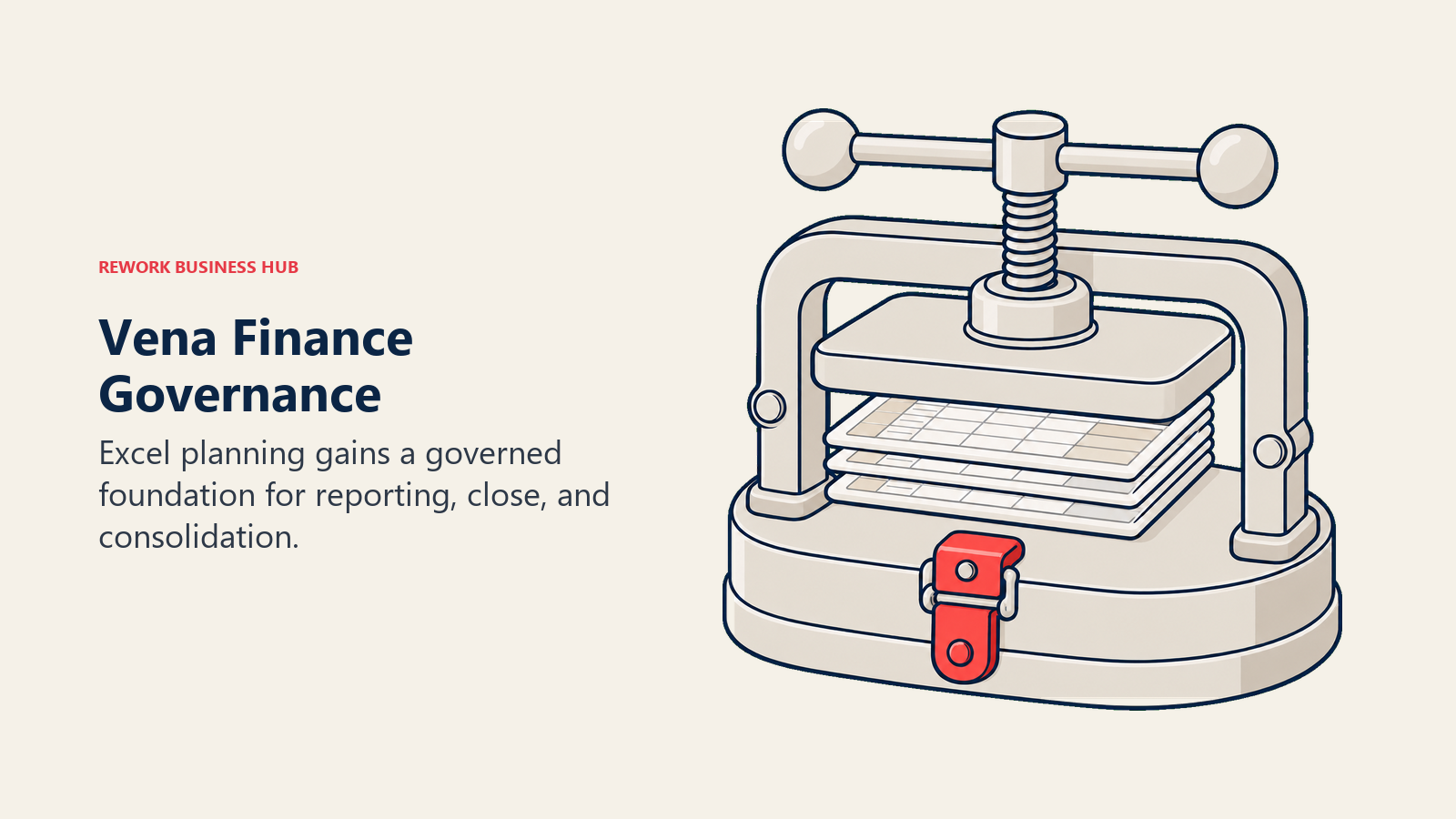
The tradeoff is scale and cost. Vena is built for organizations from roughly 100 to 5,000-plus users, and pricing is entirely quote-based across two named tiers, Professional and Complete, with some features listed as "available at an additional cost." There's no published starting figure to budget against before a sales conversation, which puts Vena in the same pricing-opacity bucket as Jirav's own direct-business ladder.
Target audience. Finance teams of 100 or more already invested in Microsoft's ecosystem who want Excel-native planning with real close and consolidation attached.
Sizing fit. Strong from 100 to 5,000-plus employees. Below 100, the Microsoft-stack depth outruns most teams' needs and budget.
Stage fit. Best once a company has a real month-end close process to formalize, not a first-time FP&A hire building a single operating model.
| Pros | Cons |
|---|---|
| Deepest native tie to Power BI, Azure, and Microsoft Fabric in this list | No published pricing at either named tier |
| CubeFLEX handles Excel-scale models without the spreadsheet buckling | Some capabilities cost extra on top of the base tier |
| Financial Consolidation module extends past planning into close | Overbuilt for companies not already on the Microsoft stack |
Pricing: No published pricing. Two named tiers, Professional and Complete, both quote-based. Some features carry additional cost.
Best for: Microsoft-standardized mid-market and enterprise teams that want to stay in Excel while adding real close and consolidation capability, not just budgeting.
If Vena is the tool you're actually evaluating alternatives to, the Vena Solutions alternatives guide covers that field including tools that never touch Excel at all.
4. Datarails - The Other Excel-Governance Play
Datarails runs on FinanceOS, a platform that sits on top of Excel rather than replacing it, so teams build budgets and forecasts in familiar spreadsheet templates while Datarails handles consolidation, version control, and governance behind the scenes. In March 2026 the company shipped a FinanceOS AI Connector that routes governed, auditable financial data through Claude, ChatGPT, and Microsoft Copilot rather than a proprietary chat window.
Like Jirav, Datarails publishes tier names without dollar figures: FP&A Professional at 2 users and 1 integration, FP&A Premium at 5 users and 2 integrations, FP&A Expert at 15 users and 3 integrations. The 2-user cap on the entry tier and a single integration are the same kind of ceiling Jirav's Starter plan imposes at 2 admin/editor users and 5 planning departments, so a buyer frustrated by one is likely to hit the same wall on the other unless they budget for a higher tier up front.
Target audience. Excel-committed finance teams that want governance and version control layered on, not a new modeling interface.
Sizing fit. Best from roughly 20 to 500 employees, scaling by seat and integration count rather than headcount alone.
Stage fit. A fit at almost any stage where the complaint is process discipline around Excel, not Excel itself.
| Pros | Cons |
|---|---|
| FinanceOS AI Connector routes governed data to Claude, ChatGPT, and Copilot | No published pricing, same opacity as Jirav's direct-business plans |
| Keeps the exact spreadsheet interface finance teams already trust | 2-user Professional tier forces an early upgrade for a second analyst |
| Clear seat-and-integration tier structure, easy to reason about | Only one integration on the entry tier |
Pricing: No published pricing. Tiers scale by seats and integrations: Professional (2 users, 1 integration), Premium (5 users, 2 integrations), Expert (15 users, 3 integrations).
Best for: A team choosing between two Excel-governance products, Datarails and Jirav, that wants the one built around keeping spreadsheets as the actual interface.
A full breakdown of this exact fork lives in the Datarails alternatives guide, useful if you're weighing Datarails on its own terms rather than as a Jirav substitute.
5. Planful - The Established Generalist
Planful has been selling structured planning and financial close together for longer than most names on this list, and that maturity shows in how the platform handles both sides of the FP&A calendar rather than treating close as an afterthought. It's a reasonable default for a mid-market team that has decided a modeled UI, not just a cheaper price list, is what it actually needs next.
The catch is transparency. Planful's pricing page returns no figures at all, not even named tiers, which means every evaluation starts with a sales call and no way to pre-qualify budget on your own, not unlike calling Jirav's sales team to find out what the direct-business Enterprise tier actually costs.
Target audience. Mid-market finance teams of 100 to 1,000 employees consolidating planning and close into one platform.
Sizing fit. 100 to 1,000. Smaller teams will find the implementation heavier than the seat count justifies.
Stage fit. Best for companies with an established monthly close cadence looking to connect it to planning, not a team building its first model.
| Pros | Cons |
|---|---|
| Mature platform combining planning and financial close | No published pricing, not even tier names |
| Long enterprise track record and implementation partner network | A real change-management project, not a quick swap |
| Broad ERP and GL connector support | Slower-moving AI roadmap than the newer AI-native entrants |
Pricing: No published pricing. Quote only.
Best for: A mid-market team that wants a mature, proven platform for both planning and close and is prepared to run a full sales cycle to price it.
6. Prophix - AI Agents That Do the Drafting
Prophix One brings planning, budgeting, forecasting, reporting, and consolidation into a single platform, and its most distinct feature in 2026 is Prophix One Agents: AI teammates that handle specific tasks rather than just surfacing dashboards. The Budgeting Agent updates headcount, salaries, and OPEX line items from plain-language instructions, and the Reporting Agent turns questions into tables, charts, and variance commentary on demand.
That agent lineup is genuinely ahead of most of this list, but it's also new enough that reference customers running the full suite in production are still limited. Pricing follows the category pattern: the pricing page carries educational content and a "Book a call" CTA, no tiers, no figures, mirroring the opacity of Jirav's own Enterprise tier.
Target audience. Finance teams of 100 to 1,000 that want AI doing the mechanical parts of budgeting and reporting, not just visualizing results.
Sizing fit. 100 to 1,000, with agent-driven workflows paying off most once you have enough recurring, structured tasks to automate.
Stage fit. Good for a team past its first planning cycle that's now trying to cut the manual hours spent on recurring reports and budget rollups.
| Pros | Cons |
|---|---|
| Prophix One Agents draft budgets and reports, not just dashboards | No published pricing anywhere on the site |
| Unified platform covers planning, budgeting, and consolidation | Some flagship agents are still shipping through 2026 |
| Copilot for Microsoft Teams puts FP&A answers where finance already works | Newer AI features mean a shorter track record to evaluate |
Pricing: No published pricing. Quote only, via demo request.
Best for: A team that wants AI to actually do budgeting and reporting work, not just chat about the numbers after the fact.
If Prophix is on your shortlist directly, the Prophix alternatives guide runs a deeper field of comparisons focused on that specific product.
7. Abacum - AI-Native and Built for Speed
Abacum markets itself as an AI-native FP&A platform, and its customer list (CoreWeave, Strava, Replit, BetterUp, Kajabi) tells you the kind of company it's built for: fast-growing, venture-backed, moving too quickly for a heavyweight enterprise rollout. It connects to more than 50 data sources across ERP, CRM, HRIS, and data warehouses, and the vendor's own claim is that finance teams can plan and report up to 75% faster using it, worth treating as a vendor estimate rather than an independently verified figure. Scenario planning, workforce and vendor forecasting, and automated board-deck generation are the core workflows.
Pricing is entirely undisclosed. The site offers a demo request and nothing else, no tier names, no ranges, so a buyer moving off Jirav's Starter plan gets no easier a starting point here.
Target audience. FP&A teams at venture-backed, high-growth companies that need models to change as fast as the business does.
Sizing fit. Best from roughly 100 to 1,000 employees, sized for a company that's scaling but not yet enterprise-complex.
Stage fit. Strongest for Series B through pre-IPO companies still iterating on their operating model every quarter.
| Pros | Cons |
|---|---|
| AI-native workflows built for speed, not retrofitted onto an old UI | Zero published pricing information, not even tier names |
| 50-plus native data source connectors out of the box | Thinner governance and audit tooling than Pigment or Workday |
| Strong reference customers in the high-growth SaaS bracket | Younger vendor with less enterprise-scale proof than the established names |
Pricing: No published pricing. Demo request only.
Best for: A venture-backed company whose planning model changes every quarter and needs an FP&A tool that can keep up without a six-month implementation.
8. Drivetrain - Purpose-Built for SaaS Metrics
Drivetrain is the clearest SaaS-first pick on this list. Beyond standard 3-statement modeling, board reporting, headcount planning, and cash flow forecasting, it natively supports ARR, MRR, churn, and expansion metrics and includes an AI Model Generator for driver-based forecasting. The platform integrates with more than 850 business systems (Salesforce, NetSuite, QuickBooks, Xero, HubSpot, Rippling, Excel, and Looker among them) and is built cloud-native on AWS, Azure, or Google Cloud rather than adapted from an on-premise legacy codebase.
Drivetrain's pricing FAQ is unusually direct about the model even without publishing figures: cost depends on the systems you integrate and the features you need, delivered as a fixed plan tailored to your setup with a custom proposal, and implementation is included with no separate setup fee. That's more clarity about the pricing mechanism than either of Jirav's own price lists offers, even without a dollar amount attached.
Target audience. SaaS, subscription, and high-growth tech finance teams that want to replace spreadsheets with a unified planning system quickly.
Sizing fit. Best from roughly 50 to 800 employees, particularly recurring-revenue businesses.
Stage fit. Designed for companies actively trying to modernize their FP&A stack within about 12 weeks, not a slow multi-quarter migration.
| Pros | Cons |
|---|---|
| Native ARR, MRR, and churn metrics built for subscription businesses | No published dollar figures, only a described pricing mechanism |
| 850-plus native integrations, one of the widest lists in this category | Shorter enterprise track record than Planful or Prophix |
| Implementation included with no separate setup fee | Best fit narrows outside recurring-revenue business models |
Pricing: No published pricing. Custom proposal based on integrations and feature scope, with implementation included at no separate cost.
Best for: A SaaS or subscription business that needs ARR/MRR metrics native to the platform, not bolted on as an afterthought.
9. Pigment - Planning Beyond Finance Alone
Pigment is the most ambitious modeled platform on this list in terms of scope. Rather than positioning as an FP&A tool that finance uses, it's built as a business planning platform that sales, supply chain, and HR teams model in alongside finance, with customers including Snowflake, Unilever, Siemens, and DPD. Its Modeler Agent, the platform's core 2026 AI feature, lets someone describe planning logic in natural language and turns that intent into a governed, production-ready model in minutes rather than weeks.
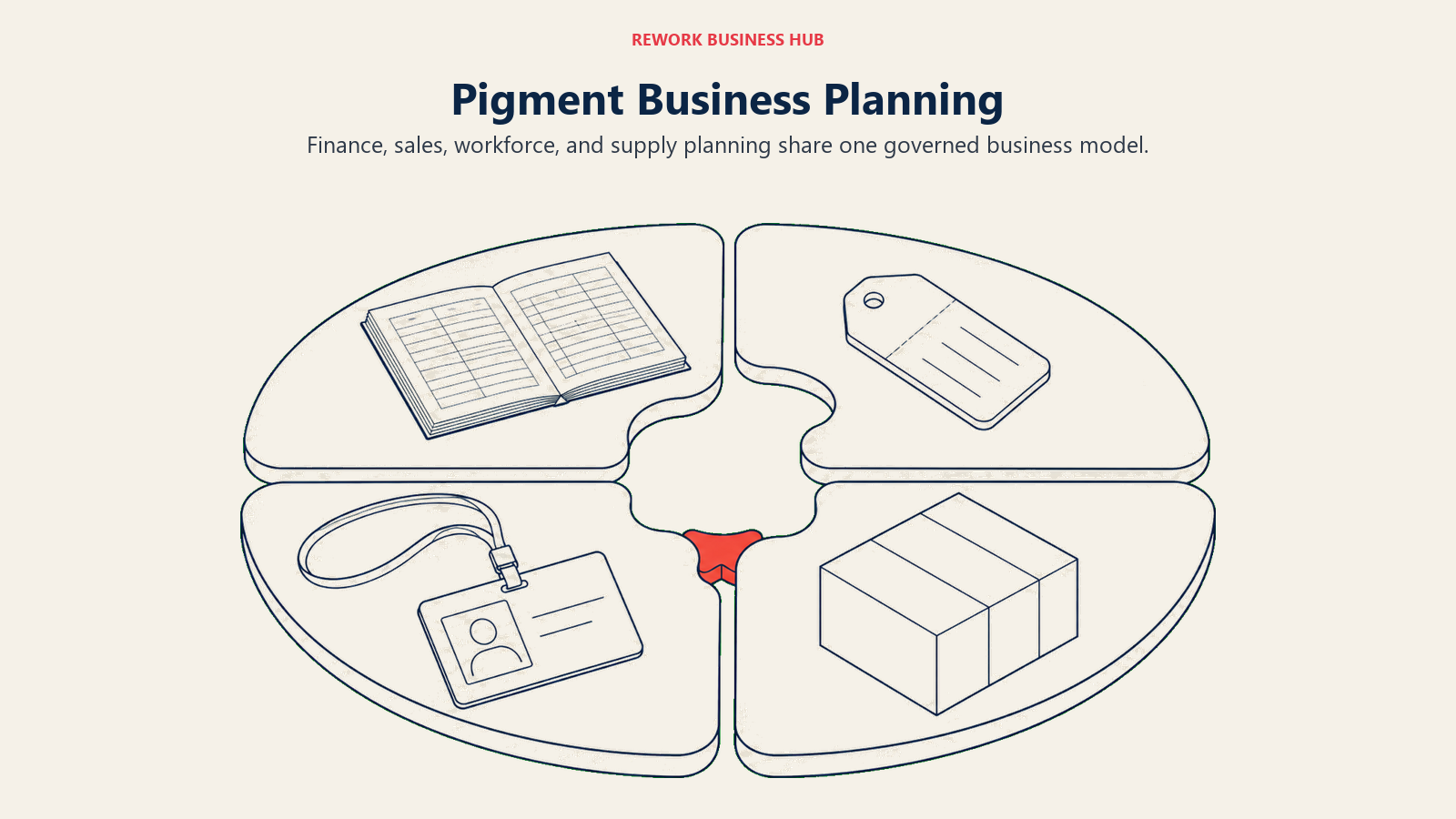
That breadth is also the limitation for a typical Jirav buyer. Pricing is entirely undisclosed beyond two named license types, Professional and Enterprise, sold through three license tiers, Explorer, Contributor, and Editor, priced through a Customer Success Manager rather than a public page. A company evaluating Pigment purely to replace a Jirav-style single-company FP&A workflow is often buying more platform than it needs.
Target audience. Enterprises running cross-functional planning across finance, sales, HR, and supply chain in one governed model.
Sizing fit. Best at 500-plus employees, where multiple departments actually need to plan against the same live model.
Stage fit. A fit for companies past pure FP&A modernization and into broader business-planning transformation.
| Pros | Cons |
|---|---|
| Only platform on this list built explicitly for cross-functional planning | No published pricing at any tier |
| Modeler Agent builds governed models from plain-language descriptions | Enterprise scope means enterprise-length implementation |
| Strong roster of large enterprise reference customers | Overbuilt for a company just trying to leave a Jirav-sized workflow |
Pricing: No published pricing. Explorer, Contributor, and Editor license types, priced through a Customer Success Manager.
Best for: An enterprise that wants planning to extend past finance into sales, HR, and supply chain on one shared model, not just replace a departmental FP&A tool.
The Pigment alternatives guide is the better starting point if Pigment itself, rather than Jirav, is the tool you're shopping against.
10. Workday Adaptive Planning - The Enterprise Default
Workday Adaptive Planning (formerly Adaptive Insights) has been named a Leader in Gartner's Magic Quadrant for Financial Planning Software four years running, and for an enterprise already standardized on Workday HCM or Financials, it's close to the default choice rather than one option among many. It supports unlimited scenario versions, connects to ERP and GL systems, and is piloting a Workday Assistant conversational AI agent, with early Planning Agent data showing a 30% reduction in data exploration time and broad availability expected in the first half of 2026.
For a Jirav-sized buyer, the honest question is whether you need this much platform. Workday Adaptive Planning's pricing "varies" per the vendor's own pricing page, with a request-a-quote model and a 30-day free trial, and the implementation and governance overhead that comes with true enterprise scale is not something a 100-person company should take on lightly.
Target audience. Enterprises of 1,000-plus employees, especially those already running Workday HCM or Financial Management.
Sizing fit. 1,000 and up. Below a few hundred employees, the platform's scale works against you, not for you.
Stage fit. Best for organizations with mature, multi-entity finance operations and an existing Workday relationship to build on.
| Pros | Cons |
|---|---|
| Four consecutive years as a Gartner Magic Quadrant Leader | Enterprise scale and price rule out most companies under a few hundred employees |
| Deep native tie to Workday HCM and Financial Management | Pricing "varies" with no figures or example ranges published |
| Unlimited what-if scenarios and version modeling | AI agent capabilities are still in pilot |
Pricing: Pricing varies (quote only). 30-day free trial available. Request a Quote through the vendor site.
Best for: A large enterprise already running Workday for HR or finance that wants its planning platform to extend that same system of record.
The Workday Adaptive Planning alternatives guide is a better starting point if Workday is your actual incumbent rather than Jirav.
11. Anaplan - Connected Planning at Enterprise Scale
Anaplan built its name on Connected Planning: a proprietary Hyperblock in-memory calculation engine that lets very large organizations model finance, supply chain, workforce, and sales performance planning inside one connected system rather than a set of disconnected spreadsheets or point tools. That scope is a different order of magnitude from Jirav's single-department FP&A focus, which is exactly why it belongs at the enterprise end of this list rather than as a like-for-like swap.
Anaplan does not publish pricing anywhere on its site as of September 2026. Every path, including the dedicated pricing page, leads to a demo request rather than a tier list or a dollar figure, so budgeting has to start with a sales conversation regardless of company size.
Target audience. Large enterprises that need one connected model spanning finance, supply chain, and go-to-market planning rather than a departmental FP&A tool.
Sizing fit. Best at 1,000-plus employees, where the cost of a disconnected planning process across departments outweighs the platform's own complexity.
Stage fit. A fit for mature organizations undertaking broad planning transformation, not a company still standardizing its first FP&A process.
| Pros | Cons |
|---|---|
| Hyperblock engine handles massive, cross-functional models at real scale | No published pricing anywhere, not even named tiers |
| Connected Planning spans finance, supply chain, HR, and sales together | Far more platform than a single-department FP&A need justifies |
| Long enterprise track record across large, complex organizations | Implementation and change management run well beyond Jirav's scope |
Pricing: No published pricing. Demo request only, every deal starts with a sales conversation.
Best for: A large enterprise that needs finance planning connected to supply chain and go-to-market planning in one system, not a company just trying to replace a departmental FP&A tool like Jirav.
If Anaplan and Workday Adaptive Planning are both on your enterprise shortlist, the Anaplan vs. Workday Adaptive Planning comparison runs that matchup head to head. The Anaplan alternatives guide covers the broader field if Anaplan itself is your starting point.
12. Limelight - Lighter Than Vena or Planful
Limelight fills the gap between spreadsheet chaos and a heavyweight enterprise suite. It covers financial modeling, planning and forecasting, workforce planning, reporting, and interactive dashboards, built for CFOs, controllers, and FP&A professionals who want to replace spreadsheets with a centralized planning environment without the implementation weight of Vena or Planful. It integrates with Sage Intacct, Oracle NetSuite, Microsoft Dynamics, Blackbaud, and QuickBooks Online, and its customer base skews toward nonprofit, SaaS, manufacturing, and higher-education organizations, a similar mid-market profile to a lot of Jirav's direct-business buyers.
Pricing is quote-based across two named tiers, Starter (up to 5 users) and Unlimited (unlimited users), with no published figures. That two-tier structure scales by user count up to 5 seats, then flips to unlimited, a simpler shape than Jirav's own department-and-user-count-driven Starter, Pro, and Enterprise ladder.
Target audience. Mid-market organizations, especially nonprofit and education institutions, that want a modeled tool without an enterprise-scale rollout.
Sizing fit. Best from roughly 30 to 300 employees.
Stage fit. A good fit for an organization running its first formal budgeting process on a real platform rather than a shared workbook.
| Pros | Cons |
|---|---|
| Simple two-tier structure: capped 5-user Starter or Unlimited | No published pricing at either tier |
| Fast implementation relative to the larger enterprise platforms | Thinner AI roadmap than Prophix, Pigment, or Drivetrain |
| Strong integration list including Sage Intacct and NetSuite | Smaller vendor with less enterprise-scale reference base |
Pricing: No published pricing. Starter (up to 5 users) and Unlimited (unlimited users), both quote-based.
Best for: A mid-market or nonprofit finance team that wants to leave a Jirav-style single-company tool for something a step lighter than Vena or Planful.
13. Float - Cash Flow Forecasting, Nothing Else
Float is worth including precisely because it doesn't compete with Jirav on the same axis as the other 12. It's a cash flow forecasting add-on for Xero, QuickBooks Online, and FreeAgent, purpose-built for accountants, bookkeepers, and admin managers who need daily, weekly, and monthly cash visibility, not a full budgeting or P&L modeling suite. It imports invoices and bank transactions automatically to eliminate manual entry, supports scenario planning by adjusting variables like payment dates and invoice amounts, and projects up to three years out.
Pricing is published and straightforward: Essentials runs £99 a month billed monthly or £79 a month billed annually, Growth is £199 monthly or £159 annually, and Scale is £295 monthly or £235 annually and covers up to 5 entities, with each additional entity adding £47 a month on an annual plan. Those are the GBP figures on the vendor's own pricing page; a USD equivalent page did not resolve, so confirm currency and any local tax treatment before you budget. All three tiers include unlimited users, a contrast to Jirav's per-seat structure on both of its price lists.
Target audience. Small and mid-sized businesses, plus the accountants and bookkeepers who serve them, that need cash flow visibility specifically, not full FP&A.
Sizing fit. Best under 100 employees, or for a bookkeeping practice managing cash flow across several small-business clients.
Stage fit. A fit at almost any stage where cash runway, not budget variance, is the daily question that matters most.
| Pros | Cons |
|---|---|
| Published, straightforward pricing across three tiers | Cash flow only, no budgeting, P&L, or full FP&A modeling |
| Unlimited users on every plan, unlike Jirav's per-seat tiers | Pricing published in GBP; USD buyers should confirm currency and tax |
| Direct, automatic sync with Xero, QuickBooks Online, and FreeAgent | Multi-entity support only on the top Scale tier |
Pricing: Essentials £99/mo monthly or £79/mo annual. Growth £199/mo monthly or £159/mo annual. Scale £295/mo monthly or £235/mo annual (up to 5 entities), additional entity £47/mo on an annual plan. Figures are GBP as published on the vendor's own pricing page.
Best for: A small business or bookkeeping practice on Xero or QuickBooks that needs serious cash flow forecasting without buying a full FP&A platform, whether that's Jirav or anything else on this list.
Sizing and Persona Fit
Headcount and buyer type change which tier of this category actually fits, more than any single feature does.
| Headcount | Best fit | Why | Watch out for |
|---|---|---|---|
| Under 50 | Float, Limelight | Built for lean teams or a first formal budgeting process | Most tools here have no published price to pre-qualify against |
| 50 to 150 | Centage, Cube, Abacum | Sized for a first real FP&A platform, not an enterprise rollout | Centage's $1,750/month floor applies regardless of exact headcount |
| 150 to 500 | Vena, Datarails, Planful, Prophix, Drivetrain | Where seat and integration limits like Jirav's start hurting most | Vena's Microsoft-stack value drops if you're not already on Dynamics or Azure |
| 500 to 1,000 | Pigment, Prophix, Drivetrain, Abacum | Cross-functional planning and multiple integrations become normal | Real implementation timelines run longer than the marketing estimate |
| 1,000-plus | Workday Adaptive Planning, Anaplan, Pigment | Built for multi-entity, multi-currency, governance-heavy operations | License cost is rarely the biggest line item, implementation is |
| Persona | What they optimize for | Strongest picks |
|---|---|---|
| Controller replacing a Jirav-style single-company setup | A governed model at a similar or lower total cost | Centage, Cube, Limelight |
| CFO scaling past a spreadsheet or first-tool ceiling | A platform that survives audit and board scrutiny | Planful, Prophix, Vena |
| FP&A lead at a VC-backed SaaS company | Speed, native ARR/MRR metrics, AI-assisted modeling | Abacum, Drivetrain |
| Enterprise finance transformation lead | Cross-functional planning tied to the HCM or ERP of record | Workday Adaptive Planning, Anaplan, Pigment |
| Fractional CFO or advisory firm | Multi-client templates and per-client cost structure | Stay on Jirav's own firm plans, see the note above |
| Bookkeeper or small-business owner | Cash flow visibility without a full FP&A buy | Float |
Stage Fit
The right FP&A platform changes as the finance job moves from cash visibility to multi-entity planning. Use company stage and the failure mode in your current process together, not headcount alone.
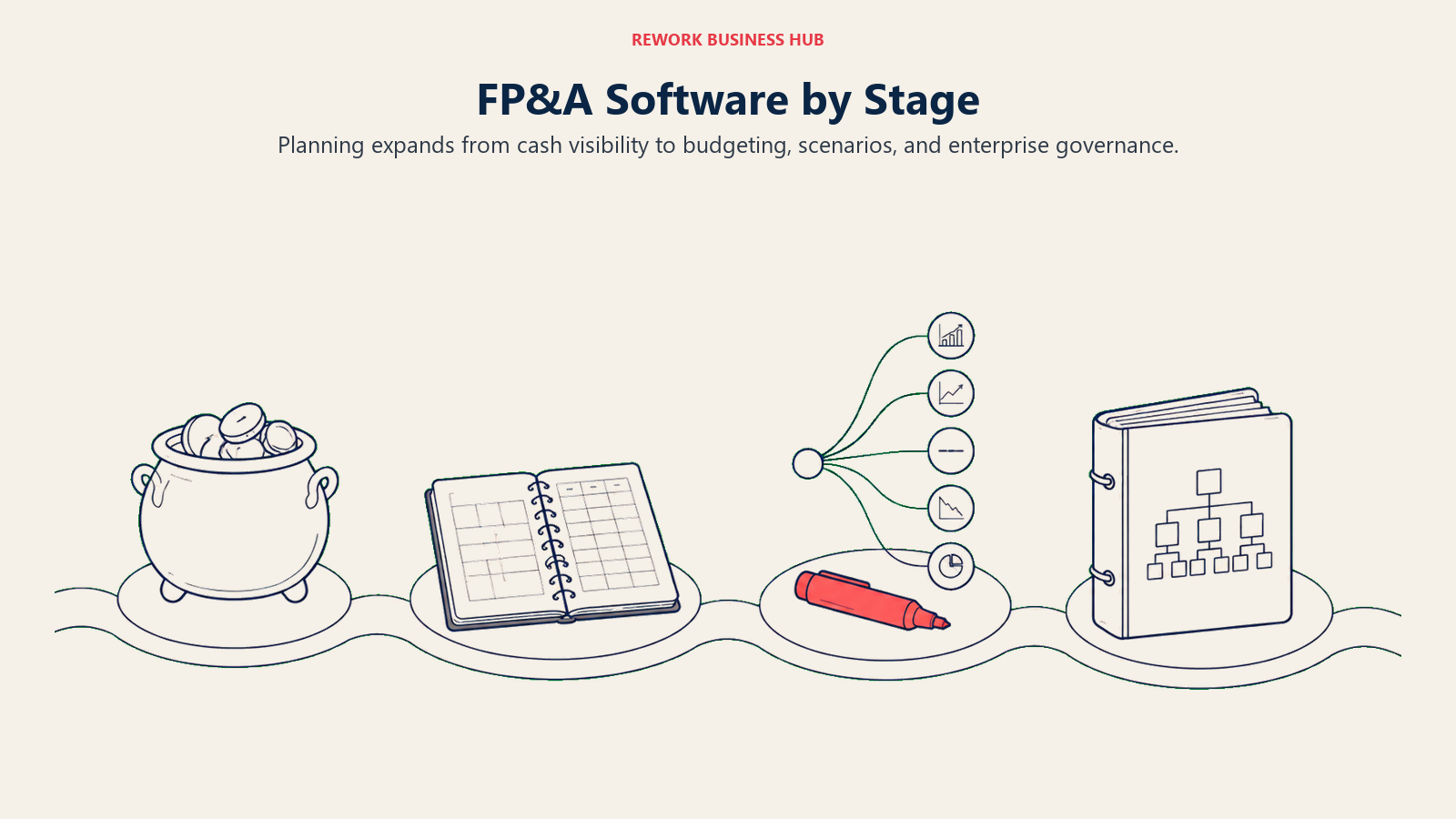
| Company stage | What usually breaks | Best fit |
|---|---|---|
| Pre-seed to seed, under 20 | No formal FP&A yet, cash runway is the whole job | Float |
| Series A, 20 to 75 | First finance hire, budget lives in one spreadsheet everyone fears editing | Limelight, Cube |
| Series B, 75 to 250 | Seat and department caps like Jirav's Starter plan start to bite | Centage, Vena, Abacum, Datarails |
| Series C to pre-IPO, 250 to 1,000 | Multiple data sources, board cadence, and scenario depth all hit at once | Planful, Prophix, Drivetrain, Pigment |
| Public or PE-backed, 1,000-plus | Multi-entity consolidation, governance, and workforce planning tied to HCM | Workday Adaptive Planning, Anaplan, Pigment |
What Actually Changes When You Switch
If your shortlist points you toward one of these 13 rather than staying on Jirav, plan for what the switch really costs beyond the invoice.
The first cost is time, not money. Model rebuilding is the real migration project, not data import. Every driver, assumption, and template baked into your existing Jirav models has to be reconstructed inside the new platform's logic, and that work falls on the same finance team that's still closing the books every month. Just 35% of FP&A professionals' time goes to high-value analysis and insight generation today, the rest is spent on data collection and validation, according to a survey of more than 2,400 finance practitioners worldwide (FP&A Trends Survey 2024), and a migration project eats into that already-thin margin before it pays anything back.
The second cost is process discipline. A modeled platform enforces structure that a lighter tool never did: defined drivers, approval workflows, locked historical periods. That's the whole point, but it also means every workaround your team built into Jirav over the years needs a deliberate decision, keep it, formalize it, or drop it, rather than carrying it forward silently.
The third is integration count. Whatever pulled you toward alternatives in the first place, a single-integration ceiling, a two-user cap, an opaque price list, check that the replacement doesn't just move the same ceiling somewhere else. Datarails' entry tier caps at one integration too. Cube and Limelight both scale pricing by tier rather than publishing a flat number. Read each vendor's published limits with the same scrutiny you'd apply to Jirav's own tier table.
How to Choose: Decision Framework
Start with which of Jirav's two price lists actually applies to you, then match the platform to company stage and planning scope.
| If you need... | Choose |
|---|---|
| A modeled platform with a published price, built for 50 to 500 employees | Centage |
| To keep every formula in a spreadsheet and just fix the data feeding it | Vena Solutions or Cube |
| An Excel-governance product like Jirav's competitor with a similar seat-and-integration structure | Datarails |
| AI agents that draft budgets and board decks, not just dashboards | Prophix |
| The fastest realistic path off spreadsheets for a SaaS or subscription business | Drivetrain |
| Cross-functional planning that pulls in sales, HR, and supply chain | Pigment |
| A connected planning platform spanning finance, supply chain, and go-to-market | Anaplan |
| An FP&A tool that extends the Workday HCM or Financials you already run | Workday Adaptive Planning |
| Multi-client templates for an accounting or fractional CFO practice | Stay on Jirav's own firm plans, nothing here replicates that structure |
| Cash flow forecasting only, without buying a full planning suite | Float |
Frequently Asked Questions about Jirav Alternatives
How much does Jirav cost?
Jirav publishes two separate price lists. Accounting-firm plans start at $50 a month for Controller Essentials and $150 a month for CFO Enterprise, covering up to 15 client admin or editor users. Direct-business plans, for a single company buying Jirav for itself, start at $10,000 a year for Starter, $15,000 a year for Pro, with Enterprise available on request.
What is the cheapest Jirav alternative with a published price?
Centage is the lowest fully published starting price among the modeled platforms at $1,750 a month billed annually. Float is cheaper if you only need cash flow forecasting, starting at £99 a month billed monthly or £79 a month billed annually. Most of the other 11 tools in this guide publish no dollar figure at all.
Which alternative fits an accounting firm serving multiple clients the way Jirav's firm plans do?
Honestly, none of the 13 tools in this guide replicate Jirav's multi-tenant, per-client structure. If you're a firm or fractional CFO practice managing FP&A for multiple SMB clients, the realistic options are staying on Jirav's own firm plans or running a lighter Excel-native tool like Cube or Vena separately per client.
Should I buy Jirav's firm plan or its business plan?
The firm plans (from $50 a month) are for accounting firms and fractional CFOs managing multiple client companies under one account. The business plans (from $10,000 a year) are for a single company buying Jirav to run its own FP&A. Buying the wrong list means either paying for capacity you don't need or missing the multi-client tooling you do.
Which Jirav alternative stays closest to Excel?
Vena Solutions and Cube are the two Excel-native options in this list, letting you keep modeling inside spreadsheets while the platform handles governance and sync. Datarails takes the same approach, and its tiered seat-and-integration structure is the closest direct parallel to Jirav's own pricing shape.
Which alternative has the most advanced AI features in 2026?
Pigment's Modeler Agent and Prophix One Agents are the two most concrete AI capabilities in this list as of September 2026, both translating plain-language instructions into governed model changes or drafted reports. Drivetrain's AI Model Generator and Abacum's AI-native workflows are close behind for companies that want speed over enterprise-scale governance.
What's the real difference between Jirav's three direct-business tiers?
Starter, Pro, and Enterprise scale by users, departments, active plans, dashboards, and months of historical data, not by feature set. Starter covers 2 users and 5 departments with 2 active plans, 3 dashboards, and 24 months of data. Pro expands to 5 users, 15 departments, 3 active plans, 8 dashboards, and 48 months. Enterprise adds 15 users, 5 active plans, 16 dashboards, and 84 months of data, priced on request.
Is Jirav or Datarails the better fit for a company that wants to keep some Excel workflows?
Datarails is the closer match if staying in Excel is non-negotiable, since its whole product is built around spreadsheet templates with governance layered on top. Jirav's own interface is a modeled UI, not a spreadsheet, so a buyer choosing Jirav over Datarails is usually choosing the modeled workflow deliberately, not settling for it.
What to Do Next
First, confirm which Jirav price list you were actually quoted. If it was the $50-to-$150-a-month firm plan and you're a single company, get the real $10,000-a-year direct-business number before you compare it to anything else on this list, because that's the number every alternative here should actually be measured against.
Then run a real pilot with your top two picks, not a sales demo. Rebuild one actual model, your current quarter's forecast or your last board deck, inside each finalist before you sign anything. Watch how long it takes your own team to reproduce something they already know how to build. That single exercise predicts implementation pain far better than any feature comparison, and it will tell you within a week whether the ceiling you're hitting is a seat limit, an integration limit, or the platform itself.
Camellia writes about FP&A and finance operations tooling for B2B teams.

Principal Product Marketing Strategist
On this page
- Key Facts
- Quick Comparison Table
- Jirav's Two Price Lists: The Fact That Should Shape Your Search
- For Accounting Firms and Fractional CFOs: Where Jirav Still Wins
- Alternatives for Companies Buying FP&A Direct
- 1. Centage - The Only Fully Published Price in the Category
- 2. Cube - Spreadsheet-Native, Not Spreadsheet-Replacing
- 3. Vena Solutions - The Deepest Microsoft-Stack Play
- 4. Datarails - The Other Excel-Governance Play
- 5. Planful - The Established Generalist
- 6. Prophix - AI Agents That Do the Drafting
- 7. Abacum - AI-Native and Built for Speed
- 8. Drivetrain - Purpose-Built for SaaS Metrics
- 9. Pigment - Planning Beyond Finance Alone
- 10. Workday Adaptive Planning - The Enterprise Default
- 11. Anaplan - Connected Planning at Enterprise Scale
- 12. Limelight - Lighter Than Vena or Planful
- 13. Float - Cash Flow Forecasting, Nothing Else
- Sizing and Persona Fit
- Stage Fit
- What Actually Changes When You Switch
- How to Choose: Decision Framework
- What to Do Next