Bahasa Indonesia
Prompt Engineering: Keterampilan Inti di Tempat Kerja Era AI

Turn this article into takeaways for your work.


Each assistant summarizes the article only for you and suggests best practices for your work.
Apa yang Akan Anda Dapatkan dari Panduan Ini
- Pahami mengapa prompt engineering penting seperti halnya menulis email yang baik di tempat kerja
- Nilai level prompt engineering Anda menggunakan framework profisiensi 5 level kami dengan indikator yang jelas
- Kuasai teknik inti termasuk instruksi yang jelas, penetapan konteks, contoh, dan format output
- Pelajari strategi lanjutan seperti chain-of-thought prompting, few-shot learning, dan role prompting
- Hindari kesalahan umum yang membuang waktu dan menghasilkan output AI yang buruk
- Dapatkan tips spesifik alat untuk ChatGPT, Claude, Copilot, dan asisten AI populer lainnya
Ingat terakhir kali Anda mengirim email yang tidak jelas dan mendapat respons yang membingungkan. Anda harus menulis ulang, mengklarifikasi maksud Anda, dan menunggu balasan lagi. Kalikan frustrasi itu dengan puluhan interaksi AI yang dilakukan para profesional setiap minggu. Itulah biaya dari prompt engineering yang buruk.
Prompt engineering telah menjadi sepenting menulis email yang baik. Ini bukan keterampilan teknis yang hanya untuk pengembang. Ini adalah kompetensi komunikasi yang dibutuhkan setiap pekerja pengetahuan. Perbedaan antara seseorang yang mendapat output AI biasa-biasa saja dan seseorang yang mendapat hasil benar-benar berguna sering kali terletak pada cara mereka merumuskan permintaan.
Dan inilah yang membuat keterampilan ini mendesak: alat AI sudah tertanam di tempat kerja Anda. Baik itu ChatGPT untuk membuat konten, Copilot untuk bantuan coding, atau Claude untuk riset dan analisis, semua alat ini merespons sangat berbeda berdasarkan cara Anda bertanya. Prompt yang dirancang baik dapat mengubah tugas 30 menit menjadi tugas 3 menit. Prompt yang buruk dapat mengubah tugas yang sama menjadi satu jam frustrasi bolak-balik.
Mengapa Prompt Engineering Penting Sekarang
Angka-angka mendukung hal ini. Menurut survei tenaga kerja terkini, karyawan yang mengembangkan keterampilan prompt engineering yang kuat melaporkan penyelesaian tugas 40% lebih cepat pada tugas berbantuan AI. Organisasi dengan program pelatihan prompt engineering melihat tingkat adopsi alat AI 2,3x lebih tinggi dan ROI yang jauh lebih baik atas investasi AI mereka.
Namun lebih dari sekadar metrik produktivitas, prompt engineering mengubah hubungan Anda dengan alat AI. Alih-alih memandang AI sebagai kotak ajaib yang tidak dapat diprediksi, Anda mulai melihatnya sebagai asisten yang kompeten yang merespons secara konsisten terhadap arahan yang jelas. Pergeseran ini mengubah frustrasi menjadi kepercayaan diri dan eksperimen menjadi efisiensi.
Keterampilan ini berkembang seiring waktu. Saat Anda membangun perpustakaan prompt yang efektif untuk tugas-tugas berulang, Anda menciptakan otomatisasi yang bekerja melalui bahasa alami. Kemampuan optimasi proses Anda berkembang pesat saat Anda dapat berkomunikasi secara tepat dengan sistem AI.
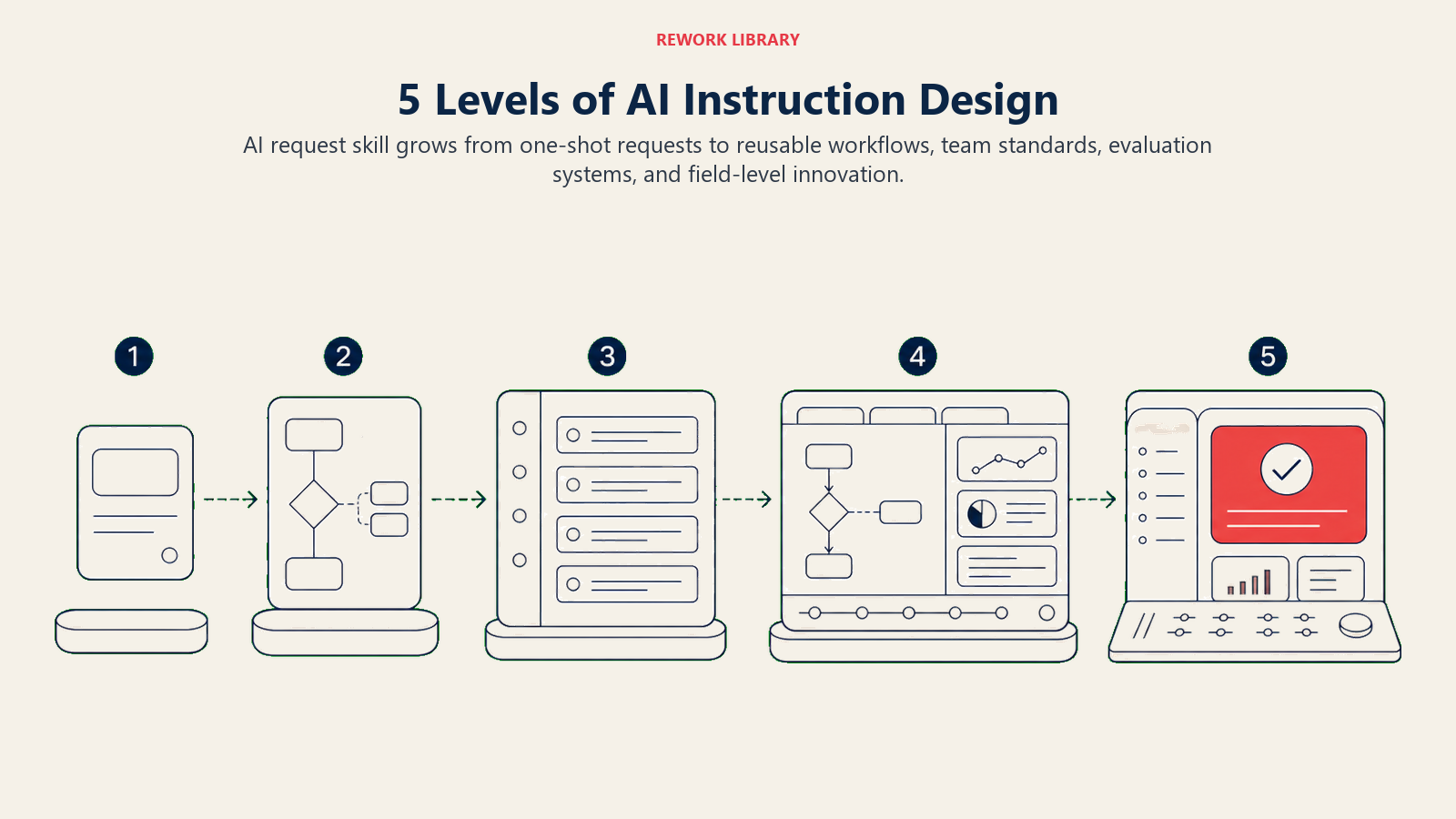
Framework Prompt Engineering 5 Level
Level 1: Prompt Beginner (0-3 bulan latihan)
Anda berada di level ini jika: Anda menggunakan alat AI sesekali, sering mendapatkan hasil yang mengecewakan, dan cenderung menerima apa pun yang diberikan AI tanpa penyempurnaan.
Behavioral Indicators:
- Anda menulis prompt satu kalimat dan berharap yang terbaik
- Anda sering berkata "AI tidak mengerti saya" atau "AI memberikan hasil buruk"
- Anda tidak mengulangi prompt saat hasilnya buruk
- Anda menggunakan AI terutama untuk tugas sederhana seperti pengecekan tata bahasa
- Anda menyalin prompt dari orang lain tanpa memahami mengapa prompt itu bekerja
Kriteria Penilaian:
- Dapat menggunakan alat AI dasar untuk pertanyaan sederhana
- Memahami bahwa kata-kata dalam prompt memengaruhi kualitas output
- Mengenali kapan output AI jelas salah atau tidak berguna
- Bersedia mencoba alat AI tetapi kurang percaya diri
Fokus Pengembangan: Bangun pemahaman dasar tentang cara AI menginterpretasikan bahasa. Tujuan Anda adalah mengembangkan kebiasaan menulis prompt yang lengkap dan spesifik, bukan permintaan yang samar.
Kemenangan Cepat di Level Ini:
- Tambahkan konteks pada setiap prompt - Alih-alih "tulis email," coba "tulis email profesional kepada klien yang menjelaskan keterlambatan proyek"
- Tentukan format output - Tambahkan "dalam poin-poin" atau "dalam 3 paragraf" untuk memandu struktur
- Sertakan tujuan - Beritahu AI mengapa Anda membutuhkan output ini agar dapat disesuaikan dengan tepat
- Praktikkan pola pikir "jelaskan kepada karyawan baru" - Jika karyawan baru tidak dapat mengikuti prompt Anda, AI pun tidak bisa
Latihan Praktik: Ambil tugas yang biasanya Anda lakukan secara manual dan tulis tiga prompt berbeda yang meminta AI untuk membantu. Bandingkan hasilnya. Perhatikan prompt mana yang memberikan output terbaik dan tanyakan pada diri sendiri mengapa.
Penanda Keberhasilan: Anda secara konsisten mendapatkan output yang dapat digunakan pada percobaan pertama atau kedua, Anda tidak lagi merasa AI "acak," dan Anda telah mulai membangun intuisi tentang apa yang berhasil.
Level 2: Prompt Capable (3-6 bulan latihan)
Anda berada di level ini jika: Anda mendapatkan hasil yang cukup baik sebagian besar waktu, dapat menyempurnakan prompt saat diperlukan, dan telah mengembangkan struktur prompt andalan untuk tugas-tugas umum.
Behavioral Indicators:
- Anda menyusun prompt dengan spesifikasi konteks, tugas, dan format
- Anda mengulangi prompt untuk meningkatkan output
- Anda telah menyimpan prompt yang efektif untuk digunakan kembali
- Anda dapat menjelaskan kepada orang lain mengapa prompt tertentu bekerja lebih baik
- Anda menggunakan AI untuk tugas yang semakin kompleks
Kriteria Penilaian:
- Menulis prompt multi-komponen dengan struktur yang jelas
- Berhasil menggunakan AI untuk produk kerja profesional
- Dapat memecahkan masalah dan meningkatkan prompt yang tidak berkinerja baik
- Mengadaptasi prompt berdasarkan karakteristik alat AI yang berbeda
Fokus Pengembangan: Bangun pendekatan sistematis untuk konstruksi prompt. Fokus pada pemahaman komponen yang membuat prompt efektif dan mengembangkan template untuk kasus penggunaan umum Anda.
Kemenangan Cepat di Level Ini:
- Buat perpustakaan template prompt untuk tugas-tugas berulang Anda
- Pelajari framework CRISP - Context, Role, Instructions, Specifics, Parameters
- Mulai gunakan contoh dalam prompt - Tunjukkan kepada AI seperti apa output yang baik
- Eksperimen dengan instruksi nada dan gaya - "Tulis dengan nada percakapan" vs "Tulis secara formal"
Contoh Struktur Prompt:
Context: I'm a marketing manager preparing for our quarterly review.

Task: Analyze this customer feedback data and identify the top 3 themes.

Format: Present findings as:
1. Theme name (2-3 words)
2. Key evidence (2-3 bullet points)
3. Recommended action (1 sentence)

Tone: Professional but accessible for non-technical stakeholders.
Penanda Keberhasilan: Rekan kerja Anda mulai meminta prompt Anda, Anda menghabiskan lebih sedikit waktu untuk mengedit output AI, dan Anda telah mengintegrasikan AI ke dalam alur kerja reguler untuk berbagai jenis tugas.
Level 3: Prompt Proficient (6-12 bulan latihan)
Anda berada di level ini jika: Anda secara konsisten mendapatkan output berkualitas tinggi, menggunakan teknik lanjutan secara alami, dan membantu orang lain meningkatkan keterampilan prompting mereka.
Behavioral Indicators:
- Anda menggunakan chain-of-thought prompting untuk tugas penalaran yang kompleks
- Anda menyediakan contoh (few-shot learning) untuk output yang bernuansa
- Anda memecah tugas kompleks menjadi urutan prompt
- Anda menyesuaikan pendekatan berdasarkan alat AI yang spesifik
- Anda membimbing rekan kerja tentang prompting yang efektif
Kriteria Penilaian:
- Menguasai berbagai teknik prompting dan mengetahui kapan harus menerapkan masing-masing
- Membuat prompt canggih yang menghasilkan output berkualitas hampir final
- Secara efektif memecahkan masalah prompt orang lain
- Memahami keterbatasan AI dan merancang prompt yang bekerja di sekitarnya
Fokus Pengembangan: Kuasai teknik lanjutan dan kembangkan keahlian di domain tertentu. Fokus pada pembuatan sistem prompt untuk alur kerja yang kompleks, bukan prompt individual untuk tugas tunggal.
Kemenangan Cepat di Level Ini:
- Terapkan chain-of-thought prompting - Minta AI menjelaskan penalaran langkah demi langkah
- Gunakan role prompting secara strategis - "Bertindaklah sebagai analis keuangan yang meninjau proposal ini"
- Bangun rantai prompt - Gunakan output dari satu prompt sebagai input untuk berikutnya
- Buat perpustakaan prompt spesifik domain untuk bidang Anda
- Terapkan pemikiran kritis untuk mengevaluasi output AI secara sistematis
Teknik Lanjutan - Chain-of-Thought:
Analyze whether our company should expand into the European market.

Before giving your recommendation, work through these steps:
1. List the key factors that favor expansion
2. List the key factors that argue against expansion
3. Identify what additional information would change your analysis
4. Weigh the factors against each other
5. State your recommendation with confidence level

Show your reasoning for each step.
Penanda Keberhasilan: Anda diakui sebagai ahli prompt engineering di tim Anda, Anda telah membuat sistem prompt yang dapat digunakan kembali oleh orang lain, dan Anda dapat menangani tugas apa pun dengan bantuan AI secara efisien.
Level 4: Prompt Advanced (1-2 tahun latihan)
Anda berada di level ini jika: Anda merancang strategi prompt untuk tim, mengoptimalkan alur kerja AI di berbagai proses, dan selalu mengikuti perkembangan praktik terbaik yang terus berkembang.
Behavioral Indicators:
- Anda membuat standar dan template prompt organisasi
- Anda merancang alur kerja AI multi-langkah untuk proses bisnis yang kompleks
- Anda mengevaluasi dan merekomendasikan alat AI berdasarkan kemampuan prompting
- Anda melatih tim tentang prompt engineering
- Anda bereksperimen dengan teknik mutakhir saat muncul
Kriteria Penilaian:
- Mengembangkan panduan prompt engineering untuk organisasi
- Menciptakan peningkatan terukur dalam produktivitas AI tim
- Mengintegrasikan prompt engineering ke dalam desain proses bisnis
- Berkontribusi pada berbagi pengetahuan prompt engineering
Fokus Pengembangan: Skalakan keahlian Anda ke dampak organisasi. Fokus pada standardisasi, pelatihan, dan pengukuran nilai bisnis dari praktik prompting yang lebih baik.
Kemenangan Cepat di Level Ini:
- Kembangkan panduan gaya prompt tim dengan standar dan contoh
- Buat pelatihan prompt engineering untuk organisasi Anda
- Bangun sistem pengukuran untuk melacak efektivitas prompt
- Tetapkan proses tinjauan prompt untuk output berisiko tinggi
- Hubungkan prompt engineering dengan hasil pemahaman bisnis
Penanda Keberhasilan: Inisiatif prompt engineering Anda menunjukkan ROI yang terukur, Anda telah membangun kapabilitas organisasi yang tidak bergantung pada Anda, dan Anda dikonsultasikan dalam keputusan strategi AI.
Level 5: Prompt Expert (2+ tahun latihan)
Anda berada di level ini jika: Anda berkontribusi pada praktik terbaik di bidang ini, berinovasi dengan teknik baru, dan memengaruhi cara industri Anda mendekati komunikasi AI.
Behavioral Indicators:
- Anda merintis pendekatan prompting baru untuk domain Anda
- Anda menerbitkan atau berbicara tentang topik prompt engineering
- Anda menasihati pimpinan tentang strategi komunikasi AI
- Anda menghubungkan prompt engineering dengan tata kelola AI yang lebih luas
- Anda mengantisipasi bagaimana kemampuan AI akan mengubah kebutuhan prompting
Kriteria Penilaian:
- Diakui sebagai pemimpin pemikiran dalam prompt engineering
- Kontribusi orisinal pada teknik atau framework prompting
- Pengaruh pada praktik AI industri atau organisasi
- Rekam jejak inisiatif transformasi AI yang berhasil
Fokus Pengembangan: Berkontribusi pada bidang yang lebih luas sambil terus mendorong batas-batas dalam organisasi Anda. Fokus pada inovasi, kepemimpinan pemikiran, dan mengembangkan generasi prompt engineer berikutnya.
Penanda Keberhasilan: Inovasi prompting Anda diadopsi oleh orang lain, Anda dicari untuk keahlian di luar organisasi Anda, dan Anda membentuk cara industri Anda berpikir tentang komunikasi AI.
Teknik Inti Prompt Engineering
1. Instruksi yang Jelas
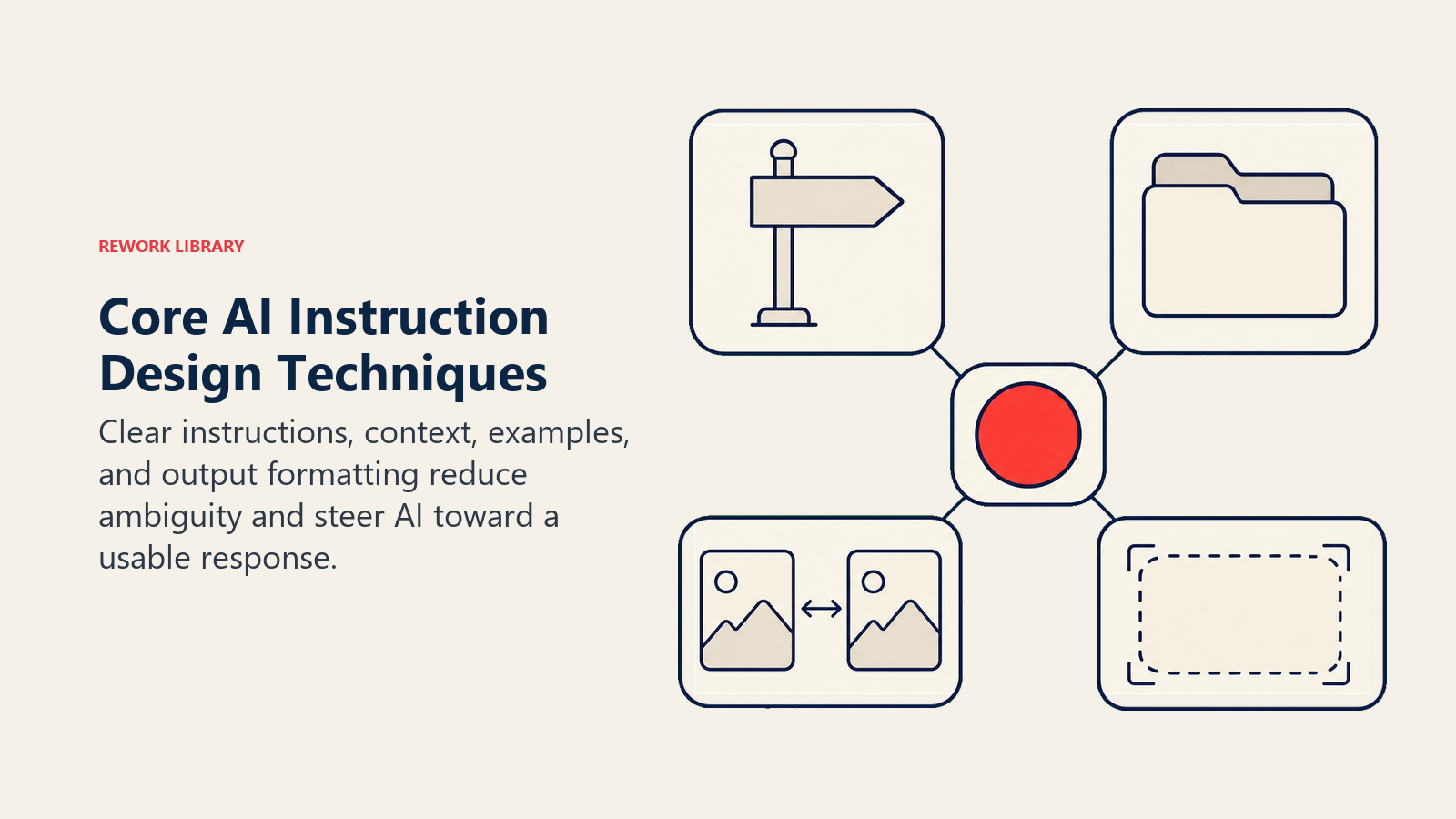
Fondasi prompting yang efektif adalah memberi tahu AI dengan tepat apa yang Anda inginkan. Prompt yang samar menghasilkan respons yang samar.
Alih-alih: "Bantu saya dengan laporan ini" Coba: "Tinjau laporan penjualan kuartalan ini dan identifikasi tiga area di mana data tidak mendukung kesimpulan. Untuk setiap area, jelaskan ketidaksesuaiannya dan sarankan cara mengatasinya."
Prinsip-prinsip utama:
- Gunakan kata kerja yang spesifik: "analisis," "bandingkan," "rangkum," "kritik"
- Tentukan cakupan: "tiga bagian pertama," "berfokus pada implikasi keuangan"
- Nyatakan apa yang tidak Anda inginkan: "Jangan gunakan jargon teknis" atau "Lewati pendahuluan"
2. Penetapan Konteks
AI tidak memiliki memori tentang situasi, perusahaan, atau tujuan Anda. Setiap prompt dimulai dari nol. Memberikan konteks membuat perbedaan besar dalam relevansi.
Elemen konteks esensial:
- Peran dan tingkat keahlian Anda
- Audiens untuk output tersebut
- Informasi latar belakang yang relevan
- Batasan atau persyaratan
- Bagaimana ini cocok dalam proyek yang lebih besar
Contoh:
Context: I'm a product manager at a B2B software company. We're preparing for a board meeting next week where I'll present our Q4 roadmap. The board is particularly concerned about our enterprise customer retention, which dropped 5% last quarter.

Task: Help me structure a presentation that addresses retention concerns while still showing our innovation momentum.
3. Contoh (Few-Shot Learning)
Menunjukkan kepada AI apa yang Anda inginkan sering kali lebih efektif daripada mendeskripsikannya. Menyertakan contoh dalam prompt Anda memandu AI menuju gaya dan format yang Anda inginkan.
Contoh prompt dengan contoh:
Convert these customer complaints into professional response summaries.

Complaint: "Your software crashed and I lost 3 hours of work!!"
Summary: Customer experienced data loss due to application crash. Impact: 3 hours of work lost. Sentiment: Frustrated. Priority: High.

Complaint: "The new update is confusing and nothing is where it used to be."
Summary: Customer struggling with UI changes in recent update. Impact: Reduced productivity. Sentiment: Dissatisfied. Priority: Medium.

Now convert this complaint:
Complaint: "I've been waiting 2 weeks for support to respond and still nothing!"
4. Format Output
Menentukan dengan tepat cara Anda ingin informasi disajikan menghemat waktu pengeditan dan meningkatkan keterbacaan.
Opsi format yang perlu ditentukan:
- Struktur: poin-poin, daftar bernomor, tabel, paragraf
- Panjang: "dalam 100 kata," "3-5 kalimat," "satu halaman"
- Bagian: "sertakan ringkasan eksekutif," "akhiri dengan langkah selanjutnya"
- Gaya: "gunakan header," "cetak tebal istilah kunci," "sertakan contoh"
Contoh:
Summarize this research article. Format your response as:

**Key Finding:** (1 sentence)
**Methodology:** (2-3 sentences)
**Limitations:** (bullet points)
**Implications for our team:** (1 paragraph)
Teknik Lanjutan Prompt Engineering
Chain-of-Thought Prompting
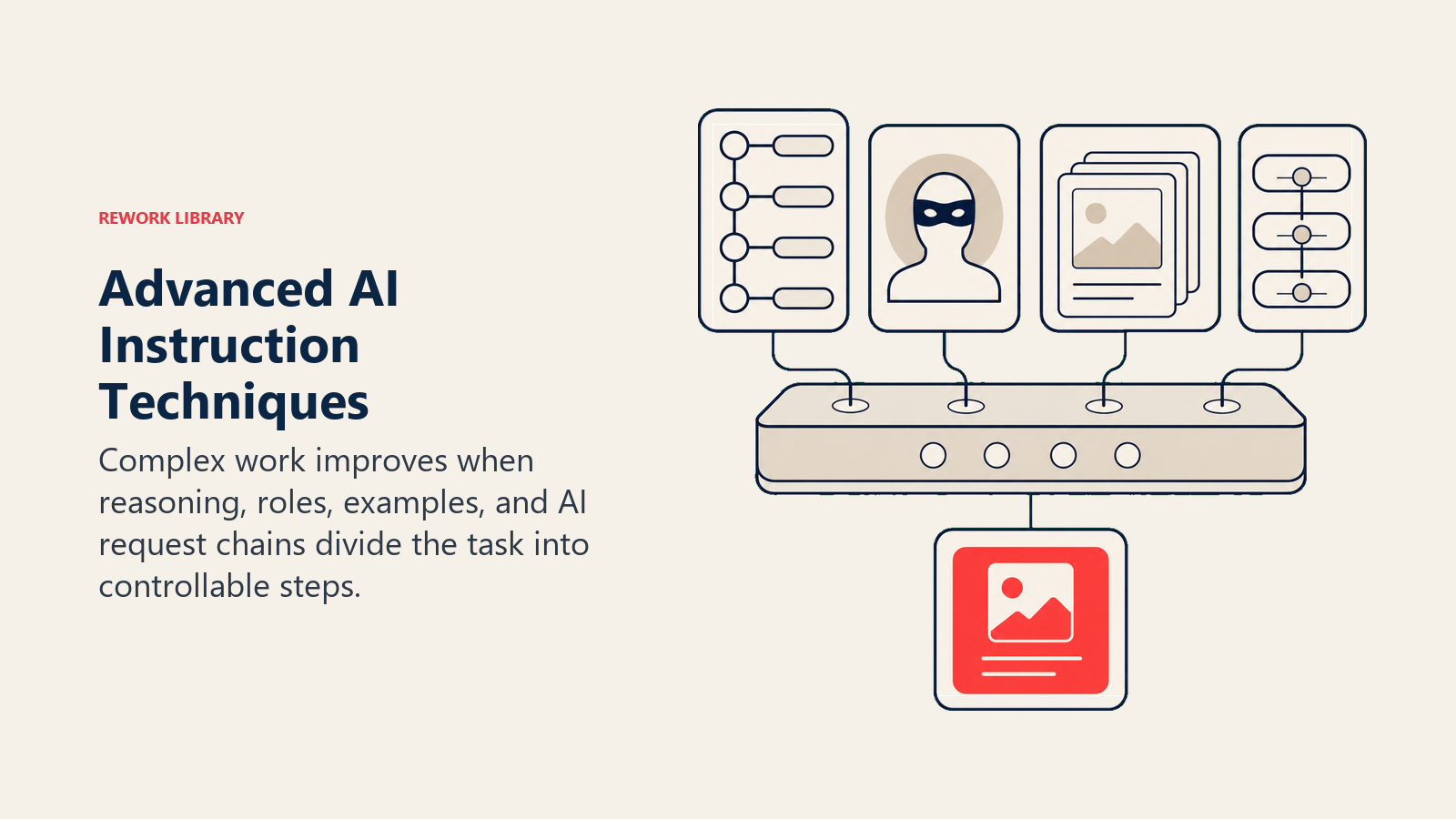
Untuk tugas penalaran yang kompleks, meminta AI berpikir langkah demi langkah menghasilkan hasil yang jauh lebih baik daripada meminta jawaban langsung.
Mengapa ini berhasil: Model AI berkinerja lebih baik saat mereka "menunjukkan pekerjaan mereka." Proses penalaran membantu mereka mencapai kesimpulan yang lebih akurat.
Pola dasar:
[Your question or task]

Think through this step by step:
1. First, consider [aspect 1]
2. Then, analyze [aspect 2]
3. Finally, weigh [trade-offs]

Show your reasoning before giving your final answer.
Kapan digunakan:
- Masalah matematika atau analitis
- Keputusan strategis dengan banyak faktor
- Evaluasi yang memerlukan penilaian bernuansa
- Perbandingan yang kompleks
Role Prompting
Meminta AI mengadopsi persona atau keahlian tertentu sering menghasilkan output yang lebih terarah dan berkualitas lebih tinggi.
Peran yang efektif:
- Peran profesional: "Bertindaklah sebagai analis keuangan senior"
- Simulasi audiens: "Respons seperti yang dilakukan pelanggan yang skeptis"
- Panduan gaya: "Tulis seperti dewan editorial The Economist"
- Area keahlian: "Sebagai pakar dalam logistik rantai pasokan"
Contoh:
You are an experienced HR director with 20 years in tech companies.

Review this job description for a senior developer role. Identify:
- Requirements that might unnecessarily limit our candidate pool
- Language that could discourage diverse applicants
- Skills listed as "required" that should probably be "preferred"

Provide specific suggestions for improvement.
Peringatan: Role prompting paling efektif untuk gaya dan perspektif. Ini tidak memberikan keahlian yang tidak dimiliki AI.
Few-Shot Learning
Memberikan beberapa contoh mengajarkan AI standar dan preferensi spesifik Anda jauh lebih baik daripada deskripsi saja.
Pola:
[Brief explanation of task]

Example 1:
Input: [example input]
Output: [example output]

Example 2:
Input: [example input]
Output: [example output]

Example 3:
Input: [example input]
Output: [example output]

Now do this:
Input: [your actual input]
Praktik terbaik:
- Gunakan 2-5 contoh (lebih banyak tidak selalu lebih baik)
- Pilih contoh yang beragam yang menunjukkan rentang
- Buat contoh yang representatif dari apa yang sebenarnya akan Anda masukkan
- Sertakan kasus tepi jika relevan
Prompt Chaining
Tugas yang kompleks sering kali lebih baik dikerjakan sebagai serangkaian prompt daripada satu prompt besar.
Contoh alur kerja untuk menulis laporan:
Prompt 1: "Sebutkan 5 poin terpenting dari kumpulan data ini" Prompt 2: "Untuk setiap poin, jelaskan implikasi bisnisnya" Prompt 3: "Atur ini menjadi alur narasi yang logis" Prompt 4: "Tulis ringkasan eksekutif berdasarkan narasi ini" Prompt 5: "Tinjau dan sarankan perbaikan untuk draf ini"
Manfaat:
- Setiap langkah dapat ditinjau dan dikoreksi
- Tugas kompleks menjadi terkelola
- Anda mempertahankan kontrol atas arah
- Lebih mudah memecahkan masalah
Kesalahan Umum dan Cara Menghindarinya
Kesalahan 1: Permintaan yang Samar
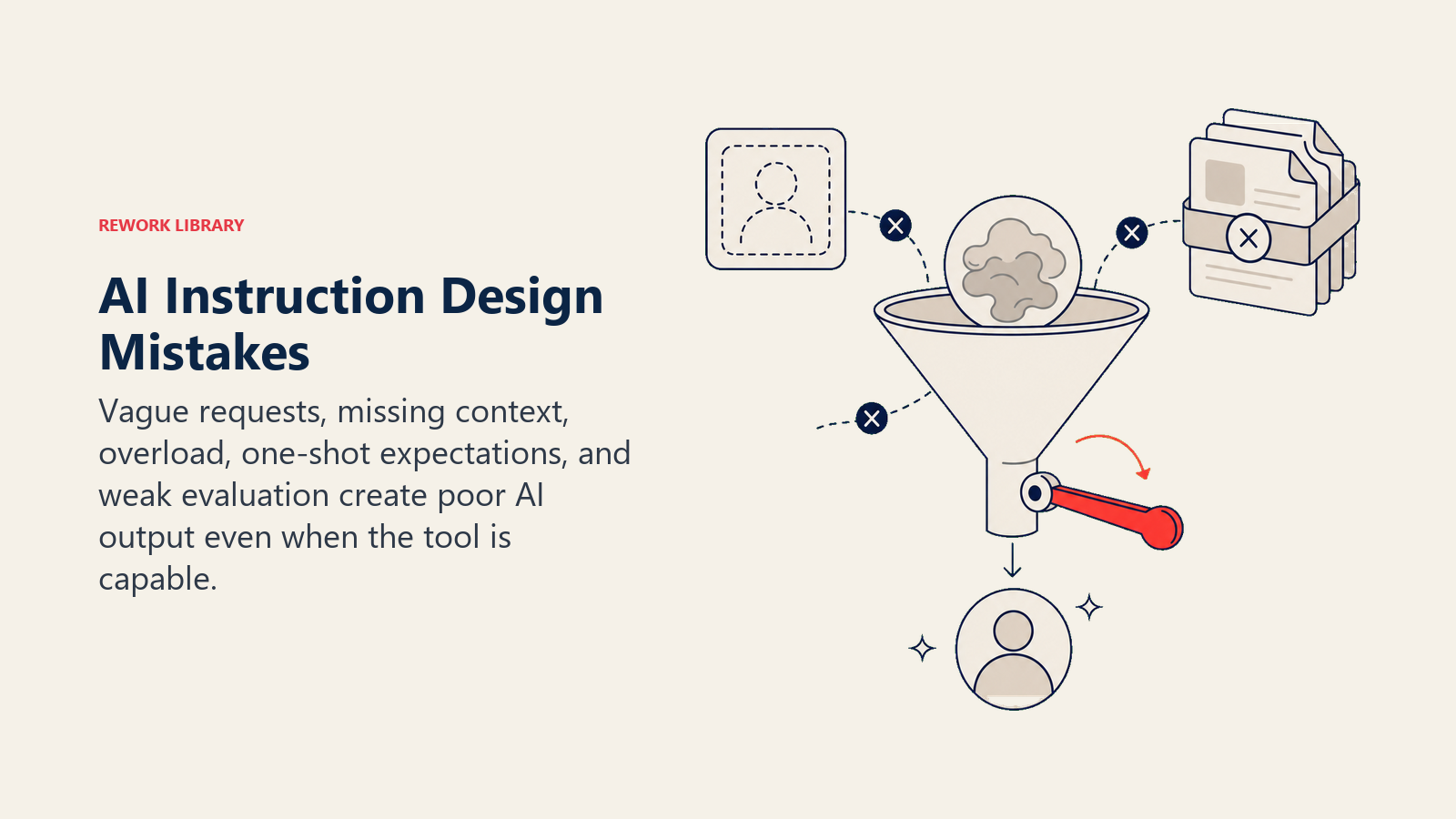
Masalah: "Buat ini lebih baik" tidak memberikan arahan kepada AI.
Solusi: Tentukan apa arti "lebih baik." "Buat email ini lebih ringkas sambil mempertahankan tiga poin utama. Hapus jargon. Tambahkan ajakan bertindak yang jelas di akhir."
Kesalahan 2: Kelebihan Informasi
Masalah: Menempelkan dokumen besar tanpa panduan membebani AI dan menghasilkan output yang tidak fokus.
Solusi: Ekstrak bagian yang relevan, rangkum konteks, dan ajukan pertanyaan spesifik. "Berdasarkan bagian 3 dan 4 dari laporan ini, apa risiko utama terhadap jadwal kami?"
Kesalahan 3: Berasumsi AI Mengetahui Konteks Anda
Masalah: "Buat respons untuk email John" berasumsi AI tahu siapa John dan apa yang dia tulis.
Solusi: Sertakan semua konteks yang relevan. Bahkan jika terasa jelas bagi Anda, jelaskan kepada AI.
Kesalahan 4: Ekspektasi Satu Percobaan
Masalah: Mengharapkan output sempurna pada percobaan pertama dan menyerah ketika tidak sesuai harapan.
Solusi: Perlakukan interaksi AI sebagai percakapan. Sempurnakan, arahkan ulang, dan ulangi. "Itu hampir tepat, tetapi buat nadanya lebih formal dan tambahkan angka spesifik dari data."
Kesalahan 5: Mengabaikan Perbedaan Alat
Masalah: Menggunakan prompt yang sama di berbagai alat AI dan mendapatkan hasil yang tidak konsisten.
Solusi: Pelajari kekuatan setiap alat dan sesuaikan gaya prompting Anda (lihat bagian berikutnya).
Kesalahan 6: Tidak Menentukan Apa yang Harus Dihindari
Masalah: Mendapatkan output yang penuh dengan hal-hal yang tidak Anda inginkan.
Solusi: Jelaskan pengecualian secara eksplisit. "Jangan gunakan poin-poin. Hindari jargon teknis. Jangan sertakan pernyataan penolakan di akhir."
Kesalahan 7: Menerima Output yang Buruk
Masalah: Menghabiskan lebih banyak waktu mengedit output AI yang buruk daripada jika Anda mengerjakan tugasnya sendiri.
Solusi: Jika kualitas output buruk, perbaiki prompt Anda daripada menambal output. Ini lebih cepat dalam jangka panjang dan membangun keterampilan Anda.
Tips Prompting Spesifik Alat
ChatGPT (OpenAI)
Kekuatan: Tugas kreatif, brainstorming, alur percakapan, pengetahuan umum Optimal untuk: Pembuatan konten, ideasi, penjelasan konsep, bantuan kasual
Tips:
- Gunakan "Continue" untuk memperluas output yang mencapai batas panjang
- ChatGPT merespons baik terhadap penyempurnaan percakapan
- Instruksi kustom (dalam pengaturan) dapat menetapkan konteks persisten
- Fitur memori dapat mempertahankan konteks di seluruh percakapan
Claude (Anthropic)
Kekuatan: Analisis dokumen panjang, penalaran bernuansa, mengikuti instruksi kompleks, mempertahankan konsistensi Optimal untuk: Riset, analisis, penulisan panjang, dokumentasi teknis
Tips:
- Claude menangani prompt yang sangat panjang dengan baik (gunakan ini untuk instruksi detail)
- Sangat baik dalam mengikuti instruksi multi-langkah dengan tepat
- Merespons baik terhadap persyaratan struktur eksplisit
- Baik dalam mengakui ketidakpastian daripada menebak
Microsoft Copilot
Kekuatan: Integrasi dengan Microsoft 365, akses data perusahaan, bantuan kode Optimal untuk: Pembuatan dokumen Office, penulisan email, ringkasan rapat, penyelesaian kode
Tips:
- Referensikan file dan email tertentu berdasarkan nama
- Gunakan pemahaman Copilot tentang kalender dan kontak Anda
- Tentukan konvensi aplikasi mana yang harus diikuti
- Manfaatkan akses ke data organisasi Anda
GitHub Copilot
Kekuatan: Penyelesaian kode, pembuatan fungsi, dokumentasi Optimal untuk: Menulis kode, memahami codebase, menghasilkan pengujian
Tips:
- Tulis komentar yang jelas sebelum kode yang ingin Anda hasilkan
- Gunakan nama fungsi yang deskriptif yang menunjukkan tujuan
- Berikan konteks melalui contoh kode terdekat
- Tinjau saran dengan cermat untuk keamanan dan kebenaran
Google Gemini
Kekuatan: Pemahaman multi-modal, integrasi ekosistem Google, kemampuan pencarian Optimal untuk: Riset yang menggabungkan teks dan gambar, tugas Google Workspace, kebutuhan informasi terkini
Tips:
- Gunakan kemampuannya untuk menganalisis gambar bersama teks
- Baik untuk tugas yang memerlukan informasi web terkini
- Terintegrasi dengan baik dengan Google Docs, Sheets, dan Slides
- Gunakan untuk tugas yang mendapat manfaat dari augmentasi pencarian
Membangun Praktik Prompt Engineering Anda
Kebiasaan Latihan Harian
Tinjauan Prompt 5 Menit: Setelah setiap interaksi AI, luangkan satu menit untuk bertanya:
- Apakah saya mendapatkan apa yang saya butuhkan?
- Apa yang bisa saya tentukan lebih baik?
- Apa yang disalahpahami AI?
Refleksi cepat ini membangun kebiasaan pembelajaran berkelanjutan yang berkembang pesat.
Jurnal Prompt: Simpan dokumen berisi prompt yang berhasil. Catat:
- Tugas dan konteksnya
- Prompt yang Anda gunakan
- Mengapa itu berhasil
- Variasi untuk tugas serupa
Pengembangan Keterampilan Mingguan
Teknik Minggu Ini: Setiap minggu, fokus pada penguasaan satu teknik. Minggu 1: instruksi yang jelas. Minggu 2: penetapan konteks. Minggu 3: contoh few-shot. Pendekatan terfokus ini membangun kedalaman, bukan keakraban yang dangkal.
Tukar Prompt: Bagikan prompt yang efektif dengan rekan kerja dan belajar dari prompt mereka. Perspektif yang berbeda mengungkapkan teknik yang tidak akan Anda temukan sendiri.
Penilaian Bulanan
Pemeriksaan Kemajuan:
- Hitung tugas di mana AI menghemat waktu yang signifikan
- Catat peningkatan kualitas output pada percobaan pertama
- Identifikasi titik frustrasi yang tersisa
- Rencanakan fokus pengembangan bulan depan
Latihan Praktik Berdasarkan Level
Latihan Pemula
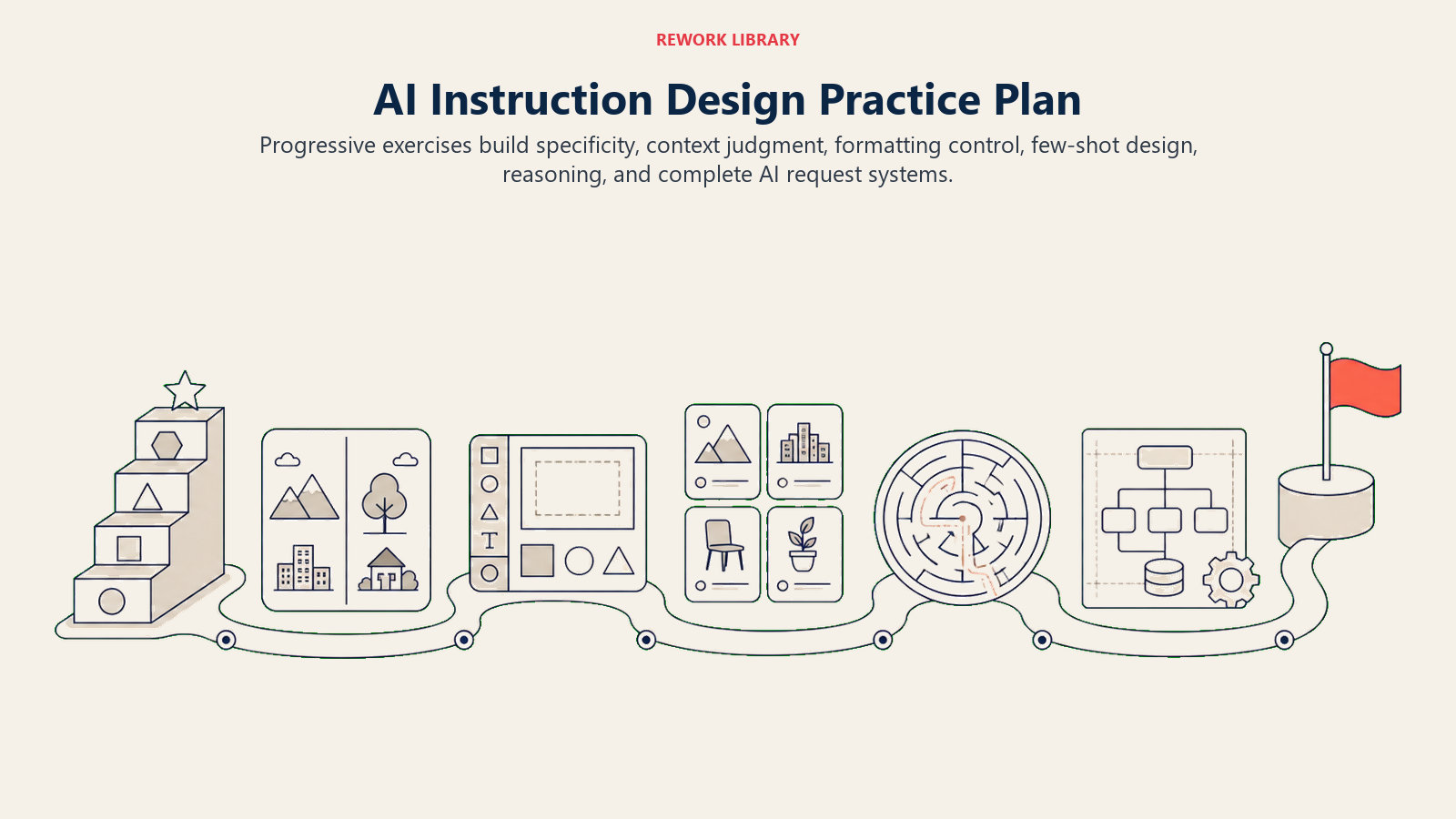
Latihan 1: Tangga Kekhususan Ambil prompt "Tulis tentang produktivitas" dan buat semakin spesifik melalui lima versi. Perhatikan bagaimana setiap versi menghasilkan output yang lebih berguna.
Latihan 2: Perbandingan Konteks Tulis permintaan yang sama dua kali: sekali tanpa konteks, sekali dengan konteks penuh. Bandingkan output dan catat elemen konteks mana yang membuat perbedaan terbesar.
Latihan Menengah
Latihan 3: Eksplorasi Format Minta informasi yang sama dalam lima format berbeda (paragraf, poin-poin, tabel, tanya-jawab, ringkasan eksekutif). Pelajari kapan setiap format paling berguna.
Latihan 4: Praktik Few-Shot Buat prompt tiga contoh untuk tugas yang Anda lakukan secara rutin. Uji terhadap prompt tanpa contoh. Ukur perbedaan kualitasnya.
Latihan Lanjutan
Latihan 5: Desain Chain-of-Thought Ambil keputusan kompleks yang Anda hadapi dan rancang prompt chain-of-thought yang membawa AI melalui framework penalaran Anda. Evaluasi apakah proses penalaran meningkatkan kesimpulan.
Latihan 6: Desain Sistem Prompt Buat serangkaian prompt yang terhubung yang menangani alur kerja lengkap (seperti "persiapkan untuk rapat klien" dari riset hingga poin pembicaraan hingga draf email tindak lanjut).
Langkah Selanjutnya Anda
Prompt engineering bukan tujuan akhir. Ini adalah praktik berkelanjutan yang berkembang seiring alat AI meningkat dan kebutuhan Anda berubah. Investasi yang Anda buat sekarang dalam membangun keterampilan ini akan berkembang di setiap interaksi AI dalam karier Anda.
Mulai hari ini:
- Pilih satu teknik dari panduan ini (instruksi yang jelas adalah titik awal yang baik)
- Terapkan pada tiga interaksi AI Anda berikutnya
- Perhatikan perbedaan kualitas output
- Tambahkan teknik lain minggu depan
Para profesional yang berkembang di tempat kerja yang didukung AI bukan mereka yang takut atau menghindari alat-alat ini. Mereka adalah orang-orang yang belajar berkomunikasi dengannya secara efektif. Perjalanan itu dimulai dengan prompt Anda berikutnya.
Kemampuan Anda untuk berkomunikasi dengan jelas dengan sistem AI menjadi sepenting kemampuan Anda berkomunikasi dengan rekan kerja. Kabar baiknya adalah prinsip yang sama berlaku: jadilah spesifik, berikan konteks, dengarkan umpan balik, dan ulangi sampai Anda dipahami. Anda sudah memiliki fondasinya. Sekarang saatnya menerapkannya pada alat yang akan mendefinisikan dekade kerja berikutnya.
Kompetensi Terkait untuk Keberhasilan di Era AI
Membangun keterampilan prompt engineering terhubung secara alami dengan kemampuan terkait berikut:
Keterampilan Teknis dan Analitis
- Digital Literacy - Fondasi untuk bekerja secara efektif dengan AI dan alat digital
- Analisis Data - Interpretasi dan verifikasi wawasan yang dihasilkan AI
- Pemecahan Masalah Teknis - Memecahkan masalah saat prompt tidak bekerja sesuai harapan
Keterampilan Komunikasi dan Berpikir
- Komunikasi - Prinsip komunikasi yang jelas berlaku untuk interaksi AI
- Pemikiran Kritis - Mengevaluasi output AI dan mengidentifikasi kesalahan atau keterbatasan
- Pemikiran Sistemik - Merancang alur kerja prompt yang sesuai dengan proses yang lebih besar
Pengembangan Profesional
- Pembelajaran Berkelanjutan - Tetap terkini seiring praktik terbaik prompt engineering berkembang
- Kemampuan Beradaptasi - Menyesuaikan teknik seiring alat AI berubah dan berkembang
- Pola Pikir Inovasi - Menemukan aplikasi baru untuk bantuan AI dalam pekerjaan Anda

Senior Customer Retention Strategist
On this page
- Mengapa Prompt Engineering Penting Sekarang
- Framework Prompt Engineering 5 Level
- Level 1: Prompt Beginner (0-3 bulan latihan)
- Level 2: Prompt Capable (3-6 bulan latihan)
- Level 3: Prompt Proficient (6-12 bulan latihan)
- Level 4: Prompt Advanced (1-2 tahun latihan)
- Level 5: Prompt Expert (2+ tahun latihan)
- Teknik Inti Prompt Engineering
- 1. Instruksi yang Jelas
- 2. Penetapan Konteks
- 3. Contoh (Few-Shot Learning)
- 4. Format Output
- Teknik Lanjutan Prompt Engineering
- Chain-of-Thought Prompting
- Role Prompting
- Few-Shot Learning
- Prompt Chaining
- Kesalahan Umum dan Cara Menghindarinya
- Kesalahan 1: Permintaan yang Samar
- Kesalahan 2: Kelebihan Informasi
- Kesalahan 3: Berasumsi AI Mengetahui Konteks Anda
- Kesalahan 4: Ekspektasi Satu Percobaan
- Kesalahan 5: Mengabaikan Perbedaan Alat
- Kesalahan 6: Tidak Menentukan Apa yang Harus Dihindari
- Kesalahan 7: Menerima Output yang Buruk
- Tips Prompting Spesifik Alat
- ChatGPT (OpenAI)
- Claude (Anthropic)
- Microsoft Copilot
- GitHub Copilot
- Google Gemini
- Membangun Praktik Prompt Engineering Anda
- Kebiasaan Latihan Harian
- Pengembangan Keterampilan Mingguan
- Penilaian Bulanan
- Latihan Praktik Berdasarkan Level
- Latihan Pemula
- Latihan Menengah
- Latihan Lanjutan
- Langkah Selanjutnya Anda
- Kompetensi Terkait untuk Keberhasilan di Era AI
- Keterampilan Teknis dan Analitis
- Keterampilan Komunikasi dan Berpikir
- Pengembangan Profesional