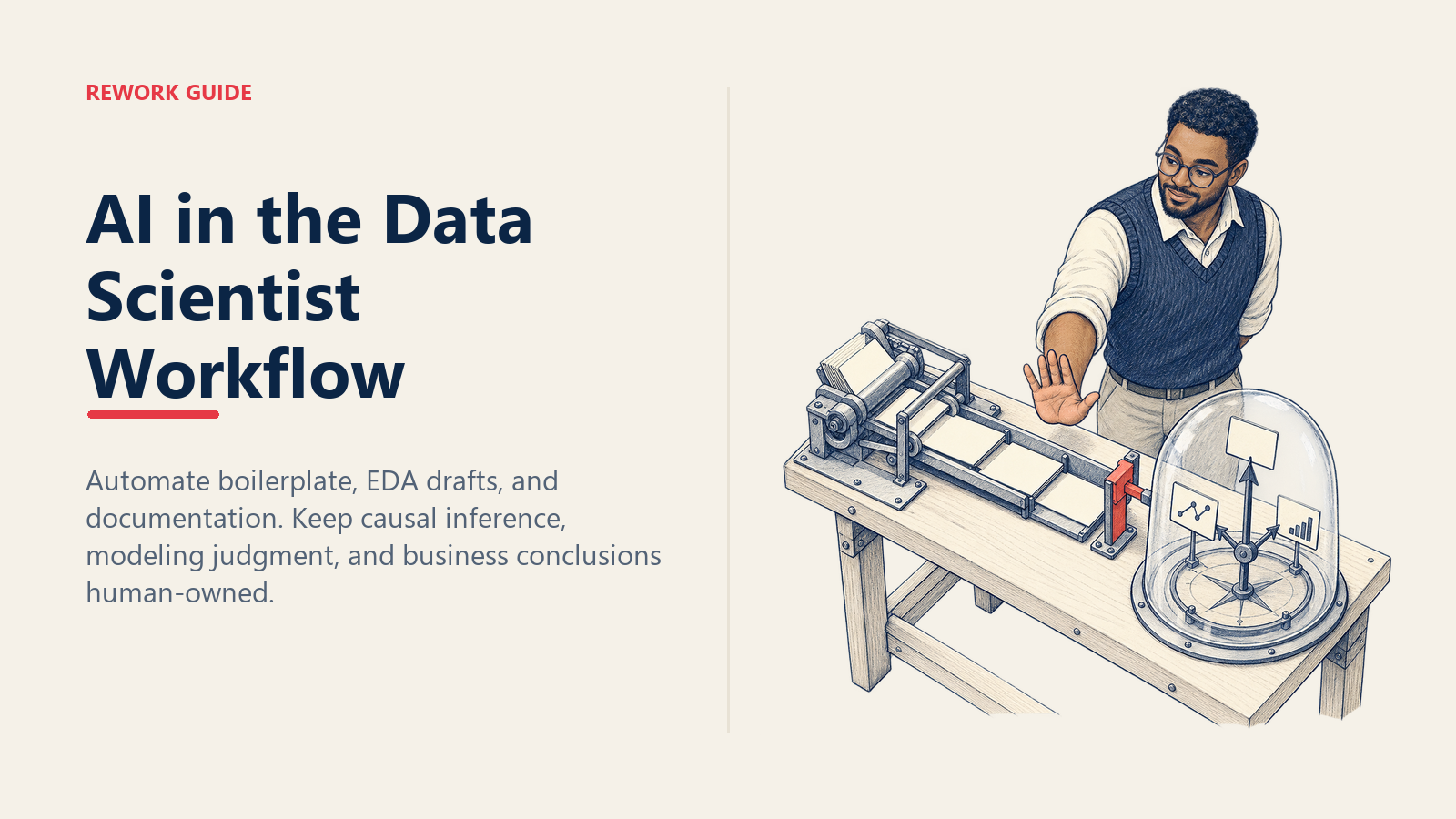
IA en el flujo de trabajo del Data Scientist: qué automatizar y qué nunca delegar
Turn this article into takeaways for your work.


Each assistant summarizes the article only for you and suggests best practices for your work.
La primera vez que Copilot me inventó un nombre de columna, el modelo se entrenó igual. El pull request unía customer_id contra una columna llamada customer_uuid que no existía en la tabla del lado derecho. Pandas hizo lo que hace Pandas: produjo NaN en silencio para cada fila, no lanzó ningún error y el join "funcionó". El modelo encajó bien. El AUC de validación parecía normal. Lo detecté tres días después, únicamente porque una parte interesada preguntó por qué cierta cohorte había desaparecido del resultado.
Nadie advierte sobre ese modo de fallo. El marketing de la ciencia de datos asistida por IA está lleno de demos donde el modelo escribe un pd.merge perfecto contra un dataset de juguete bien limpio. El modo de fallo real es silencioso. El código corre, los resultados parecen plausibles y el error aparece después de que ya presentó la gráfica.
Esta es la línea que tracé tras unos dieciocho meses usando estas herramientas a diario, escrita para Data Scientists que están cansados tanto del hype como del rechazo reflexivo. Ambos extremos están equivocados. Hay un punto intermedio que permite entregar más rápido sin que la calidad del modelo regrese, y esta guía intenta describirlo de forma concreta.
Por qué esto importa ahora (y por qué la mayoría del contenido sobre "IA en DS" está confundido)
Hay dos cosas completamente distintas que la gente quiere decir cuando habla de "IA en ciencia de datos", y mezclarlas genera consejos incoherentes.
La primera es la IA como acelerador del flujo de trabajo para el trabajo de ciencia de datos existente: código repetitivo, scripts de EDA, docstrings, borradores de presentaciones. Esto es lo que hacen Copilot, Cursor y Claude en su IDE. El trabajo sigue siendo construir modelos y explicarlos. La IA es una máquina de escribir más rápida.
La segunda es construir aplicaciones basadas en LLM: sistemas RAG, pipelines de agentes, arneses de evaluación para salidas generativas. Es un trabajo diferente. Las habilidades se solapan (aún se necesitan estadísticas, aún hay que pensar en la evaluación), pero los modos de fallo, la cadena de herramientas y el trabajo diario son distintos de entrenar un modelo XGBoost.
Cuando la dirección dice "añade IA a tu flujo de trabajo", generalmente se refiere a lo primero. Cuando dice "construye una función de IA", generalmente se refiere a lo segundo. Si no se separan, perderá un trimestre intentando aplicar patrones RAG a un problema de predicción de abandono, o peor, entregará un chatbot usando la intuición de XGBoost y se preguntará por qué sus evaluaciones no funcionan.
El resto de esta guía trata principalmente sobre lo primero. Hay una sección hacia el final sobre lo segundo.
Dónde la IA realmente ayuda (úsela a diario)
Estos son los lugares donde permito que la IA escriba borradores iniciales todos los días, con una revisión ligera:
Código repetitivo. Transformaciones de Pandas que he escrito cien veces: pivot, melt, cadenas groupby. Scaffolding de Pipeline y ColumnTransformer de sklearn. Grillas de subplots de Matplotlib. El trabajo mecánico donde la estructura es fija y solo varían los nombres de columna. Cursor o Copilot acertarán el 90% de las veces, y el 10% en que fallan es fácil de detectar porque ya sabe cómo debe verse el resultado.
Scripts de EDA. Gráficos de distribución en primera pasada, conteos de nulos, mapas de calor de correlación, conteos de valores en cada variable categórica. La pasada de "dame la forma de este dataset". La IA es buena en esto porque los patrones son formulaicos y el resultado es visual, por lo que verá si algo se ve mal. La segunda pasada de EDA la sigo haciendo yo, porque ahí es donde ocurre el pensamiento real.
Docstrings y type hints. Cuando ya sabe lo que hace la función y solo necesita documentarla. Seleccione la función, indique "escribe un docstring estilo numpy con ejemplos" y revise. Ahorra veinte minutos por módulo en una base de código real.
Borradores de presentaciones y resúmenes para partes interesadas. Solo primeros borradores. Escribo un párrafo con viñetas sobre lo que hace el modelo y cuál fue el resultado, luego le pido a Claude que lo convierta en tres diapositivas para una audiencia sin experiencia en ML. Después reescribo alrededor del 60%. El borrador inicial es la parte aburrida: estructura, transiciones, repetición para énfasis. La reescritura es donde agrego las partes que realmente importan.
Resúmenes de revisión bibliográfica. Pego cinco abstracts de artículos y pregunto "¿cuáles son relevantes para predecir el abandono de clientes a partir de datos de flujo de eventos, y cuál es el método central en cada uno?" El resultado es una lista de clasificación. Luego leo los artículos que realmente necesito leer. Esto es síntesis, no interpretación, y funciona porque es verificable. Si el resumen dice que el artículo 3 usa transformers, puedo comprobarlo.
El patrón en todos estos casos: la IA es buena en las partes donde ya sabe cómo es "lo correcto", por lo que puede detectar los errores. Es un acelerador de escritura, no un sustituto del pensamiento.
Dónde la IA falla (nunca lo delegue)
Estas son las partes que no permito que la IA toque, y explicaré el motivo en cada caso:
Inferencia causal. Variables de confusión, sesgo de selección, estrategia de identificación, la pregunta de si un coeficiente de regresión significa algo causal. Los LLM escribirán felizmente un modelo de propensity score para una pregunta que necesita un diseño de diferencias en diferencias. No conocen su proceso generador de datos. No saben qué variables son post-tratamiento. No saben que su "grupo de control" está seleccionado según el resultado. Una afirmación causal incorrecta pero confiada es peor que ninguna afirmación, y la IA es muy buena siendo incorrecta con confianza sobre este tema.
Decisiones de modelado. Qué algoritmo usar, qué función de pérdida, qué esquema de validación, cómo manejar la fuga de datos. Estas son decisiones de juicio que dependen del contexto del negocio, la forma de los datos y para qué sirve el modelo. Copilot sugerirá random forests para todo porque los random forests aparecen con mayor frecuencia en los datos de entrenamiento. No sabe que su problema tiene fuga temporal que invalida todos los esquemas de validación cruzada excepto uno de encadenamiento hacia adelante. Estas decisiones las tiene que tomar usted.
Interpretación de características. Lo que un valor SHAP significa en este contexto de negocio. La IA puede generar el gráfico SHAP. Puede describir qué son los valores SHAP de forma abstracta. No puede decirle si "la tenencia tiene un valor SHAP alto" significa que la tenencia es causalmente importante o simplemente que es un proxy de algo más que no está midiendo. Eso requiere conocer el negocio.
Encuadre del negocio. Traducir "el modelo dice que la probabilidad de abandono es 0.73 para este segmento" en "deberíamos cambiar la cadencia de renovación para las cuentas de más de $50k". Esa es una traducción para la toma de decisiones, y hacerla mal es como la ciencia de datos pierde credibilidad. El LLM no sabe cuál es la tolerancia al riesgo de su empresa. No sabe qué partes interesadas son escépticas del trabajo con datos y necesitan evidencia adicional. No sabe que la última vez que propuso una intervención similar fracasó.
La síntesis: la IA está bien para el qué. Nunca la use para el por qué ni para el y entonces qué.
El stack de herramientas que realmente funciona
Después de probar la mayoría, este es el stack con el que termino para un Data Scientist en 2026:
Cursor para el código. Es VS Code con mejor integración de LLM. La función Composer (donde describe un cambio en varios archivos y deja que proponga ediciones) es genuinamente útil para refactorizar una canalización de características en tres archivos. Mantengo el autocompletado activo para código repetitivo y lo desactivo cuando estoy pensando en lógica. El cambio de modo importa.
Claude (o equivalente) para la revisión de código. Antes de abrir un PR, pego el diff en Claude con un mensaje como: "Revisa esto por corrección, no por estilo. Enfócate en: referencias a columnas, errores de índice, fuga de datos, APIs obsoletas y casos borde en el manejo de nulos." Detecta cosas. No siempre, pero con suficiente frecuencia como para seguir haciéndolo. Es un segundo par de ojos disponible a las 11pm antes de una fecha límite.
IA nativa en notebooks (Hex Magic, Deepnote AI) con correa corta. Son excelentes para la pasada de EDA: "muéstrame la distribución de cada columna numérica" o "encuentra correlaciones por encima de 0.7". No les permito escribir el análisis final. La correa es la regla de que cualquier cosa que generen se vuelve a ejecutar en un notebook limpio antes de salir de mi laptop, y leo cada línea de SQL generado. La comodidad es real; la confianza, acotada.
La razón por la que un par de herramientas supera a una sola: cada una tiene puntos ciegos distintos. Cursor es bueno en el contexto local (el archivo en el que está) pero malo para entender cómo son sus datos realmente. Claude es bueno en el razonamiento de nivel superior ("¿esto tiene sentido?") pero no tiene el contexto de su IDE. Las herramientas de notebook son buenas para echar un vistazo rápido a los datos, pero tienden a escribir código desechable. Quiere herramientas distintas para trabajos distintos, no una sola herramienta intentando hacer los tres mal.
La trampa del "LLM escribió el análisis"
Este es el fallo que veo con más frecuencia en Data Scientists de nivel junior y medio, y cada vez más en los de nivel senior que deberían saberlo mejor.
El patrón: termina el modelado, tiene una tabla de resultados, la pega en ChatGPT y pide "resume los hallazgos clave". Escribe una narrativa confiada, articulada y bien estructurada. La edita ligeramente, la pega en el informe y la envía.
El problema es que el LLM está haciendo coincidencia de patrones con cómo suelen sonar las conclusiones de la ciencia de datos, no con lo que sus datos muestran realmente. Dirá cosas como "el modelo demuestra un rendimiento predictivo sólido, con la importancia de características sugiriendo que el engagement del cliente es el impulsor principal". Esa oración es estructuralmente correcta y puede ser completamente falsa. El modelo podría estar funcionando bien solo gracias a una característica con fuga. "Engagement del cliente" podría tener alta importancia solo porque es casi un duplicado del objetivo.
Esta es la versión moderna del p-hacking. El p-hacking consistía en encontrar una historia que se ajustara a los datos mediante suficiente búsqueda. La trampa del análisis por LLM consiste en obtener una historia escrita para los datos sin verificar si es verdadera. La historia es plausible, la prosa es limpia y la afirmación subyacente es incorrecta.
Para saber si ha caído en la trampa: si no puede señalar, línea por línea, el número específico en los resultados que respalda cada oración del resumen, está en la trampa. La solución es escribir el análisis usted mismo y luego pedirle al LLM que lo edite para mayor claridad. Editar un borrador que usted escribió es fundamentalmente distinto a generar un borrador a partir de números, aunque el recuento final de palabras sea el mismo.
IA para ML versus construir aplicaciones LLM
Una aclaración rápida porque esto confunde constantemente las conversaciones en los equipos.
Un Data Scientist que usa Copilot para construir un modelo de abandono está haciendo ML clásico con un IDE asistido por IA. El modelo es XGBoost o una red neuronal. La evaluación es AUC, calibración, impacto en el negocio. El despliegue es un trabajo de puntuación por lotes o una API en tiempo real. Los modos de fallo son fuga, deriva y descalibración.
Un Data Scientist que construye un sistema RAG o un agente LLM está haciendo algo diferente. El "modelo" es un modelo fundacional que usted no entrenó. La evaluación es cualitativa o basada en juez LLM, no AUC. El despliegue es un servicio con plantillas de prompts, índices de recuperación y barreras de seguridad. Los modos de fallo son alucinación, inyección de prompts y desbordamiento de costos.
Ambos son trabajos legítimos. Ambos pueden estar en la agenda de un Data Scientist. Pero no son la misma habilidad, y un Data Scientist senior excelente en lo primero puede ser mediocre en lo segundo hasta que acumule la práctica necesaria. Cuando la dirección diga "agrega IA al producto", pregúntele a cuál de los dos se refiere. Si no lo sabe, esa es la primera conversación, no una tarea de codificación.
Etiquetado opcional con el ACE Framework
Si su equipo usa el ACE Framework (Ingest, Analyze, Predict, Generate, Execute), la mayor parte del trabajo clásico de DS se ubica en Analyze y Predict. Construir aplicaciones LLM se ubica en Generate. Esto no es solo vocabulario. Es una forma de rechazar cuando el alcance se expande. Cuando un PM pregunta "¿puedes agregar una función de IA generativa al modelo de abandono?", puede responder: "el modelo de abandono es una capacidad de Predict; lo que describes es una capacidad de Generate, que es un sistema diferente con una evaluación diferente. Separemos el alcance." El framework le da palabras para el límite que ya sabe que existe.
El plan de adopción de 30 días
Este es el plan que ejecutaría si empezara de nuevo, o al incorporar a un Data Scientist junior al trabajo asistido por IA:
Semana 1: solo código repetitivo y docstrings. Instale Cursor y configure una cuenta de Claude. Úselos únicamente para completar código en tareas mecánicas (transformaciones de Pandas, pipelines de sklearn) y para escribir docstrings en funciones que ya ha escrito. Lleve una nota (solo un archivo de texto) cada vez que la sugerencia esté equivocada. Al final de la semana, debería tener unas 20 muestras de modos de fallo específicos de su base de código. Estos son datos de calibración. Le dicen cuándo confiar en la herramienta y cuándo ignorarla.
Semana 2: agregue asistencia de EDA. Elija un proyecto terminado donde ya sepa qué debería haber mostrado el EDA. Vuelva a ejecutar la pasada de EDA con asistencia de IA y compárela con su trabajo original. Anote específicamente qué perdió la IA (a menudo pierde el contexto, como "esta variable parece normal pero en realidad es una fuga del futuro") y qué detectó más rápido que usted. Al final de la semana, debería tener una regla escrita sobre cuándo el EDA con IA es útil y cuándo no.
Semana 3: bucle de revisión de código. Por cada PR que abra, pegue el diff en Claude primero con un prompt de revisión de código. Registre: ¿cuántos PRs obtuvieron comentarios útiles de Claude? ¿Cuántos errores detectó Claude que los revisores de su equipo habrían perdido? ¿Cuántos falsos positivos? Después de una semana tendrá una idea de si este bucle vale la pena mantener. Para mí lo fue, pero la calibración es por equipo.
Semana 4: escriba el documento "dónde usamos IA / dónde no" de su equipo. Una página. Liste las tareas donde la IA es la herramienta predeterminada. Liste las tareas donde la IA está prohibida. Liste las tareas donde la IA está permitida pero toda salida recibe revisión humana antes de fusionar. Obtenga la aprobación de su manager. El objetivo de escribirlo es que fuerza la conversación, lo cual saca a la luz desacuerdos que no sabía que existían.
Errores comunes
Una lista corta, ordenada por la frecuencia con la que los he visto explotar en producción:
- Confiar en nombres de columnas inventados. Siempre verifique que las columnas referenciadas en código generado por IA existan en el dataframe.
df.columns.tolist()es su aliado. - Aceptar una recomendación de modelo sin una segunda opinión. Si Copilot dice "use un random forest aquí", pregúntese por qué, y pregunte a Claude por separado que critique esa elección. El desacuerdo es información.
- Dejar que la IA escriba el resumen ejecutivo. Ya lo cubrimos. No lo haga.
- Usar LLMs para afirmaciones causales. Le darán una respuesta confiada. La respuesta no tiene correlación con la verdad.
- Olvidar que las ventanas de contexto de los prompts truncan su dataframe. Si pega una muestra de 50 filas y pregunta "¿hay un patrón atípico?", el LLM solo ve 50 filas. No sabrá sobre la cola larga. El consejo que dé será incorrecto para los datos completos.
- Usar el mismo prompt en todos los proyectos sin reajustarlo. Su base de código tiene convenciones. Los prompts genéricos de revisión de código no detectan los patrones específicos de su equipo.
Plantillas y herramientas
Un kit inicial funcional:
- Archivo de reglas de Cursor para trabajo de DS. Le indica a Cursor las convenciones de su equipo: qué versión de sklearn usa, que usa Polars en lugar de Pandas (o viceversa), que todas las características necesitan un comentario sobre fuga de datos.
- Plantilla de prompt de revisión de código con Claude. "Revisa este diff por: corrección de referencias a columnas, fuga de datos, APIs obsoletas, casos borde en nulos y consistencia con el resto de la base de código. No comentes el estilo."
- Resumen de política de uso de IA de una página. Un Google Doc literal de una página que su equipo firma. Tres columnas: tarea, ¿IA permitida?, ¿revisión requerida? Cuélguelo en el canal de su equipo.
- Lista de verificación de EDA. Cuando la IA genera un EDA, verifique: ¿contó los nulos correctamente? ¿Detectó la variable categórica con 10.000 valores únicos? ¿Notó la columna de fechas con problemas de zona horaria? Si perdió cualquiera de estos, el resto de su resultado es sospechoso.
Medir si esto funciona
Tres señales, en orden de importancia:
- El tiempo hasta el primer modelo en un nuevo dataset cae de forma medible. Si un Data Scientist junior tardaba tres días en llegar a un modelo de referencia y ahora tarda uno, eso es la victoria que busca. Si el tiempo no ha bajado, no está usando realmente la IA en las partes donde ayuda.
- Los comentarios de revisión de PR sobre "columna incorrecta" o "API obsoleta" llegan a cero. Estos son los errores fáciles. Si siguen apareciendo, el bucle de revisión de código de la semana 3 no los está detectando.
- El equipo tiene una política escrita y la referencia. No solo un documento que existe, sino un documento que se cita en PRs y revisiones de diseño. "No usamos IA para esto por la sección 3 de la política" es el marcador de que el límite es real.
La señal negativa que importa más que todas estas: nadie en el equipo ha enviado un análisis escrito por LLM como propio. Si eso alguna vez ocurre, y ocurrirá eventualmente, no tiene un problema de política de IA, tiene un problema de credibilidad, y la solución es una conversación, no un cambio de herramienta.
La línea entre "la IA me ayuda a entregar más rápido" y "la IA entregó un análisis incorrecto con mi nombre" es más delgada de lo que el marketing sugiere. Trácela explícitamente, escríbala y revísela cada trimestre a medida que las herramientas cambian.
Más información

Principal Product Marketing Strategist
On this page
- Por qué esto importa ahora (y por qué la mayoría del contenido sobre "IA en DS" está confundido)
- Dónde la IA realmente ayuda (úsela a diario)
- Dónde la IA falla (nunca lo delegue)
- El stack de herramientas que realmente funciona
- La trampa del "LLM escribió el análisis"
- IA para ML versus construir aplicaciones LLM
- Etiquetado opcional con el ACE Framework
- El plan de adopción de 30 días
- Errores comunes
- Plantillas y herramientas
- Medir si esto funciona
- Más información