AM-Tools und Tech-Stack: CRM, CS-Plattform, Conversation Intelligence
Turn this article into takeaways for your work.


Each assistant summarizes the article only for you and suggests best practices for your work.
Es ist 9:47 Uhr. Eine AM hat sieben Tabs offen und versucht, eine Frage zu beantworten: "Was ist der aktuelle Status dieses Accounts?" Salesforce sagt ihr etwas über Vertragswert und Verlängerungsdatum. Gainsight hat einen gelben Health-Score. Gong zeigt, dass das letzte Gespräch drei Wochen her ist und der CFO des Kunden skeptisch klang. Zendesk hat zwei offene P2-Tickets. Mixpanel zeigt, dass die wöchentlich aktiven Nutzer letzten Monat um 18 % gesunken sind. Das QBR-Deck vom Januar sagt, alles sei gut.
Zwölf Minuten später hat sie eine Teilantwort. Während sie sie zusammensetzte, eskalierte der VP des Kunden an ihren Director.
Das ist der Tooling-Fehlermodus, den niemand auf eine Anbieter-Demo-Folie setzt. Kein fehlendes Feature. Nur die tägliche Steuer eines Stacks, der ein Tool nach dem anderen gekauft wurde, von verschiedenen Teams, ohne Integrationsplan.
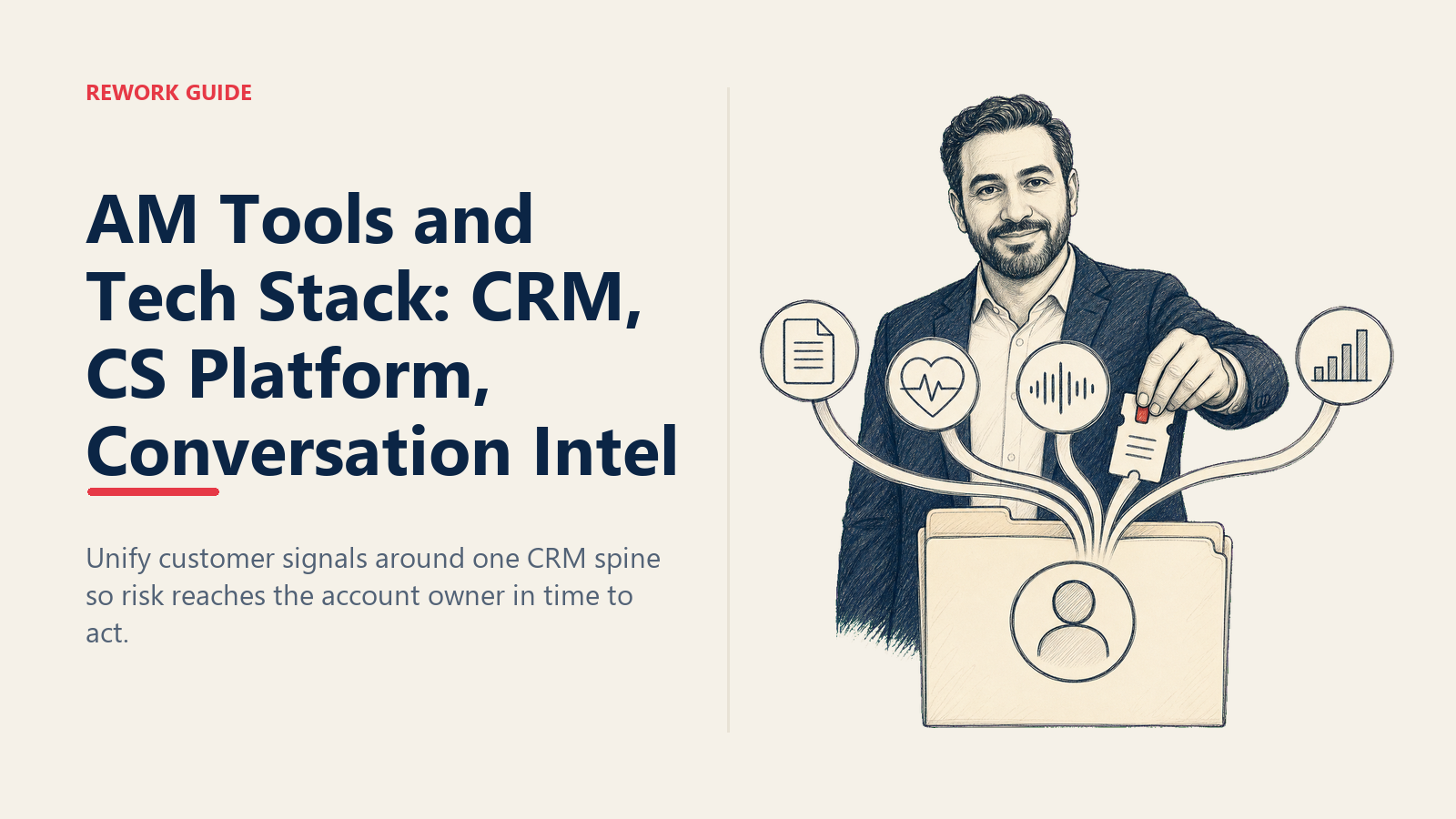
Dieser Leitfaden ist für AMs, die ihren aktuellen Stack bewerten, und RevOps-Leader, die einen von Grund auf gestalten. Die These: Integrationstiefe schlägt Feature-Anzahl. Ein mittelmäßiges Tool, das ins CRM verdrahtet ist, schlägt ein Best-in-Class-Tool, das in seinem eigenen Silo lebt.
Warum das wichtig ist: Tooling verkürzt entweder die Time-to-Action oder vergräbt sie
Der AM-Job dreht sich grundlegend darum, schwache Signale früh zu bemerken. Ein Nutzungseinbruch in Woche zwei ist eine Churn-Rettung in Woche drei; in Woche acht ist er eine Nicht-Verlängerung. Eine Stimmungsverschiebung in einem einzelnen Gespräch ist behebbar; ein Muster von Stimmungsverschiebungen über vier Gespräche und zwei Tickets ist ein Brand.
Jede Minute, die eine AM mit Tab-Wechseln verbringt, ist eine Minute, die nicht für den Kunden aufgewendet wird. Die Rechnung summiert sich. Bei 30 Accounts und fünf Minuten pro Account, um den Status über Systeme hinweg zusammenzusetzen, sind das 2,5 Stunden Ihrer Woche weg, bevor Sie mit irgendjemandem gesprochen haben. Das ist das Budget, das der Stack zurückgeben soll.
Ein gut gestalteter Stack tut drei Dinge: bringt Signale früh zum Vorschein, hängt Kontext automatisch an und routet die Reaktion der AM ohne Kopieren-Einfügen. Ein schlecht gestalteter Stack verbirgt Signale, zwingt die AM, Kontext neu aufzubauen, und macht jeden proaktiven Zug zu einem Rechercheprojekt.
Ein Tag im Leben eines Account Managers macht denselben Punkt von der anderen Seite: AMs, die ihre Zahlen erreichen, müssen nie Kontext zusammensetzen, weil der Stack ihn für sie zusammengesetzt hat.
Der Fünf-Schichten-AM-Stack
Es gibt fünf Kategorien, die ein AM-Stack abdecken muss. Nicht fünf Tools, fünf Aufgaben. Sie können mehrere Aufgaben in einer Plattform bündeln oder Best-of-Breed für jede kaufen, aber jeder AM-Stack muss alle fünf adressieren.
1. CRM als Rückgrat der Kundenbeziehung
Das CRM ist die Quelle der Wahrheit für alles Vertragliche: Accounts, Kontakte, Opportunities, Verlängerungsdaten, Vertragsbedingungen, ARR, Plan-Tier, Eigentumsverlauf. Wenn Sie eine Frage dazu haben, wer den Account besitzt, wann der Vertrag endet oder was sie zahlen, beantwortet das CRM sie. Wenn nicht, ist Ihr Stack kaputt, bevor Sie ein zweites Tool hinzugefügt haben.
Häufige Optionen:
- Salesforce. Standard im Enterprise-Maßstab. Mächtig, anpassbar, teuer, langsam anpassbar. Über 500 Mitarbeiter mit einem Salesforce-Admin-Team, dann bleiben Sie wahrscheinlich.
- HubSpot. Häufig im Mid-Market und SMB. Sauberere UI, schnellere Implementierung. Grenzen zeigen sich bei hohen Datenvolumina und komplexer Rechteverwaltung.
- Rework CRM. Für Teams, die CRM und Work Operations in einem System wollen. Ab $69/Monat bei jährlicher Abrechnung für die Sales Engine mit 5 Sales-Seats inklusive, mit Accounts, Kontakten, Opportunities, Pipeline, Verlängerungs-Tracking, plus Aufgaben- und Projekt-Tracking im selben Workspace. Passt für Teams unter 200 Reps, bei denen die Alternative ist, Salesforce mit einem separaten Work-Tool zusammenzukleben.
- Pipedrive, Close, Copper. Vertriebszentrische CRMs, die AMs manchmal erben. Brauchbar für kleine Teams; dünner bei Post-Sale-Workflows.
Die CRM-Schicht ist der Ort, an dem 90 % der Stack-Design-Fehler passieren. Wählen Sie ein CRM, mit dem Ihre CS-Plattform, Conversation Intelligence und Ihr Ticketing-Tool alle nativ integrieren. Wählen Sie nicht das CRM mit der besten Demo und nehmen Sie an, der Rest werde schon aufholen.
2. CS-Plattform für Gesundheit und Taktung
Die CS-Plattform beantwortet eine andere Frage. Nicht "was sagt der Vertrag?", sondern "ist dieser Kunde gesund, und was sollten wir als Nächstes tun?"
Eine CS-Plattform besitzt Health-Scores (zusammengesetzte Signale aus Nutzung, Tickets, NPS, Sponsor-Wechseln), Playbooks (wenn die Gesundheit auf Gelb fällt, löse AM-Ansprache innerhalb von 24 Stunden aus, Executive-Check-in innerhalb von 7 Tagen), Lifecycle-Stage-Tracking und automatisierte Touchpoints (Verlängerungserinnerungen, QBR-Anstöße, Onboarding-Meilensteine).
Häufige Optionen: Gainsight (Enterprise-Kategorieführer, tiefste Playbook-Engine, hohe Implementierungskosten), ChurnZero (Mid-Market-Favorit, schneller aufzusetzen), Catalyst (wächst schnell bei PLG-Unternehmen, UI für AMs gebaut), Vitally (Notion-artige Account-Seiten, beliebt bei kleineren Teams).
Integration zählt mehr als Features. Eine CS-Plattform, die Produktanalytik in Echtzeit zieht und ins CRM zurückschreibt, ist mehr wert als eine mit doppelt so vielen Features, die auf nächtlichen Syncs läuft.
3. Conversation Intelligence
Die Schicht, die die meisten AM-Stacks untergewichten. Conversation Intelligence erfasst, was Kunden in Gesprächen tatsächlich sagen, und macht es durchsuchbar.
Was sie für die AM tut: nimmt Gespräche auf und transkribiert sie, sodass Sie "Verlängerung" über jedes Gespräch mit diesem Account durchsuchen können; bringt Stimmungsverschiebungen zum Vorschein (ein Champion, der in den letzten beiden Gesprächen still wird); kennzeichnet Risikosprache ("wir evaluieren andere Optionen", "das Team nutzt es nicht"); erfasst Zusagen, sodass das "ich schicke Ihnen die Integrationsspezifikation bis Freitag"-Versprechen von vor drei Wochen nicht verloren geht.
Häufige Optionen: Gong (Enterprise-Standard, tiefe Deal-/Account-Intelligence), Chorus (jetzt ZoomInfo), Clari Copilot (integriert mit Claris Forecasting). Neuere Anbieter wie Avoma und Fathom konkurrieren über Preis und Onboarding-Geschwindigkeit.
Der größte Vorteil sind nicht die KI-Features. Es ist die Fähigkeit, vor jedem Account-Meeting ein oder zwei Gespräche anzuhören und mit den exakten Worten des Kunden zum Thema anzukommen, nicht mit Ihrer Rekonstruktion davon.
4. Ticket- und Support-Integration
Wenn Sie nicht wissen, wie die offenen Tickets Ihres Kunden aussehen, bevor Sie in ein QBR gehen, haben Sie keinen Tech-Stack. Sie haben ein Vertrauensproblem.
Support-Tickets sind das höchstauflösende Signal für Kundenschmerz. Eine Ticket-Spitze für einen Account in einem 30-Tage-Fenster ist ein Churn-Flag. Ein langlaufendes ungelöstes P2 von Ihrem strategischsten Account ist ein Brand, den man löschen muss, bevor der Kunde es im nächsten Gespräch erwähnt.
Häufige Optionen: Zendesk, Intercom, Freshdesk, HubSpot Service Hub, Jira Service Management für produkt-engineering-lastige Modelle.
Richtige Konfiguration: Tickets fließen sowohl ins CRM (AM sieht sie auf der Account-Seite) als auch in die CS-Plattform (sie speisen den Health-Score). Ein Ticketing-Tool, dessen Daten nur in der Ansicht des Support-Teams leben, ist für die AM unsichtbar, was bedeutet, dass die AM vom Schmerz vom Kunden erfährt statt aus den Daten.
5. Kommunikation und Zusammenarbeit
Wo die AM tatsächlich Beziehungsarbeit leistet. Slack- oder Teams-Shared-Channels mit strategischen Accounts (weniger Reibung als E-Mail, für mehrere Stakeholder sichtbar). E-Mail-Taktung im CRM, sodass Ansprache protokolliert und zuordenbar ist. LinkedIn für Beziehungs-Mapping, wenn Kontakte das Unternehmen wechseln oder neue Champions auftauchen.
Tooling geht hier weniger um den Anbieter und mehr um Disziplin: Jede kundenberührende Nachricht sollte irgendwo landen, wo der Rest des Teams sie sehen kann.
Stack-Bewertungsrubrik: Wie man jedes Tool bewertet
Bevor Sie ein Tool hinzufügen oder ersetzen, bewerten Sie es auf drei Dimensionen auf einer 1-5-Skala.
Integrationstiefe. Liest und schreibt es in Echtzeit ins CRM, in beide Richtungen? Nächtlicher Batch? Export-nach-CSV? Eine 5 bedeutet, dass ein kundengerichtetes Ereignis in diesem Tool das CRM innerhalb von Minuten aktualisiert.
AM-Adoptionskosten. Wie viele Klicks für die häufigste Aufgabe? Wie viel Schulung, bevor eine neue AM produktiv ist? Eine 5 bedeutet, dass die AM es täglich nutzt, aus eigener Wahl, weil es ihr Leben schneller macht.
Signal-Rausch-Verhältnis. Bringt es Dinge zum Vorschein, nach denen man handelt, oder flutet es Posteingänge mit Warnungen, die in einen Ordner gefiltert werden? Eine 5 bedeutet, dass die Warnungen aus diesem Tool die sind, nach denen die AM zuerst handelt.
Ein Wert unter 3 bei der Integrationstiefe disqualifiziert ein Tool, egal wie gut die anderen zwei sind. Ein Best-in-Class-Tool, das nicht in Ihr CRM zurückschreibt, ist nur ein teurerer Weg, Daten zu verlieren.
Integrations-Map: Ein Feld, eine Quelle der Wahrheit
Jeder wichtige Datenpunkt im AM-Stack sollte ein System haben, das ihn besitzt. Wenn AMs fragen "wo aktualisiere ich das?", sollte die Antwort nie "es kommt darauf an" sein.
Eine funktionierende Integrations-Map sieht so aus:
| Datenpunkt | Quelle der Wahrheit | Synchronisiert nach |
|---|---|---|
| Account-Name, Vertragswert, Verlängerungsdatum | CRM | CS-Plattform, Conversation Intelligence |
| Health-Score | CS-Plattform | CRM (schreibgeschütztes Feld) |
| Produktnutzungsereignisse | Produktanalytik (Mixpanel/Amplitude) | CS-Plattform (speist Health-Score) |
| Anzahl offener Tickets, Ticket-Stimmung | Support-Tool | CRM, CS-Plattform |
| Letztes Gesprächsdatum, Gesprächsstimmung, Kernthemen | Conversation Intelligence | CRM, CS-Plattform |
| AM-Eigentum, Account-Team | CRM | Alle anderen Tools |
Wenn diese Map klar ist, weiß eine AM, die Vertragsbedingungen im CRM aktualisiert, dass die Änderung innerhalb von Minuten in der CS-Plattform erscheint. Ein neues Ticket auf einem strategischen Account kippt den Health-Score automatisch. Ein Risikosprache-Flag aus einem Gong-Gespräch landet auf der CRM-Account-Seite, ohne dass jemand es berührt.
Wenn diese Map unklar ist, pflegen AMs Schatten-Tabellen, misstrauen jedem Dashboard und prüfen jede Zahl dreifach vor einem Kundenmeeting.
Die Tägliche-Tools-Checkliste: Erste 10 Minuten
Was eine AM in den ersten 10 Minuten des Tages öffnen sollte, der Reihe nach:
- CRM-Dashboard gefiltert auf mein Portfolio: Accounts mit Verlängerungsdaten innerhalb von 90 Tagen, als rot oder gelb gekennzeichnete Accounts, Accounts mit offenen Zusagen auf Exec-Ebene.
- CS-Plattform-Warnungen: über Nacht geänderte Health-Scores, heute fällige Playbook-Aufgaben, Lifecycle-Stage-Übergänge.
- Conversation-Intelligence-Digest: in Gesprächen der letzten 24 Stunden gekennzeichnete Risikosprache, Deal-/Account-Intelligence-Zusammenfassungen zu Accounts, die ich besitze.
- Ticket-Queue gefiltert auf meine Accounts: in den letzten 24 Stunden geöffnete neue P1-/P2-Tickets, Tickets, die das SLA überschreiten.
- Slack-Shared-Channels: ungelesene Nachrichten von Kunden, Erwähnungen in funktionsübergreifenden Channels zu meinen Accounts.
Wenn eines davon länger als 90 Sekunden zum Laden, Anzeigen oder Lesen braucht, ist der Stack nicht für die tägliche Nutzung gestaltet. Der ganze Punkt ist, die morgendliche Kontextlast in etwas zu verdichten, das eine AM vor ihrer ersten Tasse Kaffee macht, nicht in etwas, das sie meidet, weil es eine Stunde dauert.
Häufige Fallstricke
Getrennte-Systeme-Syndrom. Sechs Logins, sechs Dashboards, keine einzelne Ansicht. Die AM baut Kontext jedes Mal neu auf, wenn sie einen Account berührt. Die Kosten zeigen sich in der Time-to-Action-Kennzahl und im Verlängerungs-Slip.
Tools ohne Integrationsplan kaufen. Ein neues Tool wird genehmigt, weil es eine bestimmte Beschwerde löst. Sechs Monate später ist es ein paralleles System, kein integriertes, und AMs lernen, es zu ignorieren. Vor jedem Kauf: welche Felder wird es aus dem CRM lesen, welche Felder wird es zurückschreiben, wer besitzt den Sync.
Produktanalytik ignorieren. Mixpanel oder Amplitude ist das früheste Churn-Signal, das Sie haben. Kunden hören auf zu nutzen, bevor sie aufhören zu zahlen. Wenn die Produktanalytik nicht den Health-Score der CS-Plattform speist, erfährt die AM vom Nutzungsrückgang beim Verlängerungsgespräch, was zu spät ist.
Taktung überautomatisieren. Jeder Kunde bekommt denselben roboterhaften Touchpoint unabhängig von der Lifecycle-Stage. Automatisierung sollte mechanische Arbeit verdichten, nicht relationale Arbeit ersetzen. In der Minute, in der ein Kunde eine vorlagenbasierte Nachricht als vorlagenbasiert erkennt, haben Sie eine Einheit Vertrauen verloren, die Monate zu bauen brauchte.
Das CRM als Vertriebstool behandeln. Viele CRMs wurden vor fünf Jahren konfiguriert, als das Unternehmen keine AMs hatte. Felder, Layouts und Reports sind vertriebs-stage-zentrisch. Verbringen Sie eine Woche mit RevOps, um die AM-Ansicht neu zu gestalten, bevor Sie annehmen, das CRM sei das Problem.
Messen, ob der Stack funktioniert
Drei Zahlen sagen Ihnen, ob der Stack die Time-to-Action verkürzt oder vergräbt.
Verwaltungsstunden pro AM pro Woche. Ziel: unter 8. Wenn AMs mehr als einen Tag pro Woche mit Dateneingabe, Status-Updates und Report-Bau verbringen, nehmen die Tools von ihnen. Über 12 Stunden und Sie haben ein Systemproblem.
Zeit vom Signal bis zur ersten proaktiven Ansprache. Ziel: am selben Tag für rote Flags, 48 Stunden für gelbe. Wenn es drei Tage sind, bringt der Stack das Signal nicht schnell genug zum Vorschein oder Warnungen werden vergraben.
NRR-Beitrag aus tooling-getriebenen Zügen. Welcher Prozentsatz der Expansion kam aus Health-Score-Warnungen? Welcher Prozentsatz der Churn-Rettungen kam aus Nutzungsrückgang-Auslösern? Wenn die Antwort "wir wissen es nicht" ist, erzeugen die Tools keinen messbaren Mehrwert, was meist bedeutet, dass sie überhaupt keinen Mehrwert erzeugen. AM-Kennzahlen: NRR, GRR und Expansion geht tiefer darauf ein, wie Spitzenleistung aussieht.
Wie das mit QBRs und KI zusammenhängt
QBRs sind der Ort, an dem der Stack seine größte Dividende zahlt. Wenn die AM mit bereits zusammengesetzten Nutzungsdaten, Ticket-Verlauf, Stimmungstrends und Gesprächszusammenfassungen in ein QBR geht, geht es im Meeting um Strategie. Wenn die AM hineingeht, nachdem sie den Morgen damit verbracht hat, Daten in ein Deck zu kopieren, geht es im Meeting um Reporting. QBRs, die Expansion vorantreiben behandelt, was man mit der Zeit anfängt, die der Stack zurückgibt.
KI ist die Schicht, die über allen fünf Kategorien hinzugefügt wird: Gesprächszusammenfassung, prädiktives Churn-Scoring, Account-Plan-Entwürfe, automatisierte Ansprache. Die KI-Features sind real, aber sie verstärken, was der zugrundeliegende Stack bereits tut. KI auf einem fragmentierten Stack produziert nur schneller falsche Antworten. KI im AM-Workflow behandelt, worin KI wirklich gut ist und was noch Hype ist.
Konsolidierung vs. Best-of-Breed
Das Pendel schwingt alle drei Jahre. Auf eine Plattform konsolidieren, merken, dass die Plattform bei drei der fünf Aufgaben mittelmäßig ist, Punktlösungen wieder hinzufügen. Wieder konsolidieren, wenn die Vertrags-Mathematik hässlich wird. Wiederholen.
Die ehrliche Antwort: Konsolidierung funktioniert, wenn die konsolidierte Plattform bei der Integrationstiefe über alle Aufgaben, die Sie bündeln, mindestens eine 4 ist. Best-of-Breed funktioniert, wenn die Integrations-Map durchgesetzt wird und jemand die bidirektionalen Syncs besitzt. Beides kann funktionieren. Keines funktioniert auf Autopilot.
Die falsche Frage ist "Plattform oder Punktlösungen?" Die richtige Frage ist "wo leben die Daten, wer besitzt die Syncs, und wie schnell erreicht ein Kundensignal die AM, die danach handeln kann?" Bringen Sie diese drei richtig, und der Rest der Stack-Debatte ist Geschmackssache.
Sieben Tabs um 9:47 Uhr sind kein Stack. Sie sind die Abwesenheit eines solchen. Was auch immer Sie stattdessen bauen, beurteilen Sie es danach, ob die AM "was ist der aktuelle Status dieses Accounts?" in 30 Sekunden beantworten kann, nicht in 12 Minuten.
Mehr erfahren

Principal Product Marketing Strategist
On this page
- Warum das wichtig ist: Tooling verkürzt entweder die Time-to-Action oder vergräbt sie
- Der Fünf-Schichten-AM-Stack
- 1. CRM als Rückgrat der Kundenbeziehung
- 2. CS-Plattform für Gesundheit und Taktung
- 3. Conversation Intelligence
- 4. Ticket- und Support-Integration
- 5. Kommunikation und Zusammenarbeit
- Stack-Bewertungsrubrik: Wie man jedes Tool bewertet
- Integrations-Map: Ein Feld, eine Quelle der Wahrheit
- Die Tägliche-Tools-Checkliste: Erste 10 Minuten
- Häufige Fallstricke
- Messen, ob der Stack funktioniert
- Wie das mit QBRs und KI zusammenhängt
- Konsolidierung vs. Best-of-Breed
- Mehr erfahren